HOME | DD
 gridbug — shinykittens
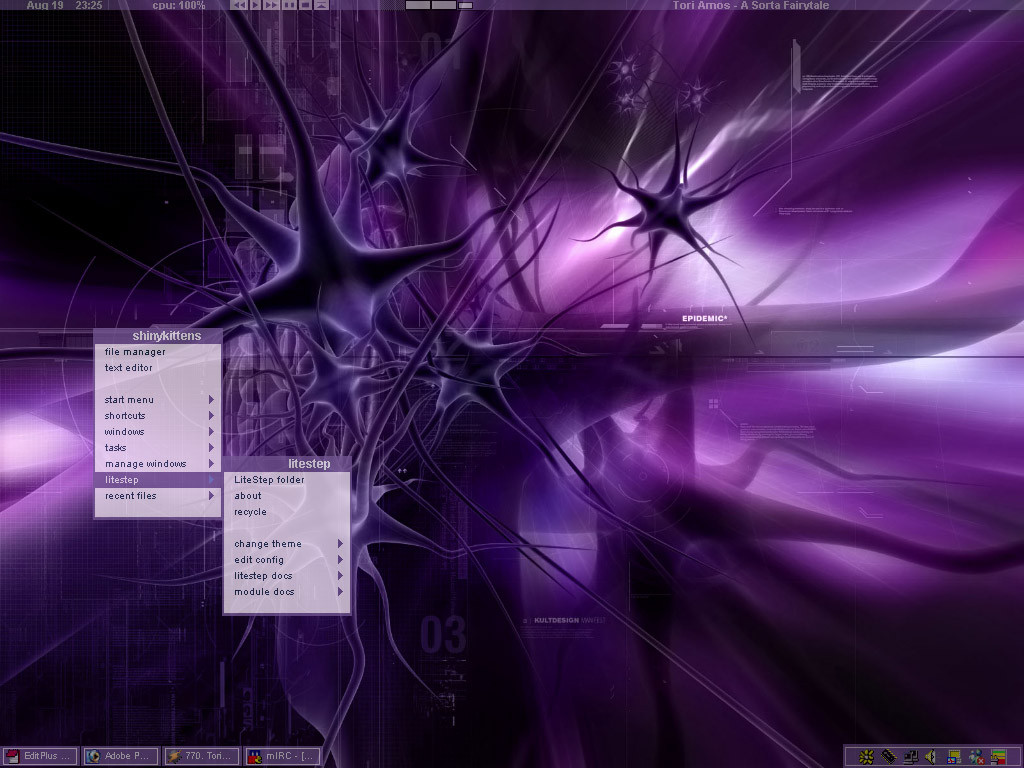
Published: 2002-08-24 21:24:16 +0000 UTC; Views: 5952; Favourites: 5; Downloads: 3332
Redirect to original
Description
My personal purpley, transparent, minimalist theme. OTS. Wallpaper not made by me (sadly) - find it here: [link] - but it's one of many purple abstract walls that will go nicely with the theme. Any graphics made in Photoshop 7, although they're pretty simple so paintbrush would probably have been enough.Related content






Comments: 8


i d/l'ed it and tried to change it but i got a popup that said "file not found" and the theme does not appear...why is this and how can i make the theme appear? ive been having some problems with some other ones too, im new to litestep and i understand it somewhat but im still a bit shaky...respond please?! someone???
👍: 0 ⏩: 0


hey i really like what you've done here, i'm interested in the same kind of stuff, especially the graphics. i'd like to know what program you use to create them
👍: 0 ⏩: 0

Very nice work Gridbug. It's as you describe, minimalist, but better still for the relative newcomer's to LiteStep, it's plug and play. Though I'm pretty much knee-deep in LiteStep theme tweaking now, and have a decent understanding, I know how hard it is to find themes that just work "out of the box". Great work, and very functional.
👍: 0 ⏩: 0

Well, the big readme is: Install litestep ([link] ) and then run LSTS, and select the theme.. Altho I'd probably only recommend litestep for more advanced users. )
👍: 0 ⏩: 0

that is a seriously soothing colour you got going on there.
👍: 0 ⏩: 0

I like it but im not sure how to install it into my computer? I read hte readme and WHAT came to mind quickly.
👍: 0 ⏩: 0