HOME | DD
 Avelithe — Cute Demon Girl

Published: 2014-03-02 16:33:22 +0000 UTC; Views: 578; Favourites: 6; Downloads: 1
Redirect to original
Description
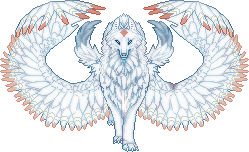
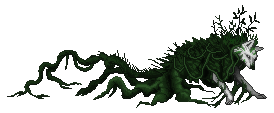
I'm not sure why I didn't upload this, but I found it necessary in case anyone got any ideas about stealing it. This was my old GaiaOnline post-signature I made when I still ran my chibi-pixel shop, but I'm not as active on GO as I used to be. Copyright to me, DO NOT STEAL.
Does anyone know how to make a moving object's background transparent? I don't have a decent program where I could do this... Note: I KNOW how to make a picture transparent, I just don't know how to make moving objects transparent. When I make the image transparent, the animated lines show. I don't really know how to explain it. /:
Related content



















Comments: 9

I use gimp and/or photoshop for transparency. c: this is super cute ahh <3
👍: 0 ⏩: 2

I know how to make BGs transparent though ><; What I'm trying to do is make animated pics not have those silly lines show through... does that make sense? x.X Thats why this has a white BG, because if I made it transparent, the animation lines will appear...
👍: 0 ⏩: 1
ah do you need one frame per layer? you'd choose the one that says (replace) in gimp. if that's what you mean ahhh
👍: 0 ⏩: 0

If you make the background color different than the colors in the work (I use a dark green mostly for mine), you can upload it to ezimba.com and make that section transparent :3
👍: 0 ⏩: 1
I know about that. x.X That's not really what I mean though... Its really hard for me to explain. When I make my animated BGs transparent, the animation lines can be seen from previous slides. Does that make sense? I don't know how to... layer? I dunno. I lack a program that does this.
👍: 0 ⏩: 1
ahh okay, I get what you mean. What program do you use? if it's PS or something you can probably google a way to do it. Otherwise, you can probably do what I do where each frame is a separate file and you put them together on ezimba :3
👍: 0 ⏩: 1
I'll have to try that... thanks Twi n.n
👍: 0 ⏩: 1
No problem! I'm glad I could help <3
👍: 0 ⏩: 0