HOME | DD
 bqsil — 02

#aesthetic #code #pastel #pink #rose #f2u #noncorecustombox
Published: 2017-11-24 20:36:02 +0000 UTC; Views: 7663; Favourites: 406; Downloads: 0
Redirect to original
Description
Edit: Now revamped a littleEdit 2: Edited againn
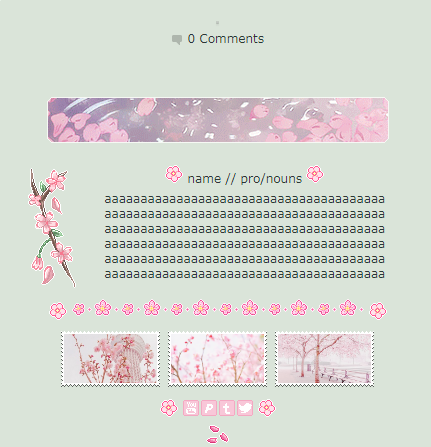
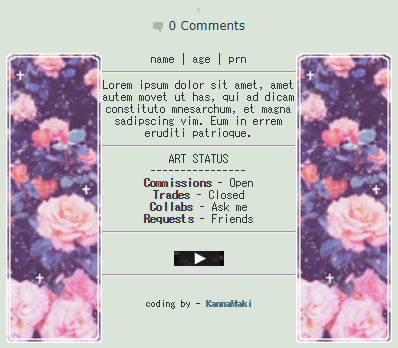
Second code! Am I good at this?
f2u!
Please favourite if you use this though; commenting is optional. Thanks!
Link: pastebin.com/7e61G4P8
Rules:
You may edit, just not too much
Do not remove the credit (the image at the bottom)
Please if usingCredits:
Rose Divider: fav.me/dcb9w8a
Rose Pagedoll Thingy: fav.me/dbtled4
Mini Pink Rose: fav.me/dbz0abt
Art Status Buttons: sukiie.deviantart.com/gallery/…
Stamp 1: fav.me/d9im8g5
Stamp 2: fav.me/da6a5ps
Stamp 3: cyooti.deviantart.com/art/019-…
Rose Pixel: fav.me/dbfo28p
Related content












Comments: 28


i am using!
the only edits i do are changing the images + stamps! i hope that's okay! ;0;
the layout will be untouched and credit will be on my profile! (and the image credit will remain)
👍: 0 ⏩: 1
thank you! <3
i did remove the art status section from it, since i already had a custom box for that! the credit will still be there ^^
👍: 0 ⏩: 1


You can use the featured deviation widget to use the code. All you really have to do is paste the coding in the description on the widget and put the widget on your profile and edit it from there. Does that make any sense? Im sorry, im bad at explaining things
👍: 0 ⏩: 1


i forgot to comment that i used this!! ;o;; it's very pretty !!
👍: 0 ⏩: 1

Hi! a little question.. How do you made pages codes?
👍: 0 ⏩: 1
I'm honestly can't explain things, but I would recommend looking at some tutorials for using basic HTML on dA.
Like these:
Using HTML on deviantART
Hello!
Hello and welcome to my little html tutorial. I've been working with html codes for a couple of years and I'm going to teach you what I know about using some basic html on deviantART. This won't make you a html expert or something and I'm not an expert myself but it will give just enough knowledge to make your journals, comments, news articles and other neat and lovely looking.
deviantART actually has FAQs about html but I still wanted to do this because they look a bit unorganized, in my opinion. Also, why would you want to look for those FAQs when you can just open this news article where you have everything in one place?
You may already know some of these, but I hope you'll find at least something helpful in this news article.
Some basic html

There are probably more out there, but these are ones I've used to help me.
Hope this helps! ^^


👍: 0 ⏩: 0


Commissions aren't open at the moment.
👍: 0 ⏩: 1

THIS CODE IS BEAUTIFUL OMG-
I Will 100% Have to use when I'm' gonna change my page O;;
👍: 0 ⏩: 1
aaaa thank you!
I'm glad you like it!
👍: 0 ⏩: 1