HOME | DD
 BrianZaremba — Random Animations

Published: 2007-03-22 17:07:51 +0000 UTC; Views: 906; Favourites: 6; Downloads: 13
Redirect to original
Description
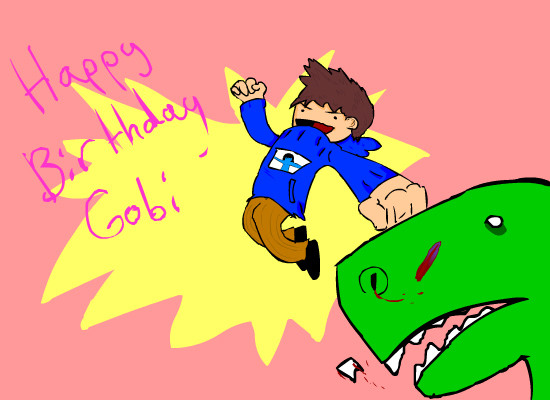
A few things I animated over the past few days. This is a way for me to see where I am right now in terms of animation and drawing. I can see areas where I need work especially things like walk cycles. The walk cycle I can tell from here is that the perspective is off and the foreshortening can be better in a few frames. I need the practice in more complex animation for Jamaica. Also anatomy can be improved a lot. Sorry this is all I have to show off for recent animation. Comments and criticism are strongly encouraged because I really need the help.
Related content














Comments: 10

sometimes doing the same animation over and over helps or look at live vedios of people doing the actions this is easier if you have friends that will except a dollar to run jumpkick and land on ther duffs in front of either and actual vedio camera or a camera that take multiple picture really fast XD it was entertaing to watch the random slowing down look you gave towards the end of each cycle if you want you can take alook at some of my animations on this account and my old one most of mine are on my old one though X3
👍: 0 ⏩: 0


Hahaa,That`s great.I love randomness.
I`m getting photoshop soon....and I`ll get the scanner to work and stuff.So then I won`t have to have all these shitty paint pictures.
👍: 0 ⏩: 0


Man, I'm still learning how to do a walk cycle properly myself, so I'm afraid I'm of no help man.
Just keep at it! Don't lose that drive!
👍: 0 ⏩: 1

okay, here comes a long one.
first some positive things. characters are looking good, space lawyer's character is funny. you've got some basic principles of how to animate down, the problem seems to be the execution.
and that's where i'll start with the critique. it's good you are aware the cycles need work, most animators are not open to critique. firstly, your lines are a little too jumpy. are you animating with a mouse or a tablet? some problems with the perspective/forshortening is definitely there. i think before you try crazy camera angles and 3/4 views you need to really nail the front and side views for run and walk cycles, which i feel you are not there yet. what i'm seeing is mechanical issues that you are probably running into partway into your cycles, and do not know how to overcome them. sadly, some of t hese issues require you to start over, and that makes the thinking about the cycle beforehand all the more important.
some mechanics to think about:
1. the feet never stop moving. in one of your cycles, the foot just stopped in its tracks after it hit the ground and didn't move until the other foot hit the ground. to avoid this, you need to make ticks on a bottom layer that serves as a guide for the placement of each foot in each frame.
2. your hips are idle during the entire cycle. this is causing some serious issues in your animations. as the foot comes up to step down, the hips come up, and as both feet are on the ground, the hips come down. the hips are in a constant up and down cycle, and also depending on the character bobbing from left to right to certain degrees for weight distribution.
3. the timing feels off. you have the keyframes, but you need to just move them around until it feels right. a general rule is more time in the air, less time on the ground. it's all about how the character distributes their weight. are they skinny, fat? do they have a disability, are they strong or weak characters? their movements will justify these things about their character that you do not need to emphasize through speech if you have strong animation.
4. you need to keep strict guides on where your bodies are moving or else they will drift off. in one front-on cycle, the body went flying off into a different direction, then jumped back to its original position into what i am assuming was frame one of the cycle. not that there need to be ticks for every little thing, but you need to be making sure that your volumes are not changing and drifting off. if it means using symbols, so be it. that's what the flash tools are there for, to make life a little easier than it is on paper.
you need to buy the animator's survival kit, or do some research on walk and run cycles on the front and side views (one of them is called "orthographic", i can't remember which 
i'm not trying to bring you down or anything, but i really think you should back off from the more bold, unorthodox camera angles you are using for cycles until you get the basics down.
👍: 0 ⏩: 1

Don't worry I don't get the feeling of you bringing me down. I felt the same way about starting front and side when I was done with the last cycle. I took a step back and said, "I should really start with more basic things before I attempt this." The book you recommended, "The Animator's Survival Kit" was also suggested to me over at Sheezy so it seems like something a lot of people agree on as a good book for helping. And also yes, I am using a tablet although I don't know why I can't keep a straight line or constant proportion at that. I agree with you that when I get far into a cycle and recognize a mistake I kind of get afraid to go back and correct it by doing it all over, but I guess that's something I have to recognize as something I just have to do if I want to continue animating.
Thank you very much rtil, I don't know where'd I'd be without your advice and help
👍: 0 ⏩: 1
Since you are using a tablet, my advice to get less shaky lines is to animate on a larger scale (about 2x to 3x times the size that the actual animation will be finished product), and then resize it down to the size you want it in the cartoon later. that way the lines compress and look smoother. some of us have shaky hands, i know i do. this will help solve that problem through the advantage of digital technology. B) glad i could be of help bz
👍: 0 ⏩: 0