HOME | DD
 caitlin-may — Tutorial: Flawless Skin

Published: 2008-01-15 04:24:32 +0000 UTC; Views: 41603; Favourites: 643; Downloads: 1492
Redirect to original
Description
My other tutorial on flawless skin-[link]
Be sure to check it out.
I hope this helps!

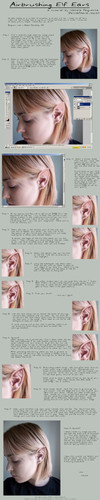
Remember - If it does come out looking fake or 'too perfect' you can always lower the opacity of the mask!
Like my page on facebook!

[link]
Related content






Comments: 164

FINALLY! A tutorial that translates to gimp. I'm using this for my snow fairy so, thank you!
👍: 0 ⏩: 0


Thank you, this worked perfectly
👍: 0 ⏩: 0

your tutorial helped me so much, thanks!
I had a bit of trouble with step #5, so if you could elaborate on it a little more, it would be more helpful in the future.
but overall, a very useful, easy tutorial
👍: 0 ⏩: 1

Okay. I figured it out...and her directions are a little vague. You click on the layer that you just created the vector mask on. Press CTL+C. Then, hold alt and click on the vector mask. Your photo should turn white. Then, ctrl+V. That should do it!
👍: 0 ⏩: 0

Well, 3 years later and people are still using your tutorial! Love it 
I just used it on an edit in my personal gallery, the image title is Ny Kol (model with brown hair white shirt, so you can find it easily).
Thanks again!
👍: 0 ⏩: 0

this is AMAAAAAZING!!!!!!!!1 finally i found a way to do this!! thank you sooooooo much!!!
👍: 0 ⏩: 0

I'm having problems on coping the picture into the mask
👍: 0 ⏩: 0

Awww, I seriously must try this. Going to search some HQ pics with myself
Thanks ^^.
👍: 0 ⏩: 0

Wow, I could really use this to help cover up my acne XD
👍: 0 ⏩: 0

I can't find surface blur in the flilter sectionn, yes I did go on the blur section but it's not there. I'm using adobe photoshop 7, any help please?
👍: 0 ⏩: 1

weird. it should be there. I'm sorry I can't really help, because in all my versions it's always been there. Check in the photoshop help. Type 'surface blur' it usually shows you where to find it.
👍: 0 ⏩: 0

wow!!
i wanted to show my results of the first try i made:
original: [link]
and after, following your tut:
[link]
thanks!
👍: 0 ⏩: 1
wow, definitely an improvement. Maybe use the healing tool to get rid of the rest of the red spots?
👍: 0 ⏩: 1
i tried that out, and here's the results
👍: 0 ⏩: 0


Thanks for the tut; looking forward to trying it out!
👍: 0 ⏩: 0

Step 5 doesn't work for me, i click the mask layer and paste but it just creates a new layer
?
👍: 0 ⏩: 1
click on it whilst holding down Alt. Does that solve the problem?
👍: 0 ⏩: 1
hmm odd.. I don't know why it would be doing that. Maybe right click on the layer mask and see if there's a select option? I dunno. I'd have to see it haha
👍: 0 ⏩: 1


i cannot get the image to paste in the vector...it just makes a new blank layer...im sooo frustrated ive tried everything.
👍: 0 ⏩: 1
that's really odd! Have you gone
edit: paste?
are you actually IN the vector when you paste it?
If it keeps being too hard - just check out my other tutorial to do the same kinda thing - [link]
👍: 0 ⏩: 0


lovveeeee ittt!!! i just tried it out. looks awesome. it was so much fun i did my picture and my bf's picture and it looks so good. thanks for the awesome tutorial!!
👍: 0 ⏩: 1


oh, nice! You don't get flawless skin this way though, just the perception of one

👍: 0 ⏩: 1
Too true. But isn't that the same as makeup? Gives the perception of flawless skin?

👍: 0 ⏩: 1
Yeah, true.. Whatcha gonna do..
Post a tutorial on mummification! >,o best antiwrinklecure there is X3
👍: 0 ⏩: 1
maybe try out my other tutorial? It's a little easier.
[link]
otherwise just tell me what you had trouble with and I'll try and help
👍: 0 ⏩: 1

lol i didnt know you had other tutorials haha thank you! <3
👍: 0 ⏩: 0


this is really good, its much faster than some of the conventional ways ppl fix skin. thanks for sharing
👍: 0 ⏩: 1

| Next =>