HOME | DD

Chishikon — Ketsu

Published: 2011-01-27 02:09:46 +0000 UTC; Views: 447; Favourites: 9; Downloads: 5
Redirect to original
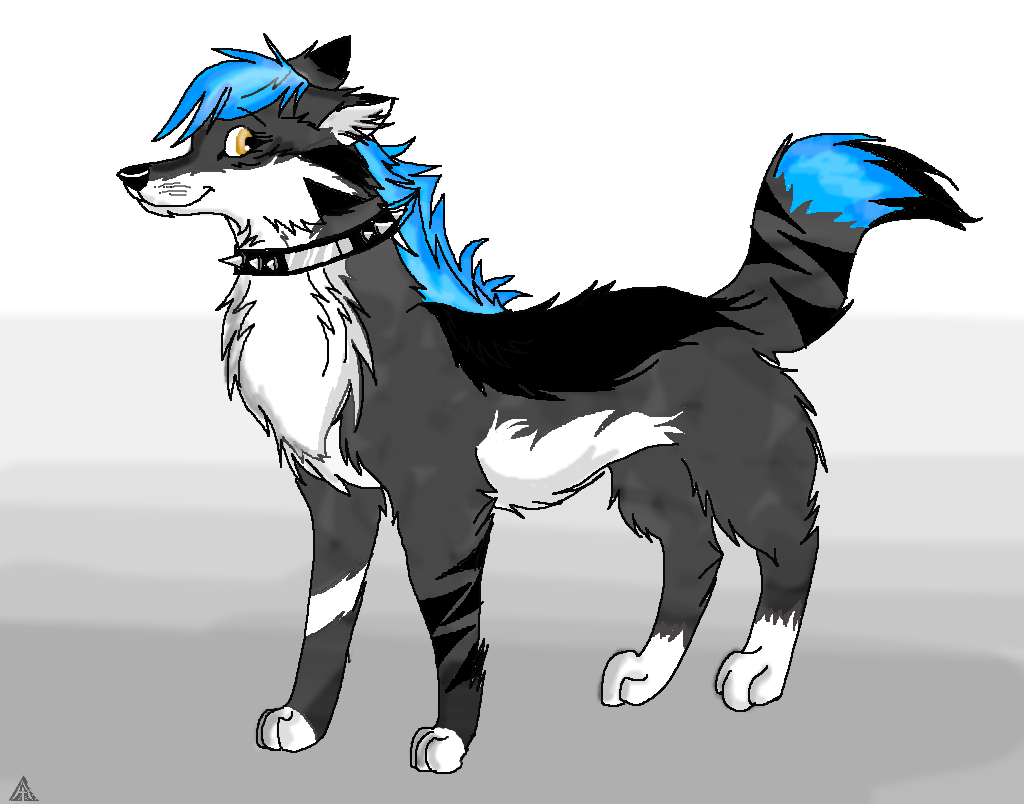
Description A better pic of my wolf Ketsu.


Lines (c) ~SkulldogAdopts
Related content
Comments: 36

Magicwaterz16 [2011-01-27 12:15:58 +0000 UTC]

I like the colors... it is so..................................................

👍: 0 ⏩: 1

Chishikon In reply to Magicwaterz16 [2011-01-27 21:44:26 +0000 UTC]

thanks ^^

👍: 0 ⏩: 0

Sutesu [2011-01-27 05:39:03 +0000 UTC]

Very Sexy!

👍: 0 ⏩: 1

Chishikon In reply to Sutesu [2011-01-27 21:44:35 +0000 UTC]

thanks

👍: 0 ⏩: 1

Sutesu In reply to Chishikon [2011-01-28 04:29:31 +0000 UTC]

Your welcome

👍: 0 ⏩: 1

Chishikon In reply to Sutesu [2011-01-28 04:35:14 +0000 UTC]

👍: 0 ⏩: 1

Sutesu In reply to Chishikon [2011-01-28 04:38:27 +0000 UTC]

Totally random, have you gotten a note from me?

👍: 0 ⏩: 1

Chishikon In reply to Sutesu [2011-01-28 04:43:03 +0000 UTC]

yeah. I have to go to bed though. Sorry....

👍: 0 ⏩: 1

Sutesu In reply to Chishikon [2011-01-28 04:45:02 +0000 UTC]

Awww, It's okay. Just note me when you are able to talk

👍: 0 ⏩: 1

Chishikon In reply to Sutesu [2011-01-29 03:07:27 +0000 UTC]

ok

👍: 0 ⏩: 0

Yiggdrasile [2011-01-27 02:49:54 +0000 UTC]

👍: 0 ⏩: 1

Chishikon In reply to Yiggdrasile [2011-01-27 02:56:46 +0000 UTC]

XD

👍: 0 ⏩: 0

Yiggdrasile [2011-01-27 02:45:47 +0000 UTC]

👍: 0 ⏩: 1

Chishikon In reply to Yiggdrasile [2011-01-27 02:56:53 +0000 UTC]

👍: 0 ⏩: 1

Yiggdrasile In reply to Chishikon [2011-01-27 03:03:12 +0000 UTC]

do you need to know how to make invisible back rounds in your art?

👍: 0 ⏩: 1

Chishikon In reply to Yiggdrasile [2011-01-27 03:07:54 +0000 UTC]

yeah

👍: 0 ⏩: 1

Yiggdrasile In reply to Chishikon [2011-01-27 15:00:45 +0000 UTC]

you use photoshop right? you dont need to change your photoshop or anything. just tell me what you use first.

👍: 0 ⏩: 1

Chishikon In reply to Yiggdrasile [2011-01-27 21:46:32 +0000 UTC]

I use GIMP, which is like photoshop

👍: 0 ⏩: 1

Yiggdrasile In reply to Chishikon [2011-01-28 15:06:28 +0000 UTC]

okay, erase the back round *the area you want to be invisible* and than you save your work as a PNG. that should do the trick.

👍: 0 ⏩: 1

Chishikon In reply to Yiggdrasile [2011-01-29 03:03:56 +0000 UTC]

ok ^^

👍: 0 ⏩: 1

Yiggdrasile In reply to Chishikon [2011-01-30 08:09:52 +0000 UTC]

so did it work?

👍: 0 ⏩: 1

Chishikon In reply to Yiggdrasile [2011-01-30 08:13:27 +0000 UTC]

no

👍: 0 ⏩: 1

Yiggdrasile In reply to Chishikon [2011-01-30 19:05:38 +0000 UTC]

o-O

odd..........what did you do?

Did you unlock layer zero?

👍: 0 ⏩: 1

Chishikon In reply to Yiggdrasile [2011-01-30 19:06:31 +0000 UTC]

what's that?

👍: 0 ⏩: 1

Yiggdrasile In reply to Chishikon [2011-01-30 20:02:41 +0000 UTC]

layer zero on photoshop is the main backround.

👍: 0 ⏩: 1

Chishikon In reply to Yiggdrasile [2011-01-30 20:05:02 +0000 UTC]

Really? I don't see that on GIMP....

👍: 0 ⏩: 1

Yiggdrasile In reply to Chishikon [2011-01-30 20:10:16 +0000 UTC]

oh........well does gimp show layers?

👍: 0 ⏩: 1

Chishikon In reply to Yiggdrasile [2011-01-30 20:18:27 +0000 UTC]

yeah

👍: 0 ⏩: 1

Yiggdrasile In reply to Chishikon [2011-01-30 20:31:53 +0000 UTC]

is there a locked layer named "Layer 0"?

👍: 0 ⏩: 1

Chishikon In reply to Yiggdrasile [2011-01-30 20:35:06 +0000 UTC]

no

👍: 0 ⏩: 1

Yiggdrasile In reply to Chishikon [2011-01-31 02:07:43 +0000 UTC]

okay, do you see any locked layer?

👍: 0 ⏩: 1

Chishikon In reply to Yiggdrasile [2011-02-01 00:25:16 +0000 UTC]

no

👍: 0 ⏩: 1

Yiggdrasile In reply to Chishikon [2011-02-01 19:27:42 +0000 UTC]

.......i dont know what do say than......i use photoshop elements editor 8.0. so i dont know what to do.

👍: 0 ⏩: 1

Chishikon In reply to Yiggdrasile [2011-02-05 01:27:52 +0000 UTC]

oh ok

👍: 0 ⏩: 1

Yiggdrasile In reply to Chishikon [2011-02-06 21:40:36 +0000 UTC]

sorry im not any help.

👍: 0 ⏩: 1

Chishikon In reply to Yiggdrasile [2011-02-06 21:45:26 +0000 UTC]

it's ok

👍: 0 ⏩: 0