HOME | DD
 commorancy — Team Enforcer
by-nc-nd
commorancy — Team Enforcer
by-nc-nd

Published: 2013-03-25 11:35:10 +0000 UTC; Views: 461; Favourites: 8; Downloads: 0
Redirect to original
Description
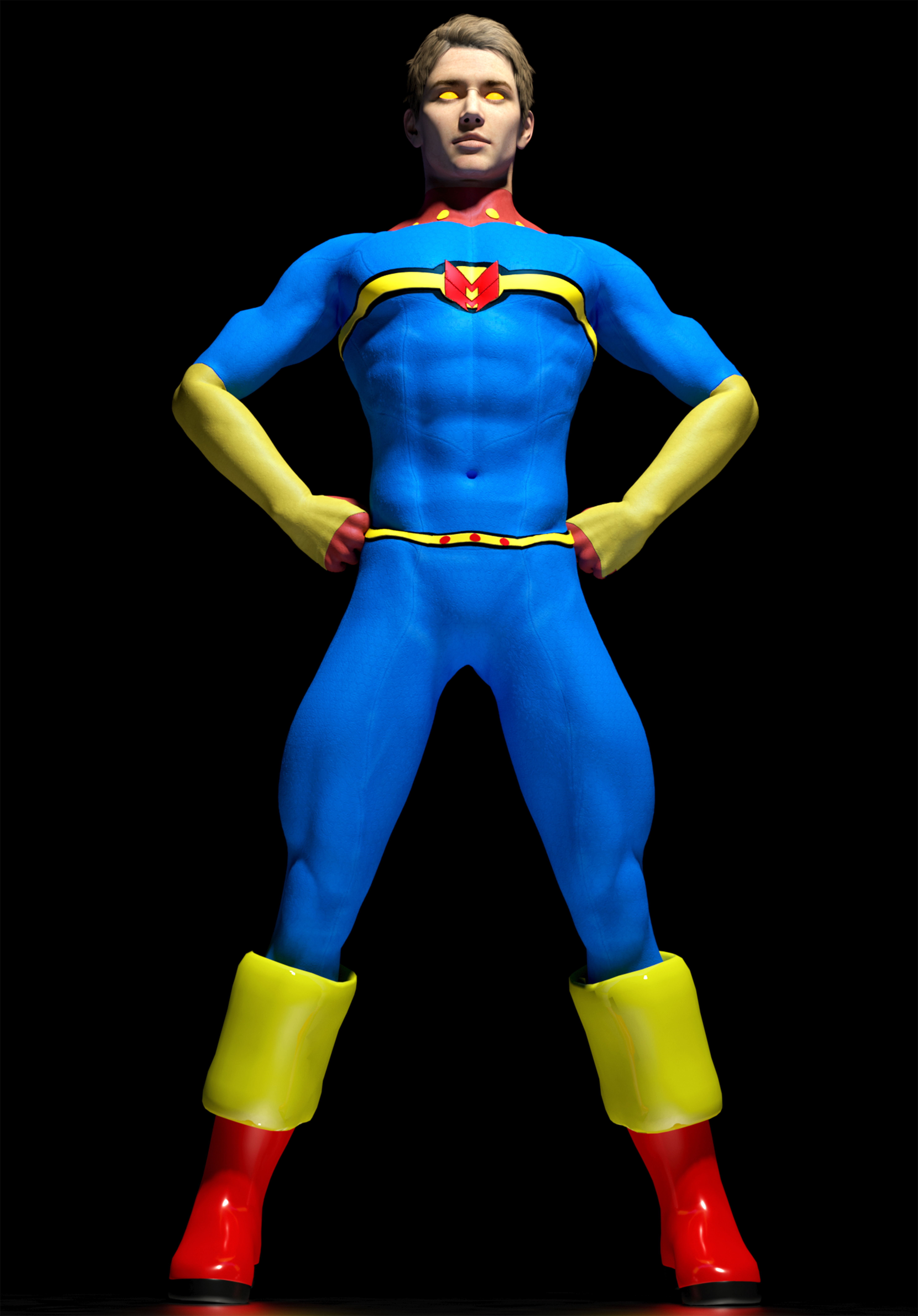
3Delight, M4+Xurge E01 ArmorRelated content




Comments: 7

"Xurge E01" , you talk about "Enforcer 01 Armor for Mike 4 " ?
👍: 0 ⏩: 1

Yes, this is Enforcer Armor: [link]
This also includes textures from the texture expansion (some slight modifications): [link]
Keep in mind that his textures are not at all optimized for Daz Studio / 3Delight. I have to take his based texture maps and rework them for DS so they look like this. I'd like to begin selling the reworked presets for DS, but I'm still looking for the best way to handle these sales.
Thanks.
👍: 0 ⏩: 1

impresive 3Delight rendering... when i see that i think i dont need Luxus render 
if you have some Daz 3Delight setting advice
👍: 0 ⏩: 2
I should mention that I generally use no more than 3 lights in most scenes like this. I always have a back light to illuminate the edge of the figure or object and then two front top lights (left and right). I sometimes add a spot to put a glint in eyes or illuminate a specific area of the figure. The lights are always white (255RGB). You can tint one of the distant lights a pale yellow with shadow softness at 3% to simulate the sun. I didn't do that here, though.
👍: 0 ⏩: 1
Thanks for your kindness Advice
👍: 0 ⏩: 0
Hi ReilianT,
Well, the trick is in getting lights at the right angles in combination with the correct surface texture settings. 3Delight lights can easily become hot quickly (especially on whites and light colored surfaces). You have to compensate by reducing diffuse strength (especially on lighter surfaces). Also, all lights should be set to 'Ray Traced' shadows instead of 'Deep Shadow Maps'. I find that shadow maps generally don't work well enough to create the realism I'm looking for.
As far as lights, I used the following lights:
3 distant lights (left back 200% intensity, top left front 54% intensity, top right front 70-80% intensity)
1 spotlight left back 161% intensity (creating spot on floor)
I prefer to use 3Delight for renderings because displacements _always_ work as expected (no seams or problems). With Lux, I can sometimes get very similar results (sometimes better, but not always). Unfortunately, Lux requires a whole lot more texture rework and usually requires post work to clean up pixel artifact problems. Of course, Xurge3D.com's packages need to be completely reworked for Daz Studio as Sergio creates the textures for Poser.
The above had no post work other than adjusting contrast levels. 3Delight needs better contrast filtering, but I find that I have to do this to Lux images also. I also did not use the Uber GI environment. I like using GI, but it dramatically slows down render times and can introduce artifacts that need to be cleaned up. This render took maybe 35-40 minutes at 5k by 5k pixels. That's another reason I prefer to use 3Delight... it's fast. In fact, it's one of the fastest renderers I've ever used that can produce results like the above that fast.
👍: 0 ⏩: 0