HOME | DD
 Cupidia — Red Ribbon Color Mods

Published: 2011-02-09 02:28:12 +0000 UTC; Views: 44529; Favourites: 349; Downloads: 8943
Redirect to original
Description
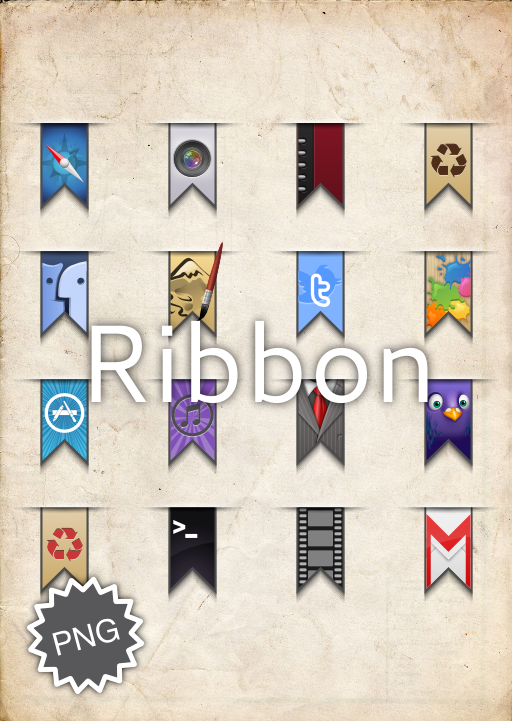
Differently-colored mods of Side-7's original Red Ribbon: [link]I made these to match various wallpapers, being OCD about matching as I am.
(Also included are Side-7's screenshot of the Geektool settings required.)
EnjoY!
Related content





Comments: 62

Love these ribbons. Any chance on releasing a psd so we can do our colors? Or did you just alter the white ribbon
👍: 0 ⏩: 0

1. Descargar GeekTool desde el Mac App Store
2. Abrid la aplicación
3. Os apareceran 3 opciones, elegid la primera (image)
4. Descargad el paquete de aqui
5. Abrid el archivo Geektool Setting.png
6. Configurar exactamente como os apareceram
7. Click en Seth Local path y seleccionar el color que prefieren
8. Hecho!
1. Download Geektool from Mac App Store
2. Open the application
3. Will appear 3 options, select the first (image)
4 Download the package from here
5. Open the file Geektool Setting.png
6. Configure geek tool exactly as the image
7. Where says "Set Local Path" click on it then you should select the color you want from the package
8. Done!
👍: 0 ⏩: 0
1. Descargar GeekTool desde el Mac App Store
2. Abrid la aplicación
3. Os apareceran 3 opciones, elegid la primera (image)
4. Descargad el paquete de aqui
5. Abrid el archivo Geektool Setting.png
6. Configurar exactamente como os aparecerá
7. Click en Set Local path y seleccionar el color que prefieren
8. Hecho!
1. Download Geektool from Mac App Store
2. Open the application
3. Will appear 3 options, select the first (image)
4. Download the package from here
5. Open the file Geektool Setting.png
6. Configure geek tool exactly as the image
7. Where says "Set Local Path" click on it then you should select the color you want from the package
8. Done!
👍: 0 ⏩: 0

Hola:
poOR FAVOR me podeis decirm que pasos tengo que seguir desde cero para aplicar esto a mi mac? es que no se como hacerlo
Gracias
👍: 0 ⏩: 0
Gracias y como se instala o se pone esto en el mac?
Gracias
👍: 0 ⏩: 0


Nice mod
I'm using it with GeekTool and it looks perfect. Unfortunately it appears on all my desktops..like Opera full screen view...
Any idea to fix this
Thx again.

👍: 0 ⏩: 1

Unfortunately there's currently no known fix for this, since you know that in order for it to show on top of the default apple icon it you need to check "always show on top" (or something along those lines). The side effect of that is that it's ALWAYS on top, so there's no middle ground, if you know what I mean. Personally I've been using it for a year now and it never bothered in in full screen, mainly because I use shortcuts instead of the buttons the ribbon covers anyway.
👍: 0 ⏩: 0


how to use them. .?? m using lion OSX 10.7.3 and even I have geek tool app installed on my macbook pro. .
👍: 0 ⏩: 0


how can i change the apple icon? using geektool?
👍: 0 ⏩: 1
Do you mean the apple icon on the default menubar, or the apple icon on the ribbons? If it's the former, then yes use Geektool to place your ribbon of choice over it. If it's the latter, then unfortunately I haven't gotten around to releasing them in a "clean" version yet.
👍: 0 ⏩: 1
yap, i mean the ribbon one. sadly i don't know how to use geektool.
👍: 0 ⏩: 0


Hey there. I've created a mod of these for private use and wanted to know if you're okay if I want to share them. I'll wait for your answer until I do anything.
Cheers. (as a sidenote: of course I'll let you check what I did to make sure you're okay with it.)
👍: 0 ⏩: 1
Yes of course -- seeing as this itself is a mod, I see no reason to discourage a mod of a mod! 
Can't wait to check it out!
👍: 0 ⏩: 1

Hey i've used your work in my latest desktop build! Awesome work check it out here [link]
👍: 0 ⏩: 1


Awesome mod! Used here: [link] Hope you like it. ^^
👍: 0 ⏩: 1
thanks! Glad you made good use of it
👍: 0 ⏩: 1
You're very welcome. ^^ Lol, me too.

👍: 0 ⏩: 0

how do I install this and make it part of my toolbar. sorry i am new to this, but I want to learn.
thanks
👍: 0 ⏩: 1
You first have to download Geektool: [link]
Then, drag out the "Image" one (not the File or Shell) one out of the Geektool pref pane, and use the same settings as in the screenshot included in the download of the ribbons.
Have fun!
👍: 0 ⏩: 0

nice ribbons!
any chance to get "clean" versions? (without the apple logo)
👍: 0 ⏩: 0


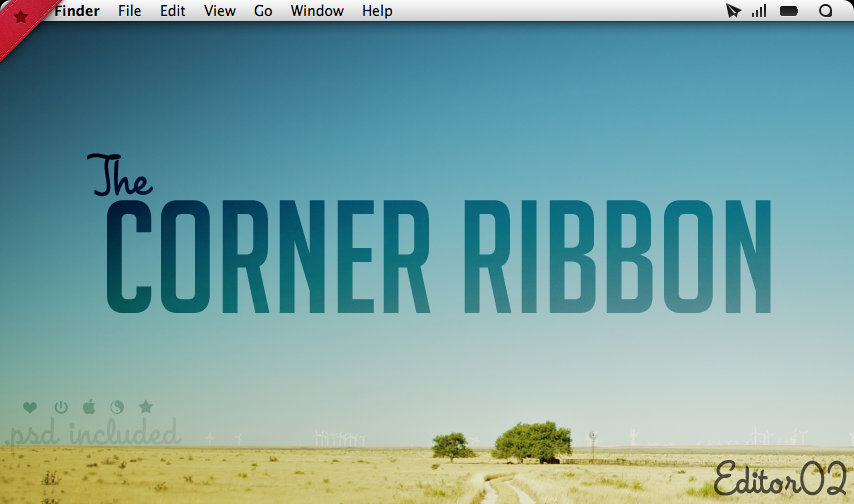
Nice Collection of Colors! Great work on this! Did it take you much time? I'd love for someone to do this for my "The Corner Ribbon". [link] (and for the record, my corner ribbon isn't a mod of Side-7's Red Ribbon)
👍: 0 ⏩: 1
Thanks! And not really, if I remember correctly
lol is that a hint? I've actually already downloaded your corner ribbon, but haven't gotten around to modding it yet. Thing is, because the ribbon and the apple/yingyang/heart/star are separate, it's a little more complicated to match colours
👍: 0 ⏩: 1
ahh yes, fair point there. What if you add a Hue/saturation adjustment layer? Thats the method I'm used to. How do you normally do it?
👍: 0 ⏩: 1
Yes that's the fastest method... in addition to that I also usually do some touchups to make the gradients smoother/glossier
👍: 0 ⏩: 1


| Next =>