HOME | DD
 daheroes — MAX WIP
Published: 2004-05-24 01:57:41 +0000 UTC; Views: 148; Favourites: 0; Downloads: 31
Redirect to original
Description
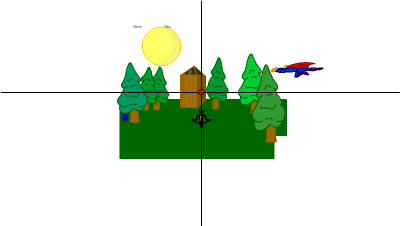
this is the weekend work on MAX.it is one of the more essential elements of MAX: keywords
type in the big white box... and click on the blue box for a response.
working functions:
pause - pauses all movie clips
unpause - unpauses all movie clips
highlight - fades the movie clip's opacity to 50
unhighlight - unfades the clip's opacity
color - adds a color to a clip
uncolor - dare i say, unadds?
drag - allows a movieclip to be dragged
scan - displays all movieclips
attach - attaches movie clip to MAX... the floating orange dude. EDIT: MAX is draggable...
unattach - guess what it does...
basic syntax:
type the name of the function, followed by a "~", then the parameters...
example: drag~faded~true
this allows the clip, faded, to be dragged by the mouse.
don't know the name of your clips?
type scan
it displays a list of all current movieclips.
don't know where a clip is?
highlight it.
example: highlight~murder
more advanced syntax:
(possible parameters for each function)
pause: no parameters
unpause: no parameters
scan: no parameters
highlight: one parameter, movie clip target
unhighlight: one parameter, movie clip target
color: two parameters, movie clip target, color*
uncolor: one parameter, movie clip target
drag: two parameters, movie clip target, either true, which turns the drag on indefinitely, false, which turns it off indefinitely, or temp, which allows it to be dragged
attach: one parameter, movie clip target
unattach: one parameter, movie clip target
*colors must be in hexadecimal format...
quick rundown:
red: 0xff0000
green: 0x00ff00
blue: 0x0000ff
**MAX (C) Brekk Bockrath 2004**
Related content









Comments: 4


it's an unfinished flash creation... basically, the idea is that it will be able to adjust anything in the flash file, save the changes, and reload it next time it updates.
👍: 0 ⏩: 1