HOME | DD
 DarkEagle2011 — :: WINDOWS ::
Published: 2011-08-01 01:13:46 +0000 UTC; Views: 42191; Favourites: 55; Downloads: 7359
Redirect to original
Description
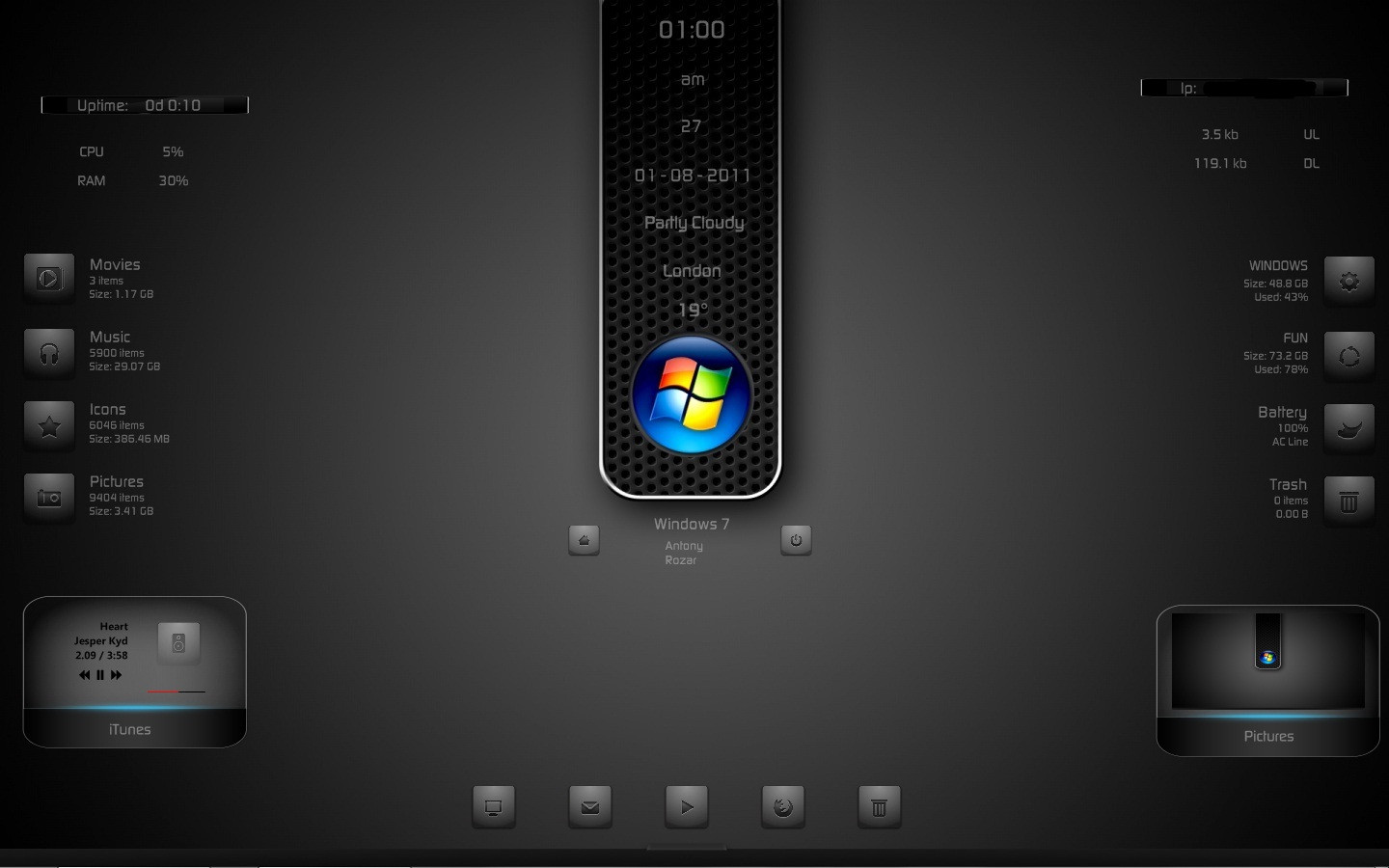
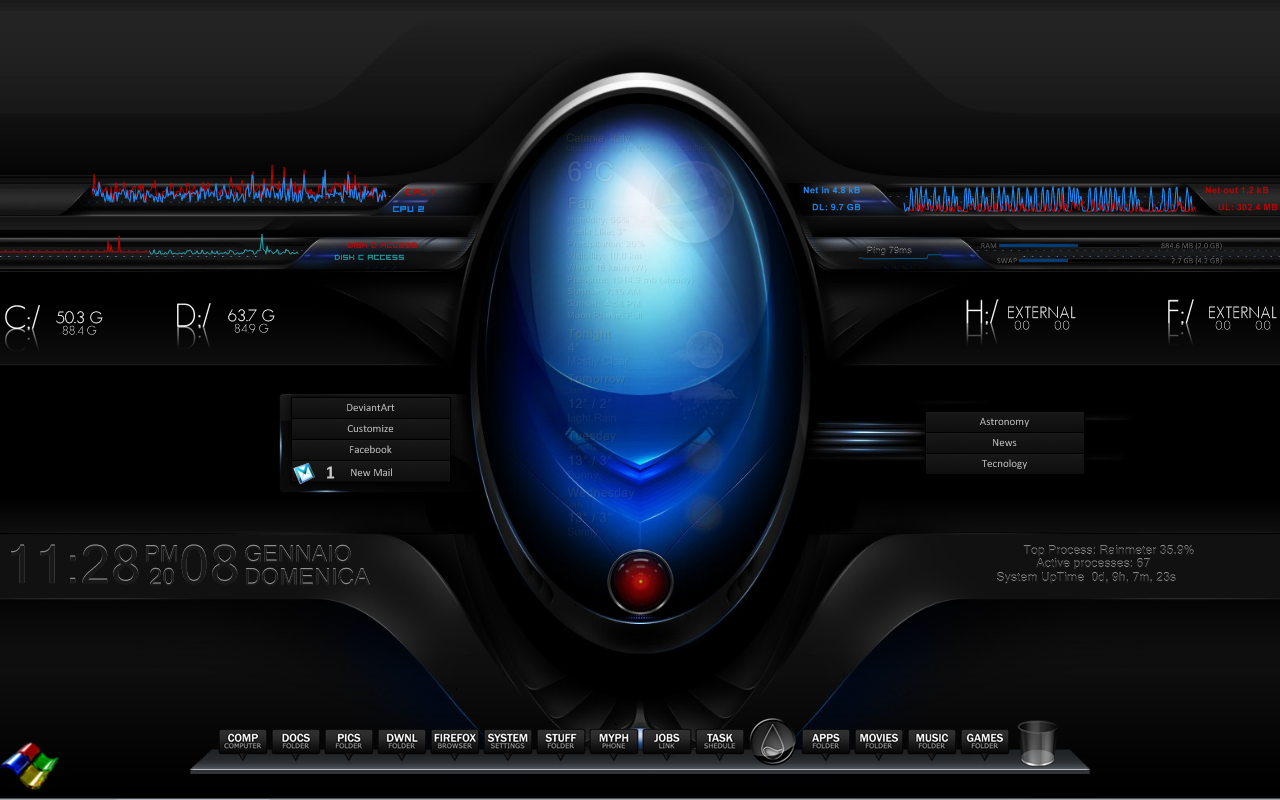
:: WINDOWS ::FEATURES:
Installation Notes Included.
My Computer, Documents, Music Player, Browser, Recycle Bin, iTunes Player, Pictures Slider, Movies, Music, Icons, Pictures, Cpu, Ram, Disk c & d, Battery, Trash Network upload & Download, Ip Address, Date, Time, Weather, System info, User Info, Uptime, Power Info & Options, Start Menu, ....
MY RAINMETER THEMES: [link]
EXPECTING YOUR KIND COMMENTS...
THANK YOU & ENJOY

Related content












Comments: 18


Download link is on the right side top area.
Download and Install this Theme.
Then, you will get Wallpaper Sizes Included @ My Documents/Rainmeter/Skins/
Instructions to edit Dock Icons Included.
👍: 0 ⏩: 0

can you make tutorial how to instal? i dont know how to instal :/
👍: 0 ⏩: 1
Basic Instructions:
1. Download the THEME NAME.rar file.
2. Extract it and set the wallpaper as Background.
3. Double click the fonts to install.
4. Copy and paste the THEME NAME folder at My Documents\Rainmeter\Skins\ ...
5. Now restart rainmeter.
6. Now Right click on Rainmeter icon near volume, date, network icons in the lower left corner and follow to Configs/THEME NAME/SKIN NAME/SKIN.ini
7. Now you have opened the SKIN file. Now drag the SKIN at your required place of the Desktop.
8. Now likewise open all .ini files under THEME NAME folder and place according to the screenshot attached in the Downloaded file.
If you still have doubts, see the youtube videos for how to install the rainmeter theme.
Weather Instruction:
First open and set the Weather skin on the desktop and then Right click on the Rainmeter Icon in the lower left corner near the volume , date,.. and you will see THEME NAME \ Weather in the first column itself along with along opened files. In that Click Edit skin, a text file will open. Thats the coding file of the skin. In that file, in the first few lines itself i have given the steps of finding the location. Find it and paste the code at " LOCATION = " . Now Refresh or Restart the Rainmeter for the change to happen and you can enjoy your area weather status.
ALL INSTRUCTIONS ARE INCLUDED AS A NOTE ALONG WITH THE DOWNLOAD FILE.
👍: 0 ⏩: 0

nice design. changed a few things for personal use. the surface one is quite nice aswell.
imageshack.us/photo/my-images/…
👍: 0 ⏩: 1
ok changed a few more things and integrated another skin for weather and time. this is my final desktop now imageshack.us/photo/my-images/…
👍: 0 ⏩: 0


Hi! So, I'm totally new at this. When I download this as a .rar, what do I do then? Sorrow
👍: 0 ⏩: 0

No problem for the questions, Friend. I created this theme using Rainmeter Version 2. If you have low version, Get Version 2 from Rainmeter.net. If you have the same version, close all the skins, restart the Rainmeter itself and start opening all the skins again. Try it once. Tell me what happens then. I dont mind answering my viewers questions. I'll be waiting for your reply. We'll make this theme work on your desktop.
---- Your Friend
👍: 0 ⏩: 0
Thanks!
In Files info.ini, give paths for;
Movie=J:\Videos
Music
Design=G:\STYLES\ICONS
Picture
These things will start from 5th line from top.
In Picture slider.ini, give path at;
ImagePath="C:\Users\Rozar\Documents\Rainmeter\Skins\Windows\Photo Slider\PHOTOS\"
This also will be at 5th line from top.
Set them up and Enjoy!!!
👍: 0 ⏩: 1

Thanks a lot!
I got both working now!
Only 1 more question... I put the FileListPlugin.dll into the "C:\Program Files\Rainmeter\Plugins\" but whenever I start the Files Info skin, it says it cannot locate the .dll file
Any Ideas? I am sorry for all the questions!
👍: 0 ⏩: 0
This is a very professional looking theme!
One question:
When I edit the to set the paths for the Files info and Picture Slider, which value on the file do I edit? and how?
"[PathMovie]
Measure
Plugin=#Path#
Field=FolderPath
WildcardSearch=*.avi
FolderIndex=0
Path=#Movie#
Recursive=1"
which one do I edit in order to set the path?
👍: 0 ⏩: 0

Hi Friend,
Link: [link]
In this link, he created a Player using latest NOW PLAYING.DLL that comes with the Rainmeter 2.1 Beta Version. It works with AIMP, foobar2000, iTunes, MusicBee, MediaMonkey, Winamp and WMP players. It also supports OGG, OGA, FLAC, MP3, MP4, M4A, M4B, M4P, 3G2, WMA, ASF, APE, WV and MPC formats. Download it. In the coding, you will see the X & Y positions of play, pause,etc,. along background png files location. Just Redesign with new modifications along with new background png files. Create something as you wish and Release it along with Credits of poiru. Enjoy the Desktop and Be Happy Always!!!
👍: 0 ⏩: 0

Looks nice, can u send me a tutorial how to control wmp in rainmeter?
👍: 0 ⏩: 0
