HOME | DD
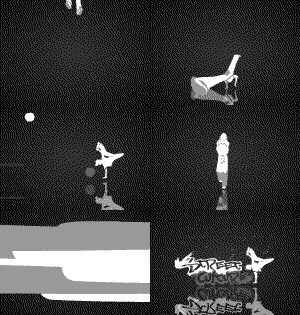
 Doguras — Flash running study

Published: 2012-08-13 12:45:50 +0000 UTC; Views: 33986; Favourites: 1012; Downloads: 1842
Redirect to original
Description
Study flash animation, running in different waystraditional animation in flash cs3
Related content















Comments: 162


hello
i have a question
what type of software do you use to Draw and Animate
also what type of tablet/pad do you use
thank you
👍: 0 ⏩: 1

Hello
I'm using a Bamboo tablet and for the programs, Toon Boom Harmony 10 and Flash.
this month, I was able to buy a cintiq 12, I'm training animations, learning to deal with this tablet, but I think it was my best acquisition in this year

👍: 0 ⏩: 1
THANK YOU FOR ANSWERING MY QUESTION!
i have another Q
Are Toon Boom Harmony 10 and Flash compatible with Mac
thank you
👍: 0 ⏩: 2
The TB Harmony works on Mac perfectly, but just the original version,
About Flash I don't know :S
You are welcome

👍: 0 ⏩: 0
also
if u used photo shop, is it good for drawing and comics and art stuff
thank you
👍: 0 ⏩: 0

really good! i struggle with flash still but this looks amazing! so smooth
👍: 0 ⏩: 1
Flash is really good, but Toon Boom Harmony is better, I have to admit...
I passed years working on flash, but I needed to move to Harmony to be able to work in the Studio that I'm working now, Toon Boom is a more complete program for 2D animation than the flash, but both are great programs
👍: 0 ⏩: 0


This is soo cool!
I love to run, I think I'd be the 2nd one on the left!!
Don't want to let energy out all at once because I do long distance runs.
👍: 0 ⏩: 1
Haha
Congrats running is very good for health!
👍: 0 ⏩: 1


I love anime style, provided it is well done
👍: 0 ⏩: 1

like comics... you have to investigate
try to run like that
👍: 0 ⏩: 1


Ótimos run cycles!!! Vc animou direto no flash? Pergunto isso pq é bem difícil lidar com o brush dele pra desenhar.
👍: 0 ⏩: 1
Sim, foi direto no flash
É bem simples se você utilizar as linhas de vetor, são fáceis de controlar pelos pontos
Porém se você quer ilustrar sem linhas um bom programa é o Toon Boom Harmony 10, atualmente trabalho nele e tem ótimos recursos
👍: 0 ⏩: 0
Just click on Download on the right side of the screen
👍: 0 ⏩: 2

i mean like to control that frames by frame man dejavu didn't i just type to you?
👍: 0 ⏩: 0
I know but doesn't have the setting to stop frame be frame to see what you did. thanks btw ahead
👍: 0 ⏩: 0

Go to File > Save Page As
👍: 0 ⏩: 1
Ya i done that Thanks, but i can't see the frame by frame stuff
👍: 0 ⏩: 2
This is my old demo reel
It has the same animation, on vimeo if you hold the key shit + arrows will be able to move the video frame by frame
vimeo.com/74948920
👍: 0 ⏩: 1
👍: 0 ⏩: 1
Hey thanks Doguras!
👍: 0 ⏩: 1
i found the files
👍: 0 ⏩: 1
Well i though i did sorry, if you want to break the frame apart just take the gif then open it in photoshop that's what i did.
👍: 0 ⏩: 1
| Next =>