HOME | DD
 f705t — Frosted Arts Matrix Tutorial

Published: 2004-06-24 05:18:53 +0000 UTC; Views: 4124; Favourites: 40; Downloads: 707
Redirect to original
Description
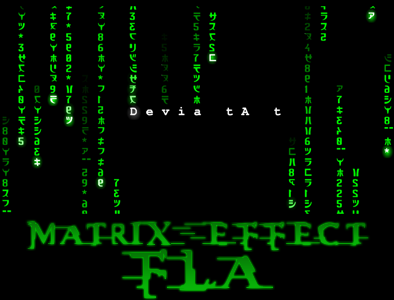
I know there are a lot of tutorials on the matrix effect but I found most of them to be full of flaws and most of the time leave you saying "do what now?" so I have tak'n it upon myself to make my own tutorial that is only 6 steps long and you only use one layer. If you have any questions or get stuck feel free to ask.1. Start off with a good size layer, it doesnt matter what you name it because we will only be useing one layer in this tutorial.
2. Use the paint bucket tool and change the background white. Make sure your forground is set as white and your background is set as black. now: Filter> Texture>Grain. Now set Intensity to 100 and Contrast to 100 and grain type to vertical.
3. Filter>Artestic>Neon Glow *settings should be as follows: Glow size:5, Glow Brightness: 22, Glow Color: white (I know you probubly dont want it white but trust me it has to be white for now you can change the color later)
4. Filter>Stylize>Find Edges
5. Image>Adjustments>Invert
6. Image>Adjustments>Hue/Saturation (make sure the colorize and preview boxes are checked) *Now you can make it any color you want. Try to keep Lightness within -2 to 0. mess with saturation and hue till you find something you like. Whala! you have your very own matrix effect picture.
Related content











Comments: 10

Oh boy!!
Awesome effect, simply and ellegantly explained.
👍: 0 ⏩: 0


This is great! I used it as a part of my current desktop background...
Thanks for the help!

👍: 0 ⏩: 0

This effect is really neat 
👍: 0 ⏩: 0

wooow^^ nice always wanted to make matrix pics...now i know how hehe
👍: 0 ⏩: 0


hmm... I have seen a tutorial about this somewhere else... It wasn't same but it used also the Grain filter.
👍: 0 ⏩: 0


errr which photoshop is this then?
I have 7.0 and just did that and ended up with a white bg (there is no flood)
👍: 0 ⏩: 0

im quite fond of this effect, but never knew how to do it...^_^
thanx ya
:favorites:
👍: 0 ⏩: 0