HOME | DD
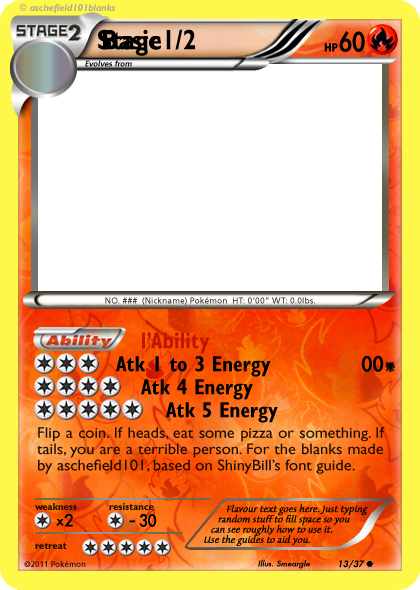
 FlamingClaw — BW Font Guide
Published: 2012-02-05 18:59:02 +0000 UTC; Views: 4597; Favourites: 9; Downloads: 634
Redirect to original
Description
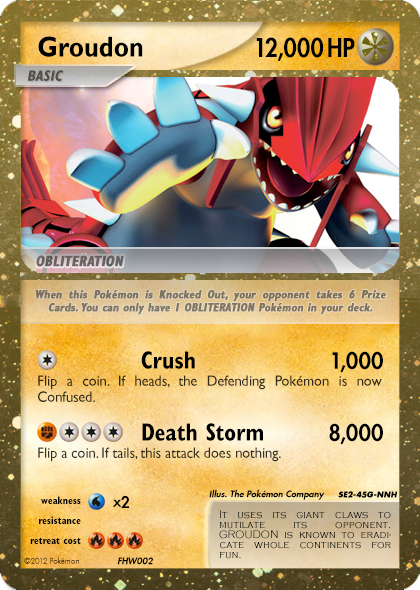
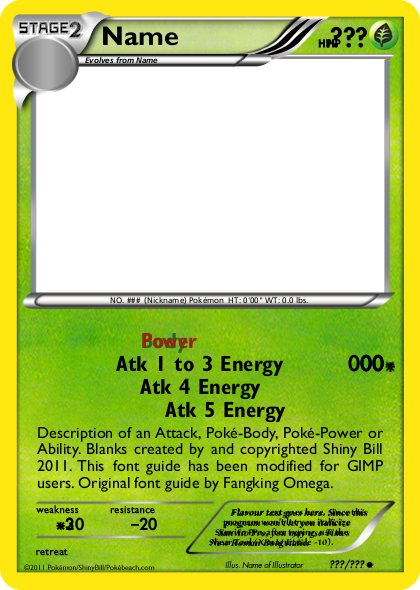
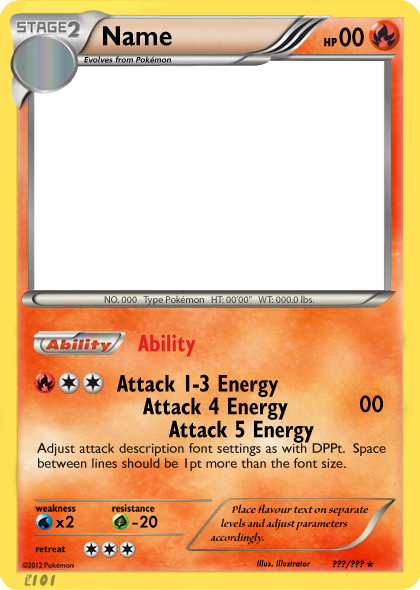
A font guide for asche's BW cards
Related content








Comments: 26

what symbols were used give me link please
👍: 0 ⏩: 0

What are we supposed to do with this ?
Bacause I don't see where we are supposed to download it ?
👍: 0 ⏩: 1

Click "Download File" on the right of the page
👍: 0 ⏩: 0

Awesome work mate, but I can't really download anything!

👍: 0 ⏩: 1
Huh? If you click "Download File" near the top right of the page you can download the .PSD
👍: 0 ⏩: 0

Not sure if my last comment was added? :/ So, thanks for an amazing font guide! But do you have any advice on how/where to place the names and descriptions of attacks/abilities, as well as where to place the HP letters for 3 figure HP's? Thanks!
👍: 0 ⏩: 0
Not sure if my last comment was added? :/ So, thanks for an amazing font guide! But do you have any advice on how/where to place the names and descriptions of attacks/abilities, as well as where to place the HP letters for 3 figure HP's? Thanks!
👍: 0 ⏩: 0
Hey, thanks for the font guide, really works well, appreciate it heaps! Do you happen to have a guide for how to position the attacks, and poke-body/abilities on the card?? As in how many pixels/cm's from the top/left/etc? As well as where to place the HP letters for 3 figure HP's. Once again thanks for the great font guide, any help on this tho would be great! Thanks!
👍: 0 ⏩: 1
No worries, I got the comment
👍: 0 ⏩: 1
Thanks for the reply, I'm already using the psd file, its great thanks.
I was just asking tho about placing the attacks really, as in if there's only one attack where do you place it so that it looks centred? Or for 2 attacks where fo you place them, or for 2 attacks and a Poke Ability, etc?? Any help on the would be great! Thanks.
👍: 0 ⏩: 1
I don't have any solid instructions as to where to place; it differs as to how much space the Ability/attacks take up. I would suggest just having a look at some real cards/scans then use your own judgement as to what looks right on your card. Sorry bro.
👍: 0 ⏩: 0

Futura Std / Heavy / size 26 / 87% width
👍: 0 ⏩: 1

do you know where to get a font guide that works with Microsoft digital image editor?
👍: 0 ⏩: 1
Sorry, I don't believe there is one. I knew nothing about the software beforehand and after a quick Google search it looks like it's been discontinued, so I don't know if anyone'd be able to make one...
👍: 0 ⏩: 0
What program are you using? PSDs are designed for Photoshop
👍: 0 ⏩: 1

Yes, I've figured that out. I opened it with GIMP, bt it looks all messed up and is just the picture.
👍: 0 ⏩: 1
I don't believe layered PSDs work properly with GIMP, sorry
👍: 0 ⏩: 1

Well,they work kinda well.Just some features that aren't present in GIMP don't work.Only problem,though,is that it just won't recognize the fonts,even after they're installed.But you can pretty much solve that by opening a new text layer w/ the same proprierties at the same place

👍: 0 ⏩: 0


