HOME | DD
 FracFx — Apo+Terragen Mini Tutorial
by-nc-sa
FracFx — Apo+Terragen Mini Tutorial
by-nc-sa
Published: 2010-05-24 08:00:19 +0000 UTC; Views: 1634; Favourites: 11; Downloads: 73
Redirect to original
Description
I'm not very good at writing tuts but I figured this one was pretty easy to understand if you use Apophysis (even if you don't) and Terragen.How to import an Apophysis Fractal Terrain into Terragen
First create your terrain from your fractal program
I created my flame in Apophysis, a 9 linear tile with bubble+z and cylinder+z and curl3d on the FX using Apo7x (you could use any version, I chose this one for the 3D functions and rendering options)
Apophysis Params:
A01000FCFC00F9F600F5EF00F2E900EEE200EBDC00E7D500
E4CF00E0C800DDC200DABB00D6B500D3AE00CFA800CCA100
C89B00C59400C18E00BE8700BA8100B77A00B47400B06D00
AD6700A96000A65A00A253009F4D009B460098400000FC6C
00F56900EE6600E76200E05F00D95C00D25900CB5600C453
00BD4F00B64C00AF4900A84600A143009A4000923C008B39
008436007D33007630006F2D006829006126005A23005320
004C1D00451A003E1600371300301000FCFC00F5F500EEEE
00E7E700E0E000D9D900D2D200CBCB00C4C400BDBD00B6B6
00AFAF00A8A800A1A1009A9A009292008B8B008484007D7D
007676006F6F006868006161005A5A005353004C4C004545
003E3E0037370030304040FC3E3EF73C3CF13939EC3737E6
3535E13333DC3131D62E2ED12C2CCC2A2AC62828C12626BB
2323B62121B11F1FAB1D1DA61A1AA118189B161696141490
12128B0F0F860D0D800B0B7B09097607077004046B020265
000060000000000000000000000000000000000000000000
000000000000000000000000000000000000000000000000
000000AC60FCA95DF6A559F0A256EA9E53E49B4FDE974CD8
9449D29046CD8D42C78A3FC1863CBB8338B57F35AF7C32A9
782EA3752B9D7128976E24916A218B671E85641A7F60177A
5D147459116E560D68520A624F075C4B0356480050FC00AC
F700A7F100A2EC009EE60099E10094DC008FD6008AD10085
CC0081C6007CC10077BB0072B6006DB10068AB0064A6005F
A1005A9B005596005090004B8B004786004280003D7B0038
76003370002E6B002A650025600020FC2020F71F1FF11E1E
EC1D1DE61C1CE11A1ADC1919D61818D11717CC1616C61515
C11414BB1313B61212B11111AB0F0FA60E0EA10D0D9B0C0C
960B0B900A0A8B09098608088007077B0606760404700303
6B0202650101600000FC8000F97C00F67800F27400EF7100
EC6D00E96900E66500E36100DF5D00DC5900D95600D65200
D34E00D04A00CC4600C94200C63E00C33A00C03700BD3300
B92F00B62B00B32700B02300AD1F00AA1C00A61800A31400
I Rendered the picture and saved it as a .bmp in the Terragen folder
We're Done with the Apo part now...
I took the .bmp render and opened it in Terraformer2
(There's kind of a bug here if you have Terraformer2 in the Terragen folder, you'll have to click on a different folder,
then the Terragen folder again for the new .bmp file to show up in the list), once you have it in the list then
save it as a .ter file (you could erode it etc. if you wanted to, for this tut we're just going to use it as a convertor)
open it (your .ter file you just saved with whatever you named it) in Terragen (Landscape/Open)
click the surface map, on surface layer move the bumpiness slider all the way left
Go to camera settings
Check the "orthographic" box and Auto Setup, Answer yes, then click Close
uncheck the sky box if it's checked, you won't need it since we are looking straight down and will reduce rendering time

On rendering control click your render preview
You will see your terrain from an overhead view with the default world settings (with a kinda ugly grey overcast)
Here's where the fun begins,
Change the lighting, atmosphere, and clouds for different colors
In this example the CLOUDS are what change the multiple of colors and where they are and are based on the atmosphere color settings
The reason for this is because we are looking down THROUGH the clouds at our terrain that is also color effected by the atmosphere (by the density/decay and half-height settings and lighting conditions)
Experiment with different cloud sizes and settings and you'll get different "lighting/shading" effects
Pretty cool
I then rendered it in Terragen and saved it as a .bmp
For the final post work I opened the Terragen render in IrFanview and adjusted color corrections.
And that's it on how to make a fractal/terrain/manip
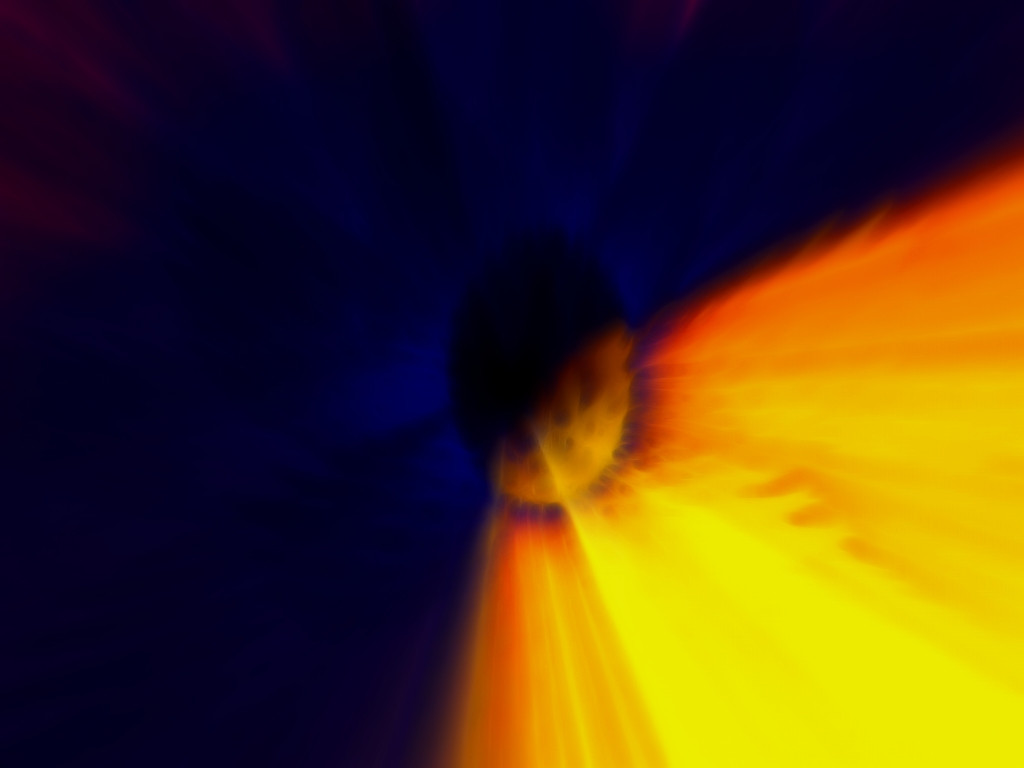
Just for fun I applied a Fractalius filter and the Supernova Pic is the result, it's up to you to do manip/postwork
You could use Gimp, Artweaver, Paintshop, PSP, or whatever program you prefer to do your postwork, just have fun
I've included the all .bmp files used, the .ter file, and the world file which includes my custom "fog" atmosphere if you see it in normal view (not the orthographic view)
Files included:
Pinecone.bmp, the original Apo render
Pinecone.ter, the Terraformer2 converted terrain file
Pinecone.tgw, the world file that includes the atmosphere settings (my custom fog)
Apo-terragen-tut.bmp, the Terragen render (kinda low quality since I rendered it as 640*480 and resized it but I was happy with the end result)
SuperNova.JPG, the end result (shown above)
Related content







Comments: 5


Thank you very much my friend. This is pretty cool of you to share this. Have a nice Monday

👍: 0 ⏩: 0


