HOME | DD
 Graphik-Em — SuperStar

Published: 2011-07-06 17:25:34 +0000 UTC; Views: 8764; Favourites: 34; Downloads: 322
Redirect to original
Description
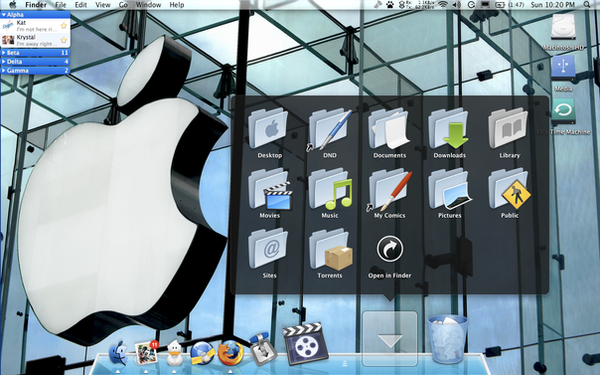
Hello !Os : Windows 7
-OSMOSE V3 MOD BY ME By =FateZoom
-MainGraphite By *Delta909
-Vitae iTunes 10 for Windows By ~Davi-1
-Vinyl micro By ~dip-priest
-Simple Alu By ~AlexHEsky
Rainmeter
-MemoDijay's Suite By ~DijaySazon
-Wendy Suite By ME
-Clock released soon
Ask me If You Have A ? , Hope You Like it
 .
.
Related content









Comments: 36

can U send me Osmose VS on my email because this VS is no longer on deviant art
👍: 0 ⏩: 0


yea thanks. I found something similar
👍: 0 ⏩: 0

Les drives donnent bien sur un fond noir!!
Et t'as vraiment de la chance de pouvoir disposer tes dossiers comme ça!!
👍: 0 ⏩: 1

Merci bien
👍: 0 ⏩: 1
Ben pas comme toi!! Tu sais bien d'ailleurs qu'on est pleins à ne pas savoir le faire!!

👍: 0 ⏩: 1
Non mais c'est très facile , moi aussi je ne savais pas le faire avant
"Right click on the folder --> View --> Unmark automatically arrange"
👍: 0 ⏩: 1
donc en gros, je clic droit n'importe où -> affichage et puis y a pas ce que tu dis!!
👍: 0 ⏩: 1
CLIC droit dans un dossier , puis affichage , et tu décoches Réorganisation automatique , voilà un aperçu [link]
👍: 0 ⏩: 1
je sais Simo'h, mais je n'ai jamais "Réorganis. autom.", j'avais ça dans Vista, mais pas dans W7 ultimate!!
👍: 0 ⏩: 1
Désolé mais je ne sais pas pourquoi
👍: 0 ⏩: 1
Ca y est, j'ai percé le mystère, ben faut juste installer Windows 7 Folder Background Changer et alors tu sauras le faire, mais uniquement dans le dossier où tu as mis le background, si tu désinstalles: plus moyen de pouvoir mettre tes dossiers comme tu veux!!
👍: 0 ⏩: 1
AH OUI
👍: 0 ⏩: 1
Et bien, tu dois l installer en administrateur et ça va revenir!!
👍: 0 ⏩: 0


awesomeeee !
how u make your explorer look like that ?
and volume control ?

👍: 0 ⏩: 1
Thank you !
I just added a background to the folder with this tool : [link]
And changed the postion of the icons : "Right click on the folder --> View --> Unmark automatically arrange"
👍: 0 ⏩: 1


