HOME | DD
 griffsnuff — Free icon

Published: 2015-01-16 01:44:25 +0000 UTC; Views: 10720; Favourites: 988; Downloads: 0
Redirect to original
Description
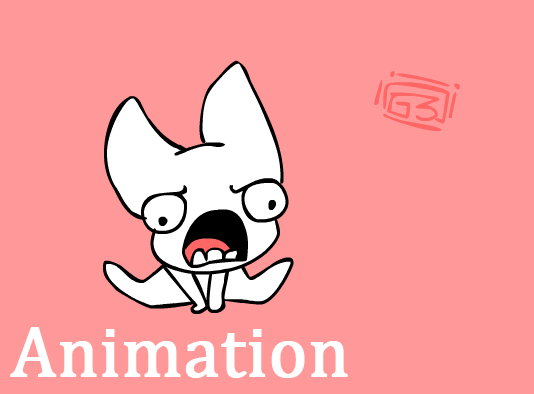
If you use please give me credit.You can not sell this base in anyway or use it outside of deviantart.
If you upload your version, link back to this

Yes you can edit the icon as you want!
Here are the frames
sta.sh/2gk88ysgl57?edit=1 White background sta.sh/21w0u247045?edit=1
PLEASE GO USE GOOGLE if you wonder how to make it animated xD
xD no need to ask for premission to use it! go ahead

Related content




Comments: 125

👍: 0 ⏩: 0


used for a friend www.furaffinity.net/view/22516…
👍: 0 ⏩: 0


using <: is it fine if i kept it just how it is? i love it just the way you set it,, :3
👍: 0 ⏩: 0


Hmmmm do you think you'd be willing to edit this for me maybe as a commission? I had an idea but it would take too long...
How much would it be?
If not, I'm 100% fine with that! You're just awesome at editing icons and all that
👍: 0 ⏩: 1
I dont do icon commissions atm sorry 
👍: 0 ⏩: 1
I'm new to base-editing and really want to use this
But I need tips as to how I can make all the colors not move around oodly, any tips?
Sorry if I am disturbing you I just think this icon is really cute aaaa
👍: 0 ⏩: 1
+0+ Im not really sure! I suually get frames in flash and then export them into png side by side and reanimating them myself in photoshop, im sure there are simpler ways
👍: 0 ⏩: 2

The way I do it might help -
(I use Paint.net)
I do the first frame the colors in the places I need them then I actually copy and paste them behind the lines in the next frame, adjusting so the colors and patterns are correct.
Then repeat for the rest of the frames. ^^
👍: 0 ⏩: 0
Aaa it's fine I'm sure I will figure out something~
👍: 0 ⏩: 0

Used here! And more Corgi-like now 
👍: 0 ⏩: 0


I seriously need help animating this can someone help?
ive already tried ezimba already
👍: 0 ⏩: 1

I think I can help
👍: 0 ⏩: 1
Can you upload each one in a site so I can get them and animate it? :>
👍: 0 ⏩: 1
Here you go! www.ezimba.com/work/150211C/ez… !
That speed was the closest to the original, (1/10, slower would be 1/5 and it was waay too slow)
👍: 0 ⏩: 1
it didnt work this is what came up here
👍: 0 ⏩: 1
Hmm, it says it is 2 KB so that isnt the problem, it must be because it isnt exactly 50x50 px
I've opened the frames in PS and it says they are 54x50 (4 pixels too wide) so if you can crop it then I can animate it again so it fits!
👍: 0 ⏩: 1
👍: 0 ⏩: 1
www.ezimba.com/work/150211C/ez… here it should work!
👍: 0 ⏩: 1


Decided to have a little play with the base~ I linked back here in the description
👍: 0 ⏩: 0


click sta.sh/2gk88ysgl57 save each image, open them in a art program even ms paint, then animate it with your availbe means.
try googling it.
👍: 0 ⏩: 1
| Next =>