HOME | DD
 InvaderTerr — :????
Published: 2007-11-16 01:37:19 +0000 UTC; Views: 127; Favourites: 2; Downloads: 2
Redirect to original
Description
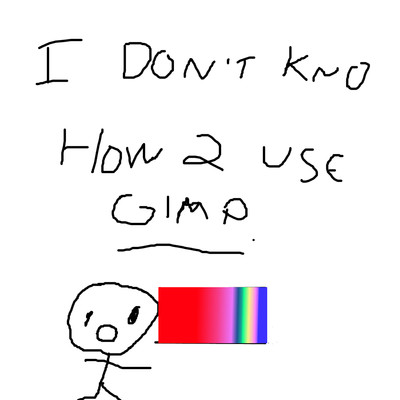
Well, I don't! XD-HOW DO YOU MAKE CIRCLES
-HOW DO YOU MAKE SQUARES
-HOW DO YOU MAKE SHINY THINGS
-HOW DO YOU MAKE LINEART
-HOW DO YOU MAKE THINGS LOOK CLEAN ON THIS THING
-HOW DO YOU MAKE DRAWINGS THAT ARE DECENT
-HOW HOW HOW HOW HOW?!?!?!?!
Done on GIMP. X-x I know how to make straight lines and use the gradinet tool. 8D;;;;;;;
Related content






Comments: 10

XDDDD *dies* This made me laugh for a long time, because every time I looked back up at it I would start laughing again.
Straight Line Tutorial (a little rude...)- [link]
You can also use the "paths" tool. It's like the "ink" tool, but it has a circle-ly line with boxes along it... (horrible description, sorry DX). To make a curvy/ circle shape just click the part of the line where you want it to curve and pull it the way you want to.
When you do line art, use the things I was talking about, but zoom in to like 1600%- as far as you can go, and change the picture type to "gray-scale". I makes it a lot easier.
The stuff I just said is better said in the tutorial- [link]
👍: 0 ⏩: 1

GAH THANK YOU SO MUCH THAT HELPED A WHOLE LOT!!!!!!!!!!!!!! 
👍: 0 ⏩: 1

GIMP=free download of an ADVANCED painting program.
and by advanced, it could mean invader zim advanced or just regular advanced. 
👍: 0 ⏩: 1


D: don't worry; i dunno either! XDDD;
👍: 0 ⏩: 1
