HOME | DD
 JohnSu — Squiggly Flashbook
by-nc-sa
JohnSu — Squiggly Flashbook
by-nc-sa
Published: 2011-08-16 06:23:27 +0000 UTC; Views: 43452; Favourites: 607; Downloads: 4462
Redirect to original
Description
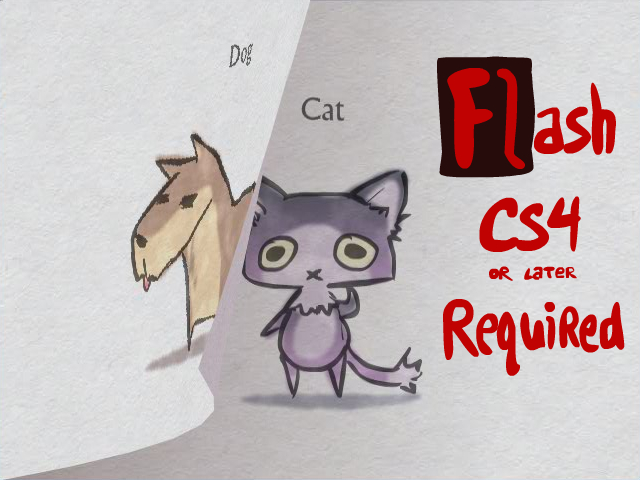
Flash CS4 or later is required to open this file.EDIT: =pickletoez has uploaded the swf for those who just want to see the 3 pages: [link]
Sorry for the delay - dA has been giving me some trouble on uploading flash files to the flash category, but it looks like they've fixed that now. Huzzah!
Anyhow, here it is: the new version of the flash book I've been using to make my latest reports (one)!
I give permission to anyone to use this to generate their own content and/or customize it, or study it and make it better.
If you just want to quickly make a book, here's what you do:
1.) Edit the [Pages - LineArt] symbol in the library, and replace all the frames in there with your own art.
2.) Edit the [Pages - Colors] symbol and provide the colors.
Alright, have at it, my nerdlings!
Made in Flash
Related content















Comments: 114

How would you go about turning off the squibbly effect or getting rid of it completely? 8D; I just only really want to use the cool page flippings back and forth if that's alright :'D~
👍: 0 ⏩: 1

so in frame 1's actionscript, see that variable mSquiggling? Set that to false and then make sure it doesn't change from that (disable line 234).
👍: 0 ⏩: 0

Awe, it doesn't work with Macromedia Flash Professional 8.
I really love this effect anyways, it was nice of you to provide this for other people.
👍: 0 ⏩: 0

I used your template to make an AX report as well (total copycat xD)
[link]
You can read it if you want but its like 50 bajillion trillion pages long orz
But you do indeed make a couple cameos! Cause i saw you there a couple times and it was awesome cause ive been a long time fan!
XD anyways i'm just linking here to say I used it and thank you cause ive never had a convenient way to record all my adventures~

👍: 0 ⏩: 1
Hahaha, neat! I'm glad this put to good use!
👍: 0 ⏩: 0

I'm in love with technique and would relish he chance to make something with it but the fla file won't load. Every time I try it says there is an unexpected file error.
Is there something wrong with the file? (I'm using CS5)
👍: 0 ⏩: 1
Hm, that doesn't seem right.
I tried downloading it just now from another machine and was able to open it in CS4, and then again at home with CS5. @_@
👍: 0 ⏩: 1
It's alright, I found the problem 
👍: 0 ⏩: 0

I don't think so; it uses some methods that aren't available in CS3.
👍: 0 ⏩: 0

thanks for this! i made this with it [link] man you make this stuff look good. iunno how you do so many of these, its such a pain

👍: 0 ⏩: 1
Nice, I'm glad you stuck it through to the end!
👍: 0 ⏩: 0
Would it be possible to do a small animation on a single page? Just curious :3
👍: 0 ⏩: 1

Johnsu! Question! I'm picking apart this file but there's one thing I can't figure out.
In the color symbol you have the line art symbol showing up in a layer as a guide. I understand that you can just draw in the line layer and it shows up in the color symbol but I don't understand how you got it to do that...
kthxbye.
PS: Your flash projects are brilliant.
👍: 0 ⏩: 1
I don't understand; anything you draw in the line layer should not be part of the actual color symbol.
👍: 0 ⏩: 1
When you go inside the color symbol. there's that line layer that doesn't actually show up in the symbol when you bring it to the stage. That thing.
👍: 0 ⏩: 0


quick question on the squigglings:
how do you make your lines squiggly in flash? i don't have cs4 so i can't look at what you did... :/ if you don't feel like explaining, do you happen to know of any good tutorials that teach this? .___.
👍: 0 ⏩: 1
It's a displacement filter applied to a bitmap. Similar to water rippling effects, but using noise instead of waves.
👍: 0 ⏩: 1
I seeeee.... Does that only work on still images?
👍: 0 ⏩: 1
You could apply it to an animation too, but it's more performance heavy because you aren't recycling information.
👍: 0 ⏩: 1
What does "more performance heavy" mean exactly? ._.
((And I'm sorry for all the questions D: ))
👍: 0 ⏩: 1
it requires more computing and can result in lower frame rates on weaker machines.
👍: 0 ⏩: 1
Ohh, I get you...
Thanks for answering all of my questions! <3
👍: 0 ⏩: 0

Forty-two blessings upon your doormat, Flash King!
👍: 0 ⏩: 1


Uh... I don't get it O_o I mean... this is just a jpg... why would we need flash for it?

👍: 0 ⏩: 1
the download link is a .fla file
👍: 0 ⏩: 1
Ooooh, I see 
👍: 0 ⏩: 1
Ooooh... I see... 
👍: 0 ⏩: 1
I may very well do that if a third comment appears
👍: 0 ⏩: 0

Thanks! Can't wait to check it out, though I'll have to download the trial first.
👍: 0 ⏩: 0


That's it! XD Imma feature you in my Journal! XD I'm sooooooo Happppppppyyyyyyy ~~~ XD
👍: 0 ⏩: 0
YYYYYAAAAAAAAAAAYYYYYYY! MR. John Su!! THANK YOU!! I'VE BEEN dreaming of making a flashbook myself too! THANKS FOR SHARING YOUR KNOWLEDGE ABOUT THIS!!

👍: 0 ⏩: 1
Sweet! Drop me a link when you're done!
👍: 0 ⏩: 0

He's BAAAAAAACK!!! f-, man, you take your time between pieces.
👍: 0 ⏩: 1
Sorry dude! It's been a hell of a month crunching at the office.
👍: 0 ⏩: 0

Hope this isn't a double post (I can't see my previous comment for some reason if it still exists) buuuut
I'd like to say thank you so much for posting this! I just have one more request >.< If it's possible, could you upload a CS3 friendly version of the file? If not I can live, but my life would be significantly better with a working file
Of course there may be actual issues with coding or something that won't allow it to work in CS3, and that's definitely understandable. So is your busy-ness (for you a busy man I presume).
Fun days!

👍: 0 ⏩: 1
I believe I've already sent you a note on this, but for the sake of other readers I will repeat it here:
Unfortunately the script relies on commands and classes available only in CS4 and later (like Matrix3D and drawTriangles), so making it available in CS3 isn't quite feasible.
👍: 0 ⏩: 0
| Next =>