HOME | DD
 kadet13 — Vaio Gate
Published: 2010-01-15 03:23:48 +0000 UTC; Views: 16508; Favourites: 13; Downloads: 3567
Redirect to original
Description
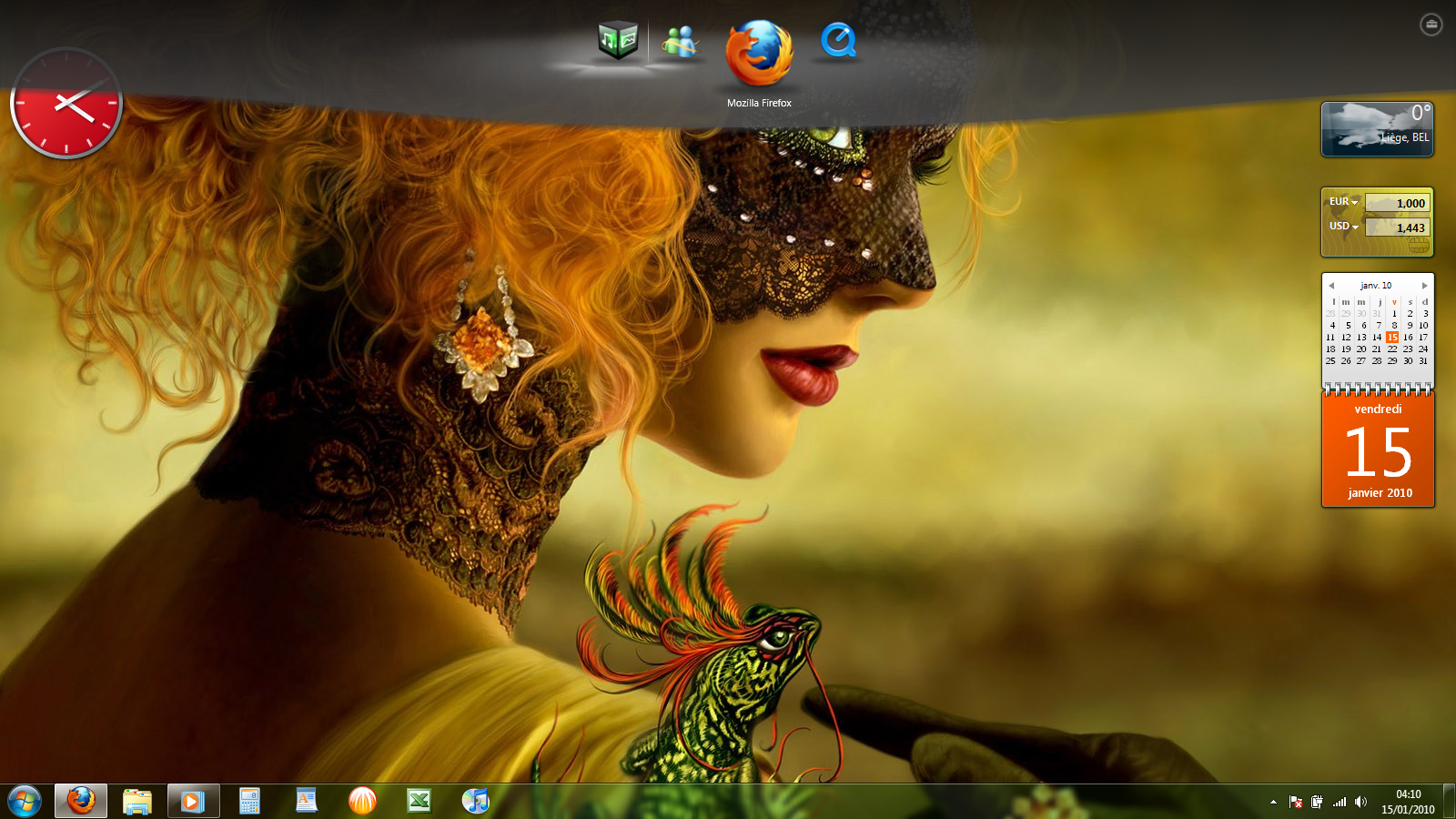
Here you can find a program called "Vaio Gate", it's a new gadget which is like Rocketdock but in a more fashioned way.Not sure if it works for non-vaio user but you can still give it a try

This works only for windows 7 for now :/
Related content





Comments: 22

👍: 1 ⏩: 0


👍: 0 ⏩: 0

where i find your wallpaper???
Thank you for software!
👍: 0 ⏩: 0

ue sa e papame kjo.. edhe un do ta bej.. Win 7 e kam po jo Vaio..
👍: 0 ⏩: 1

ee... Me duket se nuk instalohet ne qofte se s'identifikohet si vaio, por gjithesesi s'jam i sigurt. Provoje nje here. Shko tek customize.org se gje gjera interesante.
👍: 0 ⏩: 1


I like it but i can´t use it on my vista home premium

👍: 0 ⏩: 0

It works for me! Intel C2Q & Win7 64bit.
Realy nice...
Thank you.

👍: 0 ⏩: 0


it depends of your cpu, it works actually better on vista or 7
👍: 0 ⏩: 1

I've got vista 32 bits on my computer.... And it's a vaio... It's doesn't work for me! It's said that the computer can't run this program! Do you have any solution?
👍: 0 ⏩: 1
Actually for now it's aviable only for Windows 7
👍: 0 ⏩: 1
Ok thx for the answer!
Have a nice day!
👍: 0 ⏩: 0

That's actually pretty cool. Too bad you can't get rid of the Vaio icon.
👍: 0 ⏩: 1
To get rid of the Vaio icon (you can't drag it from the dock), you can edit the settings file stored in
%AppData%\Sony Corporation\VAIO Gate
Open VAIO Gate.xml in Notepad and change the "Item Type" at the start of the fifth line to 0.
👍: 0 ⏩: 1

most probably on
C:\Users\*Yourname*\AppData\Roaming\Sony Corporation\VAIO Gate
👍: 0 ⏩: 0