HOME | DD
 kaykaykit — Kae Ref

Published: 2005-07-19 21:33:46 +0000 UTC; Views: 7368; Favourites: 108; Downloads: 2244
Redirect to original
Description
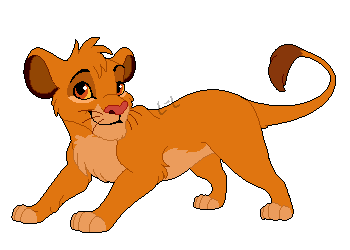
An updated character ref sheet of Kae, my kitty char. 83 Take note that the colours are slightly brightened.Here is the old one, for more detail, and what it looks like under her hair: [link]
Related content




















Comments: 36


Ooh... a re-vamp! ^_^ Love it Kay! With each change, she becomes a little more perfected... I really think this is her best look yet! The style type, along with the colours, makes her design really professional.. heh, who knows? Maybe one day she'll have her own Disney movie!
👍: 0 ⏩: 0


I like both versions, the lighter and darker version.
Oh so it's only the underside of the toes in the back foot which are lighter in colour, and not the entire foot which is light ... I couldn't see this clearly in the old reference.
👍: 0 ⏩: 1

Nope... It's the whole back foot. xD I should make that more clear later. x3 You drew her correctly.
👍: 0 ⏩: 0

I absolutely love your style xD Keep up the awesomeness.
👍: 0 ⏩: 0


Wow the shading on this is amazing! Great work
👍: 0 ⏩: 0


nice i like ur character lotsa individualality! oh and it was ur in spiration to do my avatar the way i did, i also made 1 4 my friend see
👍: 0 ⏩: 0


very cute. i love the colors. absolutely adore the tail. i can just squeeze it!
👍: 0 ⏩: 0


i really like, i also saw your Aashika picture it was really nice AND its righ tnext to mine tee hee XD
👍: 0 ⏩: 1

oh yeah btw on photo shop how do you make an image bigger becuase i just came back from photoshop classes and i tried to make a banner and i forgot heh heh :sweat a little...:
👍: 0 ⏩: 1
Well, if you have the image on a separate layer, you hit Ctrl + T, then hold the shift key while resizing using the boxes on the corners. 
👍: 0 ⏩: 0

Heh, how precious. :3 Neva seen a blue cat be4. Now Sniper's seen everythin'.
👍: 0 ⏩: 0
Heh, how precious. :3 Neva seen a blue cat be4. Now Sniper's seen everythin'.
👍: 0 ⏩: 0


Oooo I really like the new brighter "colours" 
👍: 0 ⏩: 0


