HOME | DD
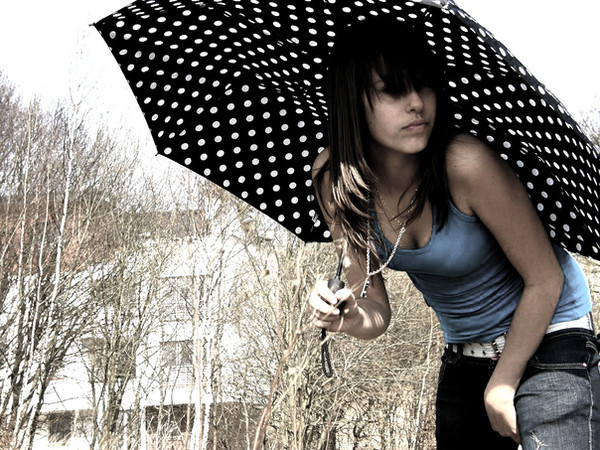
 leKikwi — Colours.

Published: 2011-01-22 21:47:57 +0000 UTC; Views: 4091; Favourites: 116; Downloads: 0
Redirect to original
Description
what a meaningful title ^w^Jk, I don't know what to comment.
Only that I had a similar photo before but I prefer this one, so I deleted the previous photo with rainbow umbrella and uploaded this one^^
[Please do not repost or use this photo without noticing me first!]
Related content







Comments: 22


nice umbrella. i have a umbrella................................................
👍: 0 ⏩: 0


:3 lolololol. your welcome sweetie <3
👍: 0 ⏩: 0

wow, i love this and the effect that it portrays
👍: 0 ⏩: 1


Ooh, you already answered that question.. Nevermind me.. -_-'
👍: 0 ⏩: 1

This is one is really great! Did you do this with photoshop?
👍: 0 ⏩: 0


leave only the colors on the umbrella and the rest B&W
👍: 0 ⏩: 1

Easy to make but hard to explain xD
It's a very simple photoshop function, you need the chosen picture duplicated so you have it on two layers. Then you just desaturate the upper one and cut out the pieces where you want the picture to be colored.
So when you cut it, colors from the original(lower in position) picture show up. And there you go^^
hope you've understood
👍: 0 ⏩: 2

yay!! now i know... thank you PemaMendez for asking...
I'm going to try~~~
👍: 0 ⏩: 0
yesh! I understood 

👍: 0 ⏩: 0