HOME | DD
 LongStrider — Phantom

Published: 2010-01-03 07:30:30 +0000 UTC; Views: 309; Favourites: 2; Downloads: 12
Redirect to original
Description
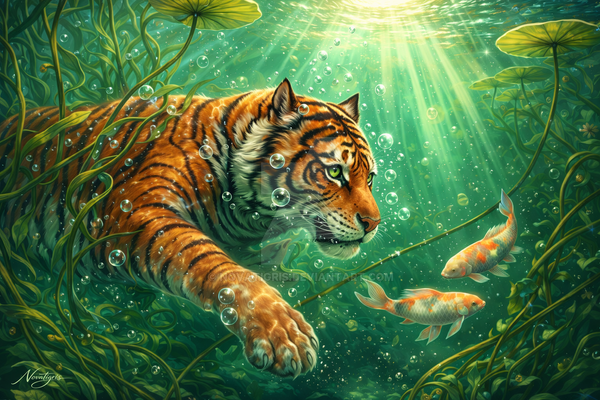
Ok, my first try using digital art. I love working with a tablet, talk about massive learning curve. I know very little about it though, so any advice is welcome : ]I named the piece after the song i was listening to ( phantom by justice ) < amazing song ( part two also :] )
apologies for pix-elated........ness, ts my first time fiddling with this stuff, the next should be clearer.
well anywho, hope you like : ]
Related content






Comments: 9

This is really cool. Great job for your first digi. It definately takes a bit of work to get the swing of painting without paint...
The only thing I would recommend is to pick an area for a focal point and try to emphasize that more. I get a bit lost trying to find my bearings in the image because of the similar colors and values. One thing you might do is pop the most important area of the painting out with a contrasting color.
Hope that helps, let me know when you figure out what you want to do with it!
👍: 0 ⏩: 1

AH! knew something was wrong thanks!
digital painting is hard to get used to, but i guess it just takes time. awesome work, thanks again for the help.[link]
👍: 0 ⏩: 1
You're welcome!
Yeah, you'll have it down in no time. Thanks, and you're welcome again!
👍: 0 ⏩: 0

very cool and it's great for the first try << compared to mine XDDDha well yea when you work from new you should set a big canvas with huge resolution (well not as big as I do them cause my pc is kinda lagging cause of it) if you piece is a bit smaller you can just crop it. Anyway the piece is really nice love the old ghost like feeling it gives you ^^
👍: 0 ⏩: 1
AH! that's it! thanks, will do. wondered about all that.....AH! prep work for next starts today!
👍: 0 ⏩: 1
that's the spirit 
👍: 0 ⏩: 1
MMMmmmmmm.... layers lesson perhaps? [link]
👍: 0 ⏩: 1
so on the right side of your screen you should have a place where there's like a piece of paper and it's called background if you don't find it than i think you should click right on a free place in the options bar (up) and select it . okay back to the background paper: above it there should be options like : new layer (it's another small piece of paper) or erease layer (it's a bin),Opacity and different layer options (normal,multiply,color dodge etc) . You click on new layer . Layers work like many glass windows put one over another. If you draw on the one t the bottom and than on the one at the top the top one will cover the bottom one . (mya it's hard to explain just try it out) Oh and one more thing,the background layer is kinda blocked ,you can't set opacity or other options ( I mostly delet my bg layer).Well hoped this helps ><" I'm not an expert in digital media ...
👍: 0 ⏩: 1
Hey! thanks, i'm a real nub at this stuff, so i appreciate any input!
way to be awesome, [link]
im going to start a new piece today and see what i can mish mosh
👍: 0 ⏩: 0