HOME | DD
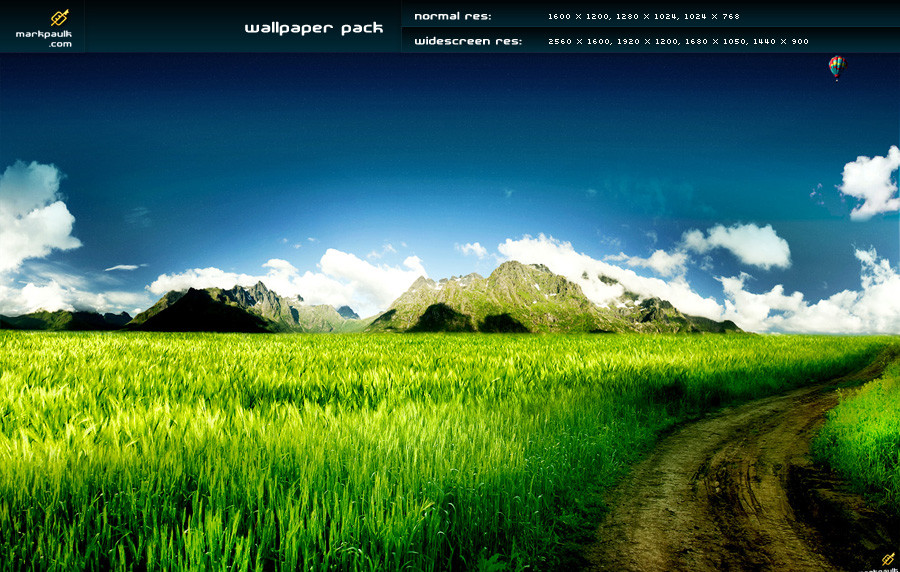
 mpk2 — depth - wallpaper pack
by-nc-nd
mpk2 — depth - wallpaper pack
by-nc-nd
Published: 2008-07-14 00:32:34 +0000 UTC; Views: 67661; Favourites: 172; Downloads: 19907
Redirect to original
Description
(c) markpaulk.com - Do not redistribute without my permission thanks! & comments greatly appreciated!
I could have made the sky more like my usual releases but thought I'd take a break with this one. This has more of a softer landscape feel.
__________________________________________
Normal Resolutions:
1600 x 1200 | 1280 x 1024 | 1024 x 768
Widescreen Resolutions:
2560 x 1600 | 1920 x 1200 | 1680 x 1050 | 1440 x 900
Credit:
Sxc.hu
Stockxpert
Related content







Comments: 43


Awesome work! Request permission to add your wallpaper here: [link]
Source Link will redirect to this page.
Waiting your answer.
👍: 0 ⏩: 0


and to a goo effect too.. this feels very earthy!! >>lolzz.. i always peek-a-boo a balloon!! ;D
👍: 0 ⏩: 1

is it just my monitor or is the gradient of the sky really not that smooth ? Apart from that, Nice job.
👍: 0 ⏩: 1

to do with source + compression sorry

👍: 0 ⏩: 1
Dont worry, Hehe. I know the problems too well. Im really liking your wallpapers.
See you around
👍: 0 ⏩: 1

I found you! Awesome wall!
Thanks for making this! Featured here: Lucid for Win 7
👍: 0 ⏩: 0




Just stopping by to let you know that this deviation has been featured in [W 3: Wicked Widescreen Walls Issue 4]
Congratulations and keep up the good work.

👍: 0 ⏩: 1

This is probably my favourite so far. The scene is just magical, and I would love to just sit and gander at such a place.
👍: 0 ⏩: 1
cheers 
👍: 0 ⏩: 1
Well if that's all, I'll write a cheque.
👍: 0 ⏩: 0

love the depth that the mountains give to the image... good work
👍: 0 ⏩: 1


nice wallpaper
greetz.. and have a nice day
👍: 0 ⏩: 1


one more time, a timeless classic on my desktop...
Blake.

👍: 0 ⏩: 1
you're most welcome Mark
Blake.
👍: 0 ⏩: 0

I like this one. You said I could ask for help if i needed it, so now i will 
I hope i made that clear enough. Anyways, thanks for offering to help 
👍: 0 ⏩: 1
thanks!
1) select your stock image in the layer palette
2) at the bottom of your layer pallette, look for a little rectangle with a circle in it - click it!)
3) the layer you selected should now have a white box next to its name (this is called a layer mask)
4) press 'g' on your keyboard (or select gradient tool) and simply click from one point to another point (making sure your foreground & background colours are black and white) and part of your image should disappear!
that's the basics of all my blending and what I used here with a little bit more...
for example, using the "clone stamp" tool, I then copied a bit of the grass and overlayed it.
👍: 0 ⏩: 1
ok that's great, thanks for such a quick reply
I understand your steps but I am limited to Paint.NET rather than Photoshop but I know equivalent steps.
Now I know how, i just need to improve my patience to be able to complete a piece
👍: 0 ⏩: 0