HOME | DD
 Mushcube — Gradient Minima10
Published: 2011-10-07 14:55:24 +0000 UTC; Views: 2432; Favourites: 12; Downloads: 60
Redirect to original
Description
DOWNLOAD RAR FOR ALL ITEMS I HAVE USEDCheck the comments for more instructions!

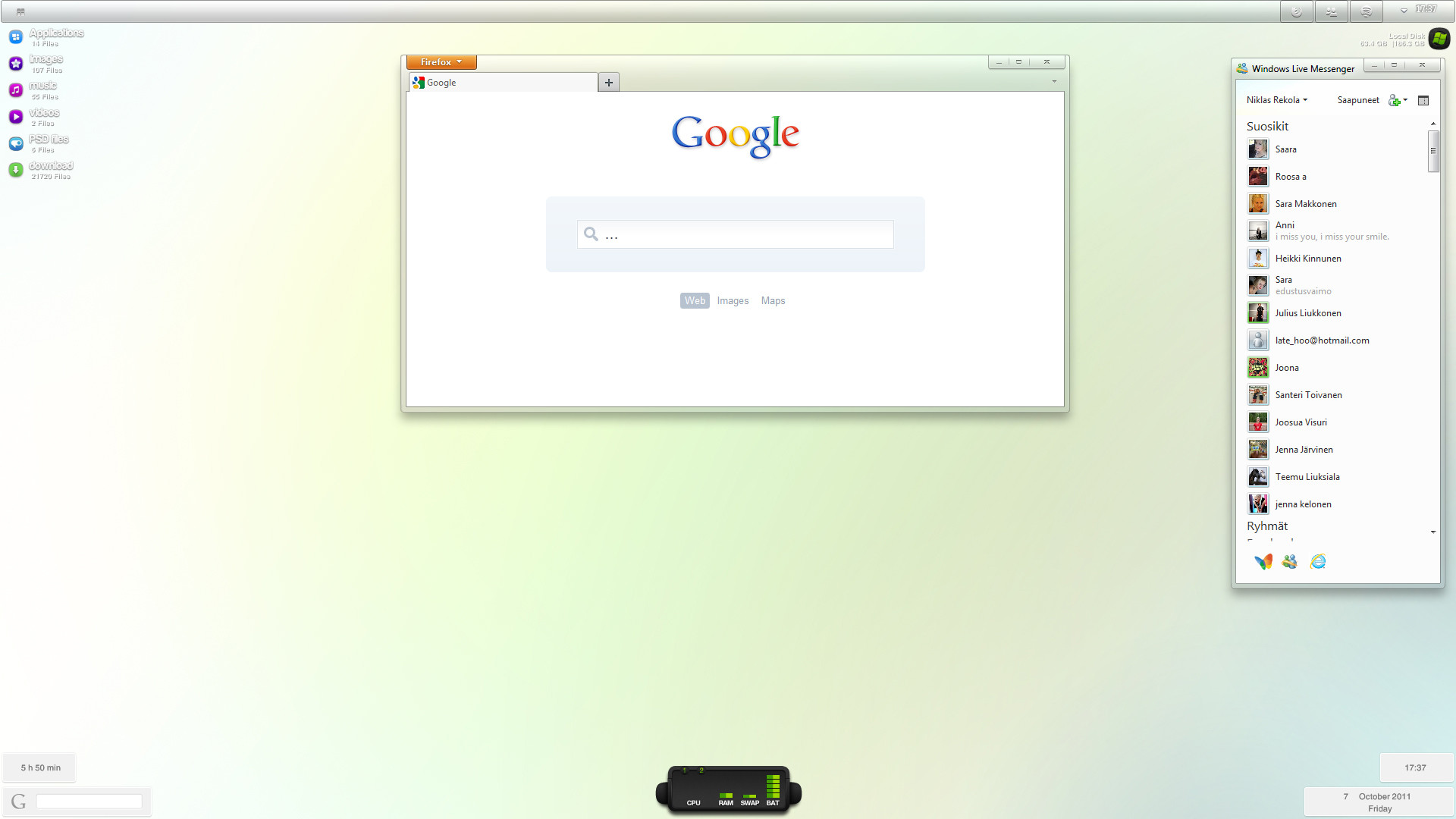
Current set-up on my Windows 7 Ultimate 64 10.2011
Im using Dream as VS by
Wallpaper is self made minimalistic gradien (:
Firefox 7
Windows Live Messenger 2011 PATCHED
Rainmeter running:
IKONKO2 by and Eker Lina by
Related content











Comments: 27

Hi!! Great desktop and thank's a lot for the .rar file!! 
Thank's!!!
👍: 0 ⏩: 1

hmmm... You mean the HardDisk image? it's just the normal Eker_lina but in black 
👍: 0 ⏩: 1
Oh oh yes i unterstood now!!
Sorry for my bad english however hope you understand
👍: 0 ⏩: 1
Hmm you mean the Start Orb with 4 small squares on it? Or the iFiles icons that are on the Aplications, Images, Music etc.?
👍: 0 ⏩: 1
Yep the icon of application images etc!! Is it all in the pack??
👍: 0 ⏩: 1
they are part of the rainmeter skin, not sure can you reach the Icons somewhere in the pack :/ you can look for them!
👍: 0 ⏩: 0

using Dream as VS by
Like the description says

👍: 0 ⏩: 1


i'd like to have the same msn frame too
how did you do that? where can I find it?
thx
great shot btw !
👍: 0 ⏩: 1
If your running Windows 7, then download Windows Live Messenger 2011 from WLM site...
Then go to this site [link] and download newest version of it.
Then just simply run the .exe that comes with it and select the things you want to patch from your WLM 11.
Remember that changes should allways be made on a clean install of WLM 11.
Enjoy!
👍: 0 ⏩: 0
OK! I added the RAR now with instructions!
👍: 0 ⏩: 1
Ill make a RAR where is all the programs and stuff you need
You'r running Windows 7 I hope?
👍: 0 ⏩: 1

i am still kinda confused i dont know what order or how to do it properly
👍: 0 ⏩: 1
I think, first of all you want to use the UxTheme patcher so you can install the Dream theme. then move your taskbar up, and set up the running to the right. Change background, and install Rainmeter
👍: 0 ⏩: 1
i got through but i noticed it really slowed down my computer
👍: 0 ⏩: 1
yeap, the rainmeter option can be litle laggy on older PCs, sad 
👍: 0 ⏩: 1
Not really rain meter the theme and other stuff
👍: 0 ⏩: 1
weird 
👍: 0 ⏩: 1
yh i think i must have done something wrong !!
👍: 0 ⏩: 0

Hey,
I would be so grateful if you could provide me a link to this fantastic wallpaper.
Thank you so much.
👍: 0 ⏩: 1
Sure!
[link]
Hope you enjoy it!
👍: 0 ⏩: 1