HOME | DD
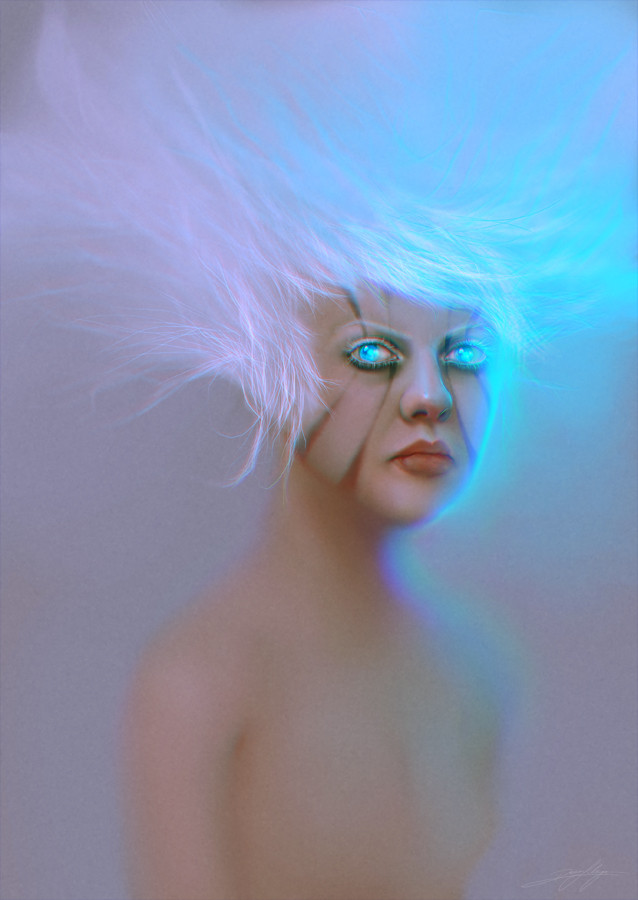
 niraky — Cyan Wound
Published: 2011-04-24 02:46:58 +0000 UTC; Views: 2712; Favourites: 72; Downloads: 336
Redirect to original
Description
 CLICK HERE FOR .PSD FILE
 Client: Creative MEDIA & ART / Citrus Media
You'll find a walkthrough of this painting plus tips of how to blend colors on Photoshop Projects Magazine, issue 6 (available both in Australia and New Zealand). Also, I didn't record a video while painting this, but I'm sharing a .psd file with 68 layers for some step by steps. Click here to download .
As for the painting ‒ as always, I used live references while working on this (my own face on the mirror). I also made use of the soft round edge brush and changed the colors a lot during the process, since I pretty much didn't have a very clear idea of what I wanted ‒ but to explore very saturated tones and the like. Don't know if I did it right, but here we are. I hope it's not too "eye-hurting"! :)
Tools:
▪ Sketch and Painting: Photoshop CS3 ∙ Wacom Tablet.
Related content


Comments: 17


Freaking awesome as always .. Congrats on another epic image

👍: 0 ⏩: 1

Thanks Garth, I'm glad you liked it!
How things are going there? :) Did you finish your final project?

👍: 0 ⏩: 0


Thanks, Julia!
Btw, your gallery is beautiful, I'm watching you! ;)
👍: 0 ⏩: 0

Thank you, Hylke! I'm glad you liked! :)
👍: 0 ⏩: 0