HOME | DD
 ojad0 — Julian TUT
by-nc-nd
ojad0 — Julian TUT
by-nc-nd

Published: 2008-12-24 01:29:03 +0000 UTC; Views: 14605; Favourites: 95; Downloads: 1106
Redirect to original
Description
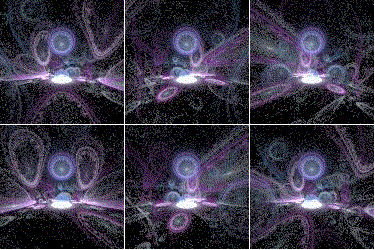
My first TUTever
info on how to make a jlian my way
if you would like to see my inspiration for making my first julian,
check out some of `ClaireJones 's work
---------------------------------------------------------
note or comment any pieces that you have made from this
please
 if you use this
it takes alot of time and effort into making these
-------------------------------------------------------------
yes, there is a water mark that says dont rip
so please dont rip or steal this piece

---------------------------------------------------------------
fractals in apophysis
tutorial in photoshop elements 2
-------------------------------------------------------------------
most importantly, from this tutorial,
you should have fun and make great original work
---------------------------------------------------------------------
 Outcomes
 [link] [link] [link] [link] [link] [link] [link]
Related content







Comments: 37

Thank you I did not have the Julian_power so I used a Julian3D in Stead and also used Apo 3D hack
but still went by the Tut here and Got a Good Result Thank you
Here is My result
Test Julian By Tut somewhat
👍: 0 ⏩: 0
Thanks for sharing this Looks simple i may give it a try thanks.
👍: 0 ⏩: 0

I dont have Julian_Power, i just downloaded apophysis, and its just an .exe file without installation. and it fails when i save because i dont have certain files and i should have an installation file with them in it, but as i didnt need to install this .exe i dont have that...
What do i do now? ^^
👍: 0 ⏩: 1

Julian power is under the variables tab.
👍: 0 ⏩: 0

Great tut man, just got apoph, and im posting my result right now. Anyways like i said great tut!
👍: 0 ⏩: 0

Hey I used your tut and got this out of it [link] I'm stoked, and thanks for this tut. I think I need to mess with the gradient more and also render at slightly higher res. Apophysis rules!!!!
👍: 0 ⏩: 0


Thank you so much I actually made something that looks ok

👍: 0 ⏩: 0

This is actually a really great building block for a lot of fun things. Infinite fun, really, the outcomes you have posted so far have a ton of variety.
And here's mine! I couldn't decide what gradient to use, meh: [link]
👍: 0 ⏩: 1


Thanks again for the tutorial! Here is the outcome.
[link]

👍: 0 ⏩: 1

your most welcome! Thanks for the great tut
👍: 0 ⏩: 1
Wow, this is absolutely fantastic! Thanks for sharing!! A Happy New Year to you~!
👍: 0 ⏩: 1

happy new year, remember to send me your results

👍: 0 ⏩: 0

Wow !!! 


👍: 0 ⏩: 1


Very cool tutorial. Thank you for sharing. I will have to have a go at this when I have time!
👍: 0 ⏩: 1

umm...is there any way to get apophysis as, like, a free download? or do you have to buy it?
👍: 0 ⏩: 2
apophysis is free my friend
enjoy it
👍: 0 ⏩: 1
sweetness!
hey, is it possible for you to guide me to some tutorials online to help me along with using apophysis?
👍: 0 ⏩: 1
yeah
if you want me to go through it step by step with you, that might be hard,
but the esiest way to find a beginner apo tut is at
or by searching apo tuts of apophysis tuts
👍: 0 ⏩: 1
thx!
okay, so i didn't go there and look at tutorials. i just opened it up, picked a random picture, did random stuff to it, and now i want to save it as, like, a jpeg or something. HOW THE HECK DO YOU DO THAT???
👍: 0 ⏩: 1
click cntrl+r
and it should come up with a screren
choose where you want to save it too
and then click render
👍: 0 ⏩: 0
oh...nevermind. i found it.
👍: 0 ⏩: 0