HOME | DD
 Omition — Bounce
by-nc-nd
Omition — Bounce
by-nc-nd
Published: 2007-07-17 15:03:21 +0000 UTC; Views: 3675; Favourites: 19; Downloads: 115
Redirect to original
Description
If your going to download this or use it as your desktop could you please or comment it. Thanks
Basic Functions
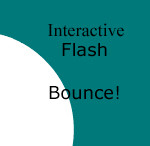
Click on the background to change to a random color
Move your mouse over a ball to reset it's speed
Click on the x in the bottom right corner to hide or the + (when the balls are hidden) to show them
Edit 1: Link to my deviantArt
Balls are pushed in opposite direction of the mouse
Resized for better performance
I made this as a background. Then i found that active desktops are only for windows >< So for window users the html code is below.
If anyone knows how i can apply an swf or html as a background with a mac or a free program to do it, I would really like to know
Comments and
s Always Appreciated! And if any one has feature suggestions I would like to know
Html Code (put this into an html file and set it as your background):
Related content


















Comments: 32


wait... give me the full walk through for windows. please
👍: 0 ⏩: 1

Okay so I'll try to explain it, (I'm assuming you mean how to make it a desktop).
Step 1: Download the file and rename it as "CicleBack.swf" (With out the quotes, and make that the name of the file exactly)
Step 2: Take the html code I posted above, and copy and paste that into notepad. Save the file as an .html file and save it into the same folder as the CicleBack.swf file (i.e. if you downloaded it to the desktop save the .html file on the desktop)
Step 3: Go into your preferences and set the .html file as your background.
👍: 0 ⏩: 1
sorry but i have two questions (sorry i'm new to this stuff)
1)How do you save it into a html file i only have the option of saving it to a *.txt file (i ment to put the star there)
2)How do you save it to the folder because it just shows on the CicleBack.swf file it show a picture of fire fox.
👍: 0 ⏩: 1
The first one, you can easily find a bunch of tutorials on Google, if you just search "saving html files with notepad"
The second one, I'm not sure what you are asking, but if the file name is CicleBack.swf it should work.
👍: 0 ⏩: 1
wait... give me the full walk through for windows. please
👍: 0 ⏩: 0

I like the dark red, this is really cool. All of the stuff you make is cool. Why don't I have amazing skills like that?
👍: 0 ⏩: 1

I'm having trouble with setting this as my background.
the flash window appears on the desktop, but i get "Movie is not loaded" if i right click, and its just a blank window anyway.
👍: 0 ⏩: 1
Right, sry you have to set the file you downloaded to "Cicleback.swf" and I spelled that right, it doesnt have an 'r'. Also make sure you have all those smilies replaced with ": p" (without the space)
👍: 0 ⏩: 0

I am remaking some of my experiments and making some new on this thing. I mean ball collisions. I will spot 2 of those today.
Just checking. You check distance between balls on each frame and if it is smaller then their radius sum you performer some kind of collision resolve? Calculating projection of forces or something else?
👍: 0 ⏩: 1
Yes that was very… accurate, the collisions were all mine, but i needed help with the mass and angles so i read about it somewhere.
👍: 0 ⏩: 1
So you use trigonometric functiosn to calcualte all that (sin, cos, tan and etc.)? I am jsut curios 
So i am psoting my current experements.
👍: 0 ⏩: 1
I also like to see how people made their flash expiriements/games/ interactivities. In this expiriemtent, i wanted to add a new level of physics that would make it realistic and fun. I just did not know how to have them bounce back at specific angles. So although i could have figured it out in an hour or 2 it was much easier just to search it and find an article on it, and alter my code. I really appreciate your critiques, thx a lot.
👍: 0 ⏩: 1
Criticue? Eee... I haven;t criticued anything... Jsut asked what you used
👍: 0 ⏩: 1


nice scripting here
just something on the animation of the circles, they seem to be a little too unrealistic in terms of how they move. not too sure about the script but is there a way to add some "ease" in the movement? 
fun bouncy bouncy ^^
👍: 0 ⏩: 0

that is soooo cool! how do u do flashes like that?
👍: 0 ⏩: 1
Its simple, actionscript + physics = cool flash.
👍: 0 ⏩: 1
cool. i don't know what either of those words mean but cool!
👍: 0 ⏩: 2
well i don't make flashes so how would i know? gawsh
👍: 0 ⏩: 0

You don't know what actionscript is? It is the flash scripting language...
👍: 0 ⏩: 0

mate that's top coding! unfortunately the code you've posted has become a little... emoticoned! lol. what's the chances u could apply links to the individual circles? would make a very interesting site layout...
👍: 0 ⏩: 1
Thx, but once again the coding is simple.
👍: 0 ⏩: 0

Thx, but I like dark red the most.
👍: 0 ⏩: 1