HOME | DD
 playboy —
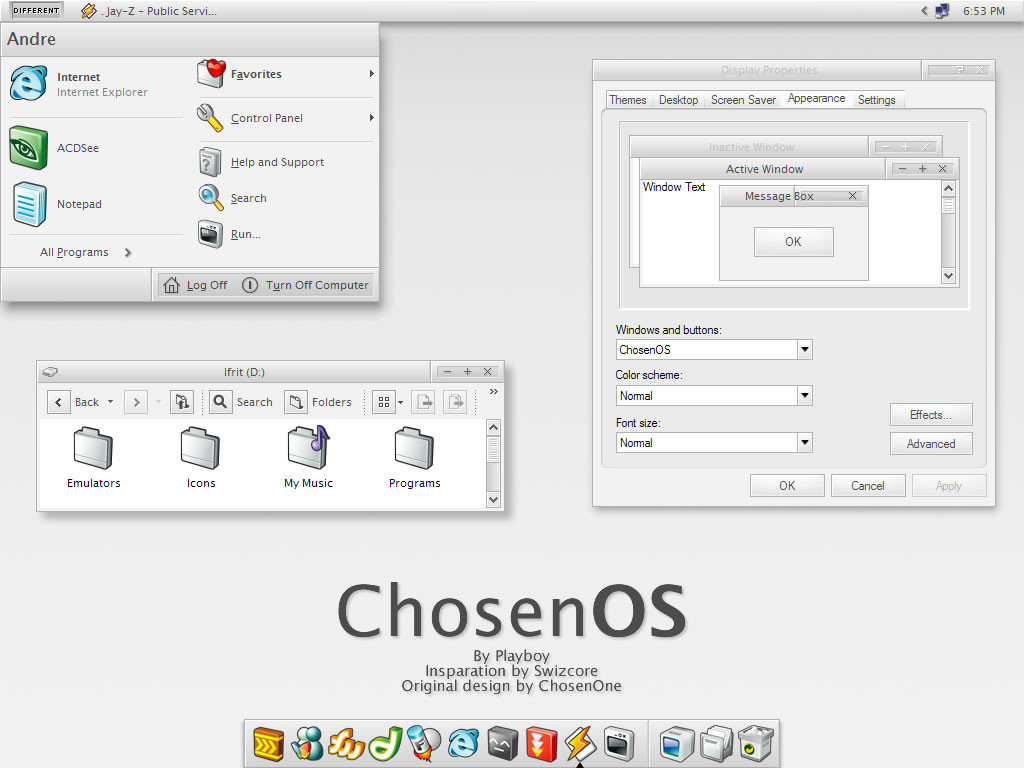
ChosenOS
playboy —
ChosenOS
Published: 2004-03-26 00:07:54 +0000 UTC; Views: 54754; Favourites: 72; Downloads: 49169
Redirect to original
Description
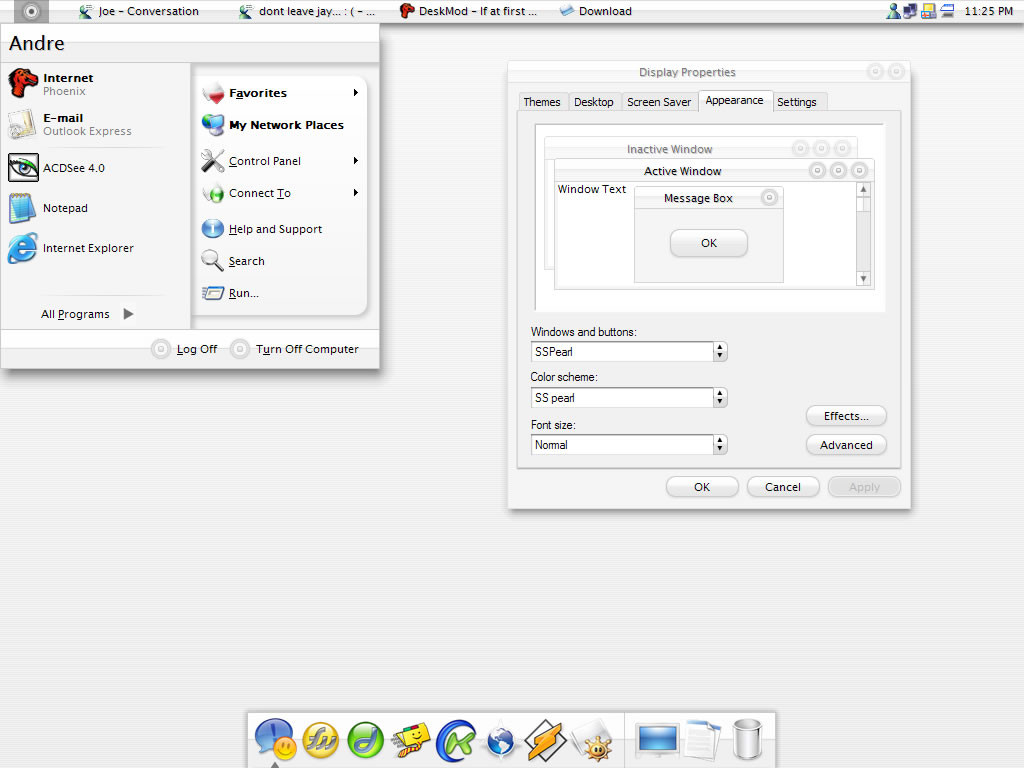
----------------------------|ChosenOS 1.1
|by playboy
|Insparation by Swizcore
|Original Design by ChosenOne
|Icons by Rokey
|March 2004
----------------------------
-Install-
You MUST install the Lucida Grande font for this theme to work properly,
but if you already have it installed then don’t worry about it.
If you don’t know how to install it, just copy the font and paste into
the fonts folder located inside the windows folder. (i.e. C:/Windows/fonts)
If your using a non-eglish system and the start panel's log of buttons
is cut off use the internation version.
-Thanks-
Big thanks goes out to...
Swiz; For the isnparation
ChosenOne; for creating the theme
LazyDesert; for hooking it up
Rokey; for the great icons
bubbabyte; for helping
-Sites-
Playboy; [link]
Swizcore; [link]
LazyDesert; [link]
Rokey; [link]
bubbabyte; [link]
chosenone: [link]
-Legal Stuff-
DO NOT pass this theme as your work
DO NOT use elements of this skin for your own projects
DO NOT publish it without my permission, Swizcore and ChosenOne
You may edit this skin for PERSONAL USE ONLY
Icons are created and owned by Rokey. Not me.
-Extras-
YzDock BG, and YzToolbar skin
updates
-i added the wrong yztoolbar skin
-shell wanst fully finishes cause there was a prob.
Related content






Comments: 79


very cool. 

👍: 0 ⏩: 0

how do i install this lovely theme onto my computer? do i need Style XP or something like that?
👍: 0 ⏩: 1

how can i install this theme ??
my windows look like the original SO
👍: 0 ⏩: 1

you need style xp or a hacked uxtheme.dll. go to my faqs page in my site, there you shoud find a link.
👍: 0 ⏩: 0

erm...where do u stick the file so you can select it as a visual style??
👍: 0 ⏩: 1
you have to put it in c:/windows/resorces/themes
👍: 0 ⏩: 1


cara ficou muito loco esse style... parabéns
👍: 0 ⏩: 1


what do you mean? just click on the download button located bellow the image (its the arrow button.)
👍: 0 ⏩: 1

yeah, thanks mate, i got it sorted, really nice theme u made ! big thumbs up
👍: 0 ⏩: 0
is it just me, but where do u download this from !?
👍: 0 ⏩: 0

no you dont need to place the shell anyware. just leave it alone.
👍: 0 ⏩: 0

Excuse my ignorance, but how do i get the icons at the bottom of the screen. I am a windows user, I know.....! Sorry!
Great theme man!!!!
👍: 0 ⏩: 1
thats called a dock. there are 2 docks you can download objectdock and mobydock.
👍: 0 ⏩: 0



Love this skins! Using it now and I probably stick with it for some time, I like the small detail of the grey fonts in the menus (instead of black). Keep up the good work
👍: 0 ⏩: 0

Where can I get yztoolbar from? I've been looking on google for hours now...
👍: 0 ⏩: 1
email me and ill send it to ya.
👍: 0 ⏩: 0

how do i get the lower bar in the picture to work? and the icons?
i used styleXP to get the theme on (i think its on) is this what i need?
👍: 0 ⏩: 1
plz read the notes above about the icons. about that thing in the bottom is called a dock. there is objectdock and mobydock. the icons in my dock are the ones in the site named about and its called smooth metals.
👍: 0 ⏩: 0

It is awesome ! Great port ! Do you plan to do compact menu version ? Thanks.
👍: 0 ⏩: 0

Sweet theme, very nice work.... but why dont you just go buy a Mac? Then you would be really cool.
👍: 0 ⏩: 1
i know its cool to own a mac, but i need some $$ to back that up.
👍: 0 ⏩: 1
Yup yup, I know what you mean, I'm still paying off my PowerBook. 
👍: 0 ⏩: 0


cool. and your from brasil? eu tanbem sou do brasil.
👍: 0 ⏩: 1

q bom!! é mto legal saber q tem tantos artistas brasileiros com tanto talento
👍: 0 ⏩: 1


hey dude, if you can port that to gtk, gnome or kde... you'd be a fucking god.
👍: 0 ⏩: 0


you need stylexp or a hacked uxtheme.dll
👍: 0 ⏩: 0

Good skin. Mouse hover effects would have been nice.
👍: 0 ⏩: 0

Fabulous work, its always nice to see a great update of a classic theme like this one!
👍: 0 ⏩: 0
| Next =>