HOME | DD
 ProfoundAlternative — Untitled

Published: 2008-05-16 19:21:45 +0000 UTC; Views: 542; Favourites: 4; Downloads: 0
Redirect to original
Description
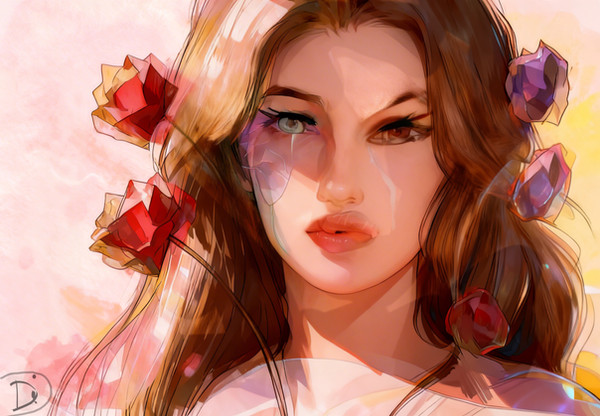
Needless to say I'm very disappointed with this. Everything that could have gone wrong .. well, did.I got all dressed up to find that the flood light I usually use broke. I had a choice between a red or green light, or natural light. None of them were up to par to say the least. My original location was too small ... so I moved upstairs and used natural light. I only got a small amount of pictures because the light changed and my battery ran out on my D50

I had wanted many, many clones in the picture to emphasize my point, but I only have two. (They're supposed to look like bimbos, but it looks more like a fashion portrait.)
It's neat, but that's the extent of my photoshopping skills.
Looks like I will have to go back to trying to find a model. Doing it myself was extremely difficult (and frustrating).
Any and all advice appreciated.
Related content






Comments: 5

Depending on how many clones you wanted in the photo, you'd have to bring the camera back a little more. It's too squished at the moment. Also, it might have helped had you turned the camera the other way, as if it was a portrait. You should be able to do that with your tripod. That bathroom your in is more narrow, so turning the camera like for a portrait would have given it a better feel I think.
If you want, I can maybe help you out with this. There should be many more wicked sunny days to come so that we can use natural light.

👍: 0 ⏩: 1

That would be a good idea. I really want to try and get Bailey to model. I feel as though she could do a better job, and that way, I could actually see what it is that I'm photographing haha.
Though I must say, this picture is growing on me, just not according to what I had planned I guess.
👍: 0 ⏩: 0

I think this looks pretty good, but it is a little bit more fashion portrait-y as you said. I certainly wouldn't call it a miserable failure, unless you strongly dislike this style over what you wanted originally. There are a few edges where you could smooth them a little better or tweak the lighting just slightly, but that's detail work that isn't immediately obvious.
👍: 0 ⏩: 1
I will definitely take a look at that next time. I normally use the blur tool in photoshop when I cut and paste layers - is there a better way of blending two layers to look like they're one? I'm very unexperienced with photoshop and I wanted to know if there was a more realistic approach.
👍: 0 ⏩: 1
It's a bit more work to balance it exactly, but it's a good idea to feather the selection when you first copy it, so that the edges will already be smoother when you paste it. Then you can manually go over the layer with the blur tool or a soft-edged eraser and try to soften up any obvious edges.
Sometimes an edge will be a little bit too bright or dark (some of the edges are too bright here). If smoothing or erasing doesn't work well, you might try selecting just a few pixels of the edge and brightening or darkening them. Make sure to feather this as well, so there isn't an obvious line where you changed the brightness.
I hope I've explained all that adequately. I know how to do a lot in Photoshop but I can never explain it well.
👍: 0 ⏩: 0