HOME | DD
 Rachiko — Simply hair tutorial ''Ran''

#hairtutorial #rachiko #tutorial #digitalart #narutooc #narutoocs #hairtutorials #narutoocfemale
Published: 2014-08-31 06:00:06 +0000 UTC; Views: 10429; Favourites: 240; Downloads: 82
Redirect to original
Description
It's very simple, really
---------------------------------------
Program --> Paint Tool SAI
1 - Basic color
2 - Shading
3 - Darker shading + light = Strands of hair
4 - Details (For example - individual strands
---------------------------------------
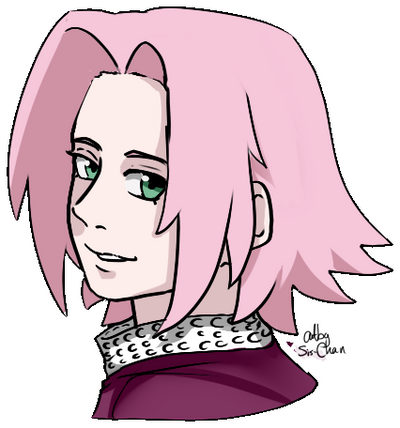
This is part of this drawing:
Tutorial/Art ©
Related content




Comments: 17

wow! that looks beautiful!
I'll give it a try at this sometime
Great job


👍: 0 ⏩: 1


I must use this tutorial the next time I draw blue hair XD
👍: 0 ⏩: 1


Step 1: Take your basic color and draw the hair.
Step 2: Add a darker tone to make it more realistic.
Step 3: Use magic to make it look perfect.
I can't use magic ... :c
👍: 0 ⏩: 1

Hmmm I do not remember that I used magic
No it's really not so hard - the whole thing is about how to play with colors and brush
👍: 0 ⏩: 1
Nah it's just that between Step 2 and Step 3 there seems to be miles. D:
Well atleast I don't know how to make it to step 3. ._.
That's why I said "magic". ^^
👍: 0 ⏩: 1
It may look like that but the main difference between step 2 and step 3 are only the different colors
In step 3 are same color but the thickness of the brush is smaller than before.
Also if you have trable with colors you can use some settings for layers (for SAI - overlay, luminosity or shade)
👍: 0 ⏩: 1
Alright thanks. I'm gonna try that next time.
👍: 0 ⏩: 1


