HOME | DD
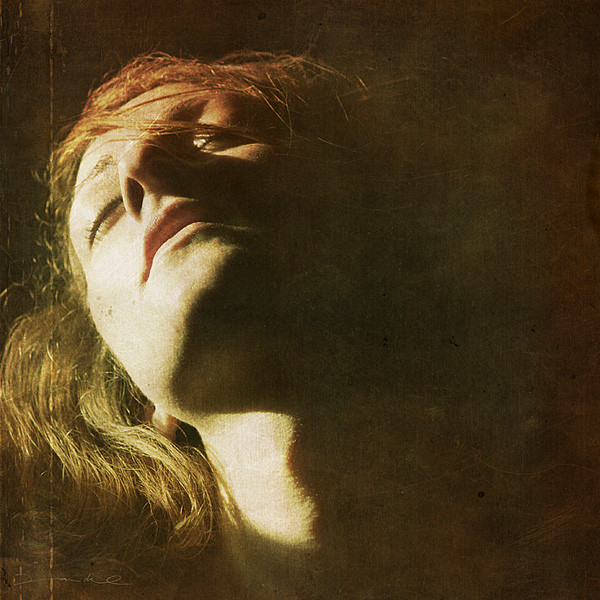
 rawimage — sunbath
Published: 2008-08-19 20:40:27 +0000 UTC; Views: 6029; Favourites: 101; Downloads: 0
Redirect to original
Description
catching the last sun raysRelated content




Comments: 35

This is a very beautiful picture. It looks like a painting, very warm and soft light.. LOVE IT!
👍: 0 ⏩: 1


Beautiful. just in case you never see the sun again? (:
👍: 0 ⏩: 1

women: never can't get enough sunshine

👍: 0 ⏩: 1


Reminds me of something you'd see on a Cold War Kids CD. Like on their first CD. I thought this was film until I saw the metadata. Wish I could get colors like that! Aggh!
👍: 0 ⏩: 1
I think I know what you mean
try overlaying something like this [link] ;]

👍: 0 ⏩: 1
Hmm. I would, but that guy's rules are awful strict. Is adding a texture all you did to get those colors? I love how the shadow of the face and the black background are indistinguishable.
👍: 0 ⏩: 1
yes that's all. why, there's another texture for the shadows, but the colours are all generated with textures
👍: 0 ⏩: 1
So it would have been an orangey texture that made the shadows have an orangey look?
👍: 0 ⏩: 1
in fact it was dark brown. it was a expired polaroid 669 print
👍: 0 ⏩: 1
Ohh, cool. I guess another option for me, since I don't have a texture, would be to just put a brown layer on Normal mode over the image and do like 5% opacity. You think?
👍: 0 ⏩: 1
since I use a german version of ps I'm not sure how the modes are called in english..
for the shadows I use LIGHTEN MODER and vor the lights OVERLAY MODE.
Look out for good textures, they're much more interesting :]
👍: 0 ⏩: 1
You mean if it's a light color that you want to put on top, you use Lighten? And if it's a dark color you want to put on top, you use Overlay?
👍: 0 ⏩: 1
mh, more or less.
Lighten means that you add any color lighter than black only to the shadows of an image. overlay mixes them 50/50
👍: 0 ⏩: 1
Ohhhhh, did not know that about Lighten! Good to know, thanks a lot!
👍: 0 ⏩: 0

i love how it melts with the background, really nice!!!!
👍: 0 ⏩: 1

hey 
👍: 0 ⏩: 0


Great light and amazing texture. It looks kind of like a Renaissance era religious painting.
👍: 0 ⏩: 0
