HOME | DD
 Rocket787 — RocketSkin 30
by-nc
Rocket787 — RocketSkin 30
by-nc

Published: 2017-07-08 21:27:38 +0000 UTC; Views: 936; Favourites: 4; Downloads: 28
Redirect to original
Description
Hi all..
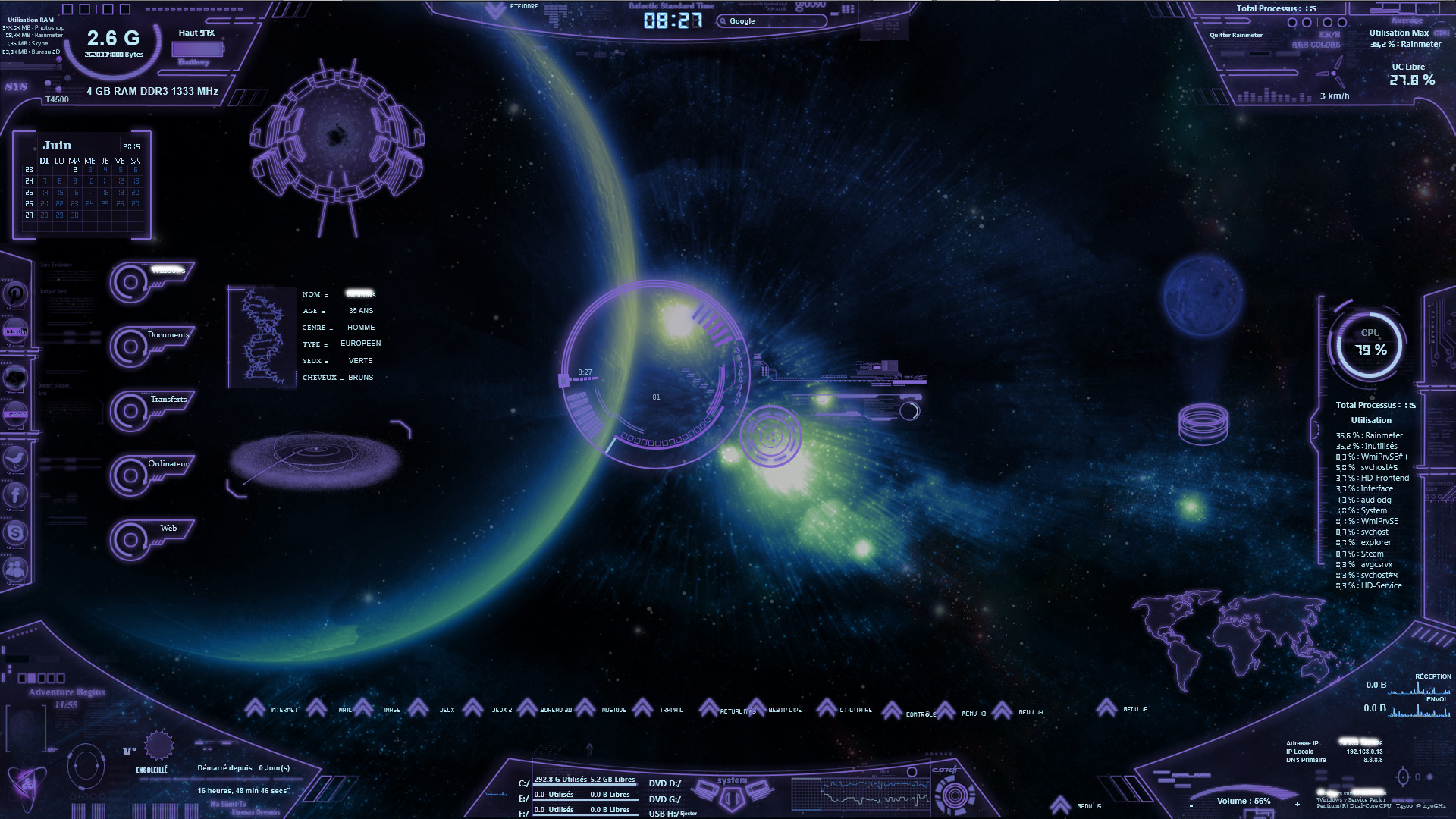
I removed the frames around the buttons and gave Skin 30 a better look. I added a 2nd Vertical Graph on the right to balance out the whole skin. The 2nd graph displays the "Read" and "Write" attributes of the HDD. I changed the color of the Histograms and made some different types of Bars for the Bar Graphs. When I set out to make a Rainmeter Skin a few weeks ago, I hadn't planned to revise my original Skin 25 concept as much as I have, but I really like this iteration the most .
Triple Graph: Displays CPU usage, NetUp and NetDown.
Dual Graph: Displays HDD Read/Write.
CPU 1-CPU 4: Four independent displays showing the percentage of usage for each of the (4) Cores, in both graph and bar form.
Four Temperature Displays: Four independent displays showing the temperature for the CPU, GPU, HDD and ACPI.
Center HDD Skin: Displays consolidated information of the computer, such as Temperatures, Fan Speeds, Clock Speed, WAN and LAN IP, CPU Usage, RAM and SWAP in percentages used, also displays info about the HDD Capacity in GB amounts: "Total", "Used" and "Free" and "Used". Small graph displays HDD Access activity. Small Bar Graphs in the center display core activity. The Deviant Art symbol is a button that links directly to D.A. The circular blue gem is a button that opens the C drive.
Sixteen Buttons: Each can be linked to the Internet, or folders, etc. More can be made and linked.
WINAMP v.5.666 Build 3510 (x86): It supports extensibility with plug-ins and skins , and features music visualization , playlist and a media library, supported by a large online community
Wallpaper: Not mine. I don't know where I got it from online, or who made it, as I want to credit the artist for this fantastic background .If anyone knows who made it, please send me a note and I will revise this to give the artist the proper credit where it's due .
Related content


Comments: 5

Looks very nice. Will you be including the layout or just the skin set? Many nice screenshots so far. Can't wait to see how it works IRL.
👍: 0 ⏩: 1

I will be including both the lay out and skin set. That way, one can arrange each item in any way they wish . I think I'm happy with this last iteration, and will check for any bugs before submitting it for down loading.
👍: 0 ⏩: 0

hehe i just notice the deviantart logo is on there

👍: 0 ⏩: 1
Did you click on it?
Did you click on the circular blue sphere?
👍: 0 ⏩: 1
