HOME | DD
 SecretSigil — RPG Moon
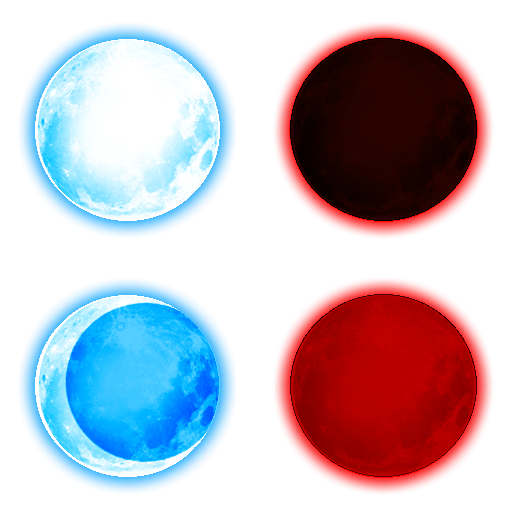
#moon #redmoon #rpg #rpgmakervx #bloodmoon #crescentmoon #newmoon #rpgmaker #rpgmakervxace #rpgmakerresources
Published: 2015-12-03 07:06:55 +0000 UTC; Views: 364; Favourites: 9; Downloads: 0
Redirect to original
Description
Updated 10/19/2022 To add a glow and improve the colors.Related content








Comments: 2

Cool how did you do this? I want to try to make a RPG but I'm a noob at it :3
👍: 0 ⏩: 1

Well first I googled a blank tile set and resized the full moon picture I wanted to use. As for the effects, after I finished doing that I used the Paint program circle tool to overlap the image of the first moon to make a crescent moon, a new moon, and a blood moon. All you have to do for that is make sure that both the main color and the fill color are the same (depending on what color you want to do of course) and then make a circle in the shape you want. Just make sure for the second fill box you choose the Marker setting otherwise it'll completely overlap the image in solid color. I hope that helps.

👍: 0 ⏩: 0