HOME | DD
 thegryph — Merfolk

Published: 2007-10-28 07:09:57 +0000 UTC; Views: 35162; Favourites: 643; Downloads: 1078
Redirect to original
Description
© Lerner Company.Painter/PS.
Related content








Comments: 48

👍: 0 ⏩: 0

This is amazing. I'm getting married in October, and my fiance and I are using the theme "Magic: The Gathering" and so our place cards for the guests are going to be magic cards that I am making myself. I, however, cannot draw anything quite this elaborate and so am looking for pictures that I can use for the cards. I was wondering if you would allow me to use this photo? I would put your name as the artist and will not be profiting on these cards in any way. I will even show you what the card will look like if it will aid in your decision. Please let me know!
Thanks!
👍: 0 ⏩: 1

Sure, have fun. Congrats, nerdy weddings are the best!
👍: 0 ⏩: 1


awesome.. this reminds me of warcraft 3, the myramonds or whatever they're called
👍: 0 ⏩: 0

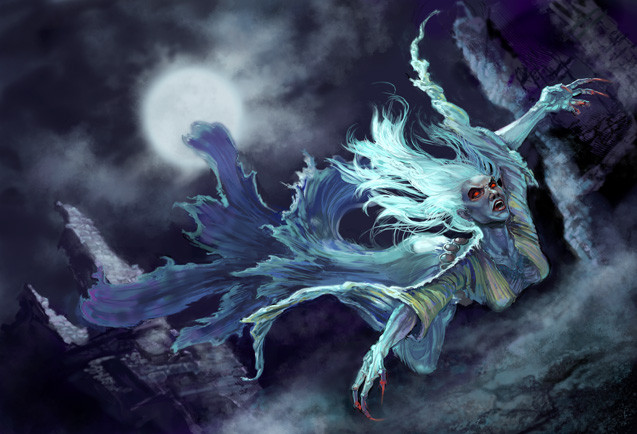
Really love the design of the merfolk in this picture - very creative and colorful!
👍: 0 ⏩: 0


This piece has been featured in my journal here: [link]
👍: 0 ⏩: 1


The mood in this is really eerie and unsettling. The light works so well in pushing the drama. Really a fantastic piece!
👍: 0 ⏩: 0


A truly magnificient rendition. *Standing ovation*
👍: 0 ⏩: 0


Yay! I have Liz Approval!
👍: 0 ⏩: 0


Hey, Nicole...what brushes do you use in Painter? I went and bought the derned program, and I'm struggling terribly with it. So I'm fascinated by folks who use both Painter and PS, in tandem.
👍: 0 ⏩: 1
There's a series of brushes I nabbed from Don Seegmiller's site a while back, out of which I use the marker, brush (I think it's an airbrush type), and blender, plus I use the normal oil round camelhair for a lot of the skin.
Painter has a really steep learning curve - you may want to just find a couple of brushes that will do what you're after out of the huge pile, and then work with those. I wanted a hard brush for planar block-in, a soft brush for rendering, something to unify them all, and something that would give me tiny brushstrokes, so that's how I ended up with the brushes I use. A lot of people use the watercolor or chalk brushes, but they've never behaved too well for me. Anry uses exclusively the round camelhair. It's all just in how you're looking to paint.
I think I yakked about what brushes I use when/at what stage I flip between PS and Painter in that tut I did a while back, if you're really curious.
👍: 0 ⏩: 1
Yes, yes....I AM curious about that tutorial! Is it on your site? (Don't answer that; I'll stop being lazy and check.) Painter has SO many nifty f-x brushes and so many ways to shmear, but I can't seem to get a nice. simple. brush. I'll hit up Seegmiller's site (love him!) and see if those brushes are still there. They might be in one of his books, as well. Which I have. I seem to get so many strange effects, pixilations, rough edges and weird colors when I try to transport things back and forth from Painter to PS. Thanks for the info! I thoroughly appreciate it.

👍: 0 ⏩: 1
[link]
They should definitely be in his book - that's where I got the link (and I think they're on the CD in the book - the reason they were up for download at the time was that there was some kind of bug in the CD they first printed.)
Hm.... are you using a color profile in PS that's not the default? Or using the impasto setting in Painter? Other than those two things, I don't know what would cause weird artifacts.
👍: 0 ⏩: 1
I don't THINK my color profile is anything but the PS standard. Do you find you have to specify your color profile each time to flop back and forth from PS to Painter? I do. Blarg. And I already ruled out Impasto brushes. More blarg. Thanks for pointing me at the tut, Nicole! And thanks for all the help...

👍: 0 ⏩: 1
No problem! No, I actually just stuck to the native profiles, so it's never asked me about it - Painter's a little bit off of PS for me, but PS is pretty close to how anything looks when it prints, so I didn't ever want to fiddle with it.
Maybe try conceptart.org's Painter sub-forum and ask around? It might be something to do with Painter X, or an Intuos 6D pen, or something like that that I know nothing about. I am a dinosaur clinging to my Graphire until it dies.
👍: 0 ⏩: 0

Your work always leaves me speechless. absolutely wonderful
👍: 0 ⏩: 0


Great job! There is a bit of flatness in the figures chest area and bend of the tail. But still a great job
👍: 0 ⏩: 0


Nice! I think there is a very interesting contrast between the very spiky and 'sharp' head, back fin and armor and the tail fin that looks rounded almost like a petal.
I also like the weapon design.
👍: 0 ⏩: 0

WOW! Impressive! Exceptional lighting. It's so difficult to pain water. This is such a perfect sea bottom! So deep!

👍: 0 ⏩: 0

Gorgeous, the figure in the back adds great tension. Love the colours as well. I've found my finished pieces in photoshop tend to lure me into too much detail when I'd really like the suggest things.. you say you work in both painter and photoshop, why is it that you use both? What would you say their individual strengths are? (I'm thinking about trying painter) Thank you! I love the lighting in this too.
👍: 0 ⏩: 1
Thanks!
Painter has fabulous brushes and will tend to give you a more "traditional" look, which I really like. The blender functions (as far as I know) can't be reproduced in PS, so I find it invaluable for that, detailing in general, and skintones. However, Painter is really, really slow if you're using a large brush and does not handle layers/moving pieces around well.
This is why I use PS for all of my block-in, background, and most of my corrections as the piece goes along. As long as you're using one of the standard round brushes, PS will process the information a lot faster. PS is also a lot faster at doing things like flipping the composition, cropping, making the picture larger... etc. Anything involving large chunks of the picture, I do with PS.
Of course, this is as of Painter 9 and PS CS2 - I've heard that Painter X was terribly slow, though, so I don't think I'll be upgrading.
👍: 0 ⏩: 1
Oh, good tip about painter X! I was going to pick it up. Can probably snag painter 9 off a classmate easily. Thank you so much for the explanation, VERY helpful!
👍: 0 ⏩: 0

I guess who ever he's going after will be sleeping with the fishes... See? (Silly joke)
Great painting.
👍: 0 ⏩: 1
