HOME | DD
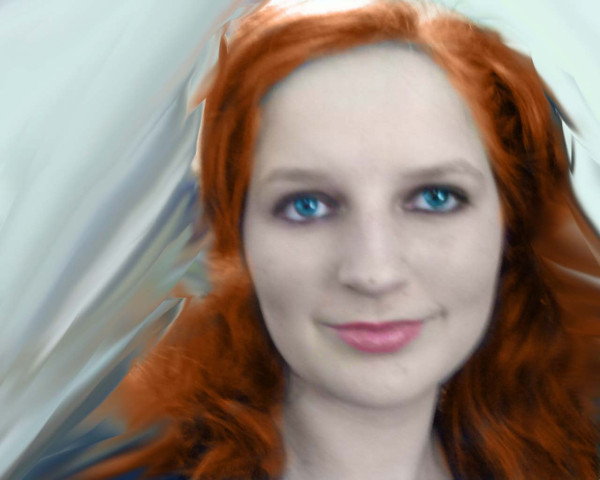
 Veranda — First Gimp Photo Edit

Published: 2009-05-20 22:09:11 +0000 UTC; Views: 250; Favourites: 0; Downloads: 21
Redirect to original
Description
Ok, over my time in SC, I was playing around on Youtube and I found out about this thing called GIMP that's for editing photos. Slightly similiar to paintshop to me. So when I got home in GA, I downloaded it since it's free (if it's free, it's for me! ) And I'm not really having the best week acne wise, and I just dyed my hair and my camera made it look more brown than the red I chose. And I started out on the photo making my hair stand out more, and of course ridding of the icky acne (I ordered some proactive, I'm hoping it will help ^_^) Anyways, I was happy with it, until I found on youtube a tutorial on changing eye colors, lip colors and all that so I just had a little bit of fun with it. I made my eyes a bit more standing out (Although I may tone it down just a tad) I changed my brow colors and even played with the lips!I've been interested in working on stock photos and stuff so I think twiddling with my own for now would be a good way to learn ^_^ If anyone has any tips, I'm always open ear (eyes on here).
Photo taken by Me
To Download your own GIMP Program, Go Here [link]
In case you're wondering the color, It's Loreal Paris Feria, Very Rich Auburn, number 66 Warmer.