HOME | DD
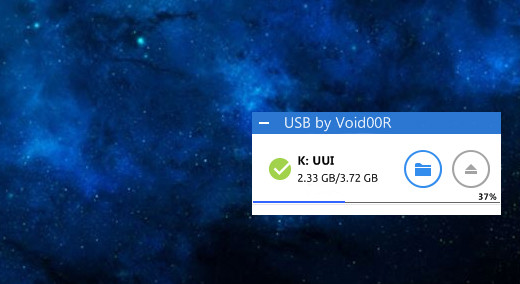
 void00R — USB Drive 1.0
by-nc-sa
void00R — USB Drive 1.0
by-nc-sa
#rainmeterusbskin #rainmeter #rainmeterskin #rainmeterdesktop #simpleusbskin
Published: 2017-11-08 06:34:32 +0000 UTC; Views: 3572; Favourites: 13; Downloads: 527
Redirect to original
Description
Its my first Rainmeter skin.Based on Jsmorley's USBDrive Skin
This skin is inspired by USB Utility of 360 Total Security (PC Version) .
I hope you like it.
How to Install it? / configure it.
- First install Rainmeter .
- Download this skin.
- Connect your pendrive.
- From the system tray menu of taskbar right click on the Rainmeter icon and click on Manage.
- In Left Side pane Look for the folder USB by Void00r and double click on it.
- Select USBDrive.ini and click on edit button
- Now change the variable "DriveLetter" to the letter of your flashdrive. example: "DriveLetter=H:" to "DriveLetter=V:" (If your drive letter is V)
- Save the notepad file by Ctrl+S.
- Click on the Refresh button of Manage Rainmeter window.
- Now the skin will be executed.
Notice:
If you have antivirus installed and got problems (freezing/low response/error) with this skin, try to add to exclusions in antivirus options:- Path to Rainmeter.exe
- Path to Rainmeter.ini
- Path to USB Drive 1.0 folder
Also your antivirus may have false-positive reaction on some addons. If you download installer file from here it should be clean, so dont worry adding skins to exclusion.