HOME | DD
 wearedesign — Free Photoshop Tutorial

Published: 2010-09-21 13:03:35 +0000 UTC; Views: 17379; Favourites: 170; Downloads: 972
Redirect to original
Description
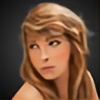
WE ARE DESIGN have a brand new video tutorial on how to paint realistic portrait in Photoshop. We show you the tips and tricks you can use to create shadows, lights, and detail in the hair, skin and eyes.Take a look at the video now at: [link]
Related content


Comments: 25


Video link does not work
Please give me another link .. Thank you dear

👍: 0 ⏩: 0


This looks like an amazing tutorial! I will check out the video now!
👍: 0 ⏩: 0



Thanks very much - glad you enjoyed it. There will be a new free HD video tutorial next week - so check back soon!

👍: 0 ⏩: 0

brilliant. simply wonderful. I love the tutorial. I find it very interesting to see the different techniques artists employ to pull off various effects. Thanks for the tutorial I hope you do more in the future like you said.
👍: 0 ⏩: 1
Thanks very much! Yes I will be working on the next tutorial this weekend I think and releasing it during next week.
Its possibly going to be another portrait tutorial but with a different colour style or a monster of some kind. I haven't decided yet!
If you have Facebook you may want to join up to my page as I will be releasing the tutorials as links there, www.facebook.com/wearedesign
Thanks again!
👍: 0 ⏩: 1
You are quite welcome. I just tried out the technique in this video. I Like the way it came out. It is very useful for pulling off something that looks photo realistic. I did a self portrait because I really didn't know what else I should try it on... I had no idea how many different colours make up skin tone. Its pretty interesting.
either one of those two things for the next tutorial would be really neat.
On facebook is all you have to do is like it? I am kind of facebook illiterate after they made all those changes to the site two years ago.
👍: 0 ⏩: 1
I'm glad you tried it out, feel free to use any of the photos on my blog if you require something to test out your painting techniques! Yes I should be working on the next tutorial tomorrow, it will be another portrait and I shall try and talk more about the colours to use etc.
Yes on Facebook just click the Like button and then when I post status updates from that page it will show up on your Facebook Wall. So once the next tutorial is ready I will let you know through that
Thanks again for checking it out - really appreciate it!
👍: 0 ⏩: 0

she is beautiful and thankyou for the tutorial I found it really helpful and love the hair as well as the blending I used smudge but I think your way of blending is far better
👍: 0 ⏩: 1
Thanks very much!! I will be creating another tutorial soon - Im actually going to try and get a new HD Video Tutorial up every Friday on my blog - so if you like this kinda stuff then check back often!
👍: 0 ⏩: 2

lol ya nice blending. i was using gaussian blur before but looks like your blending more efficient and easy to control
👍: 0 ⏩: 1
Cheers Forest! Yeah I have seen people using the smudge tool as well to blend, and their results were very impressive, but I find that with this technique you get more control and also at high resolutions its still fast, whereas the smudge tool tends to start lagging and going slow.
Thanks for trying out my tutorial!
👍: 0 ⏩: 0
I will check often back thank you
👍: 0 ⏩: 0