HOME | DD
 X-Loa — Inkscape Tutorial - Shading

#inkscape #shading #tutorial #vector #shadingtutorial
Published: 2015-07-25 08:37:06 +0000 UTC; Views: 6676; Favourites: 41; Downloads: 20
Redirect to original
Description
This is a quick & dirty tutorial explaining how I personally do my shading. It's a rather simple technique, but it's super effective! Important! This technique will bring Inkscape to it's knees when draw very complex scenes with a lot of shading. If you are going to use this technique it's important to create as many separate layers as possible so you can hide layers to keep Inkscape responsive. It's also useful to know about the different display modes available in Inkscape, you can find them under "View > Display mode", "No filters" is very useful.
 Step 1 - Draw your piece and cell shade it
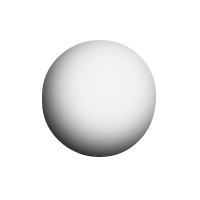
The first step is to draw your object normally, I've chosen to draw a circle, it's the lightest grey figure on the image above. Then I cell shaded it using various darker grey colors. I recommend to check out one of DeviantArts many cell shading tutorials .
Steps of darker color usually works (lowering the L in HSL), though it's not your only option, e.g. for skin I usually use a more reddish color than the original color being shaded.
Step 2 - Masking/Clipping
Now we are going to mask out shading objects so they remain neatly within the bounds of our circle.
Create a copy of the base shape, in our case the circle, by pressing CTRL+D and move it to the top (Home button). Our new circle is going to act like a mask for our first shading layer. Now select both the circle and a shading object and go to "Object > Mask > Set". Our shading object will now remain neatly within the bounds of the mask.
More detailed tutorials are available at FLOSS Manuals and Tuts+ .
Step 3 - Blurring
Now it's just a matter of playing with the blur of the object until it looks how you want it to. Note that you can also still manipulate the shading with the node editing tool, the mask will stay where it's supposed to be. You can remove the mask by clicking on Release instead of set.
Related content







Comments: 5

I am not entirely sure what happened. Make sure the object acting as a mask is on top of the object that is being masked. Also make sure your mask is a duplicate of the original.
When you apply a mask the topmost object will act as the mask and will disappear when the mask is applied.
You might also want to check out this tutorial Inkscape - clipping with clones by iOVERD . It explains a similar technique which is a little more involved, but the steps are better explained.
👍: 0 ⏩: 1

I checked it out and still really don't understand.
It's so frustrating cause to everyone else it's simple or at least they understand
👍: 0 ⏩: 0


