HOME | DD
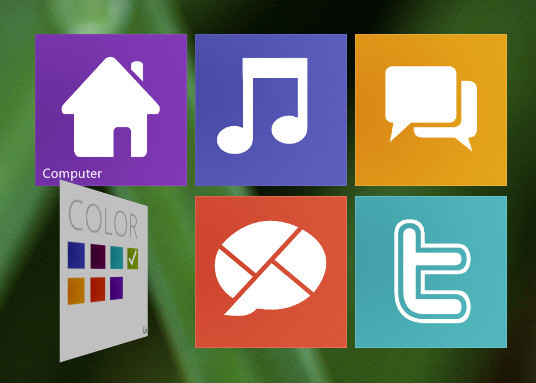
 xwidgetsoft — Windows8 Metro ShortCut
Published: 2011-10-31 04:12:41 +0000 UTC; Views: 9718; Favourites: 22; Downloads: 2384
Redirect to original
Description
Windows8 Metro ShortCut by ubeto.1. Click right-bottom button to flip it to change color.
2. Double Click to open shortcut.
3. Drag&Drop file or folder to it, or Mouse right click it popupmenu to set shortcut.
4. Right click menu item "Window >> Start same widget" to create more shortcuts.
Related content











Comments: 7


You need download and install XWidget first: [link]
and download this skin ,doublclick to install skin
👍: 0 ⏩: 0
1. You need download and install XWidget
2. download this skin ,doublclick to install skin, it will show on you desktop center
3. right click it to set shortcut setting
4. right click it and select "window-open same widget" to add more
👍: 0 ⏩: 0

