HOME | DD
 Burnwell88 — Tech-B
Published: 2014-06-21 19:28:45 +0000 UTC; Views: 275350; Favourites: 535; Downloads: 79933
Redirect to original
Description
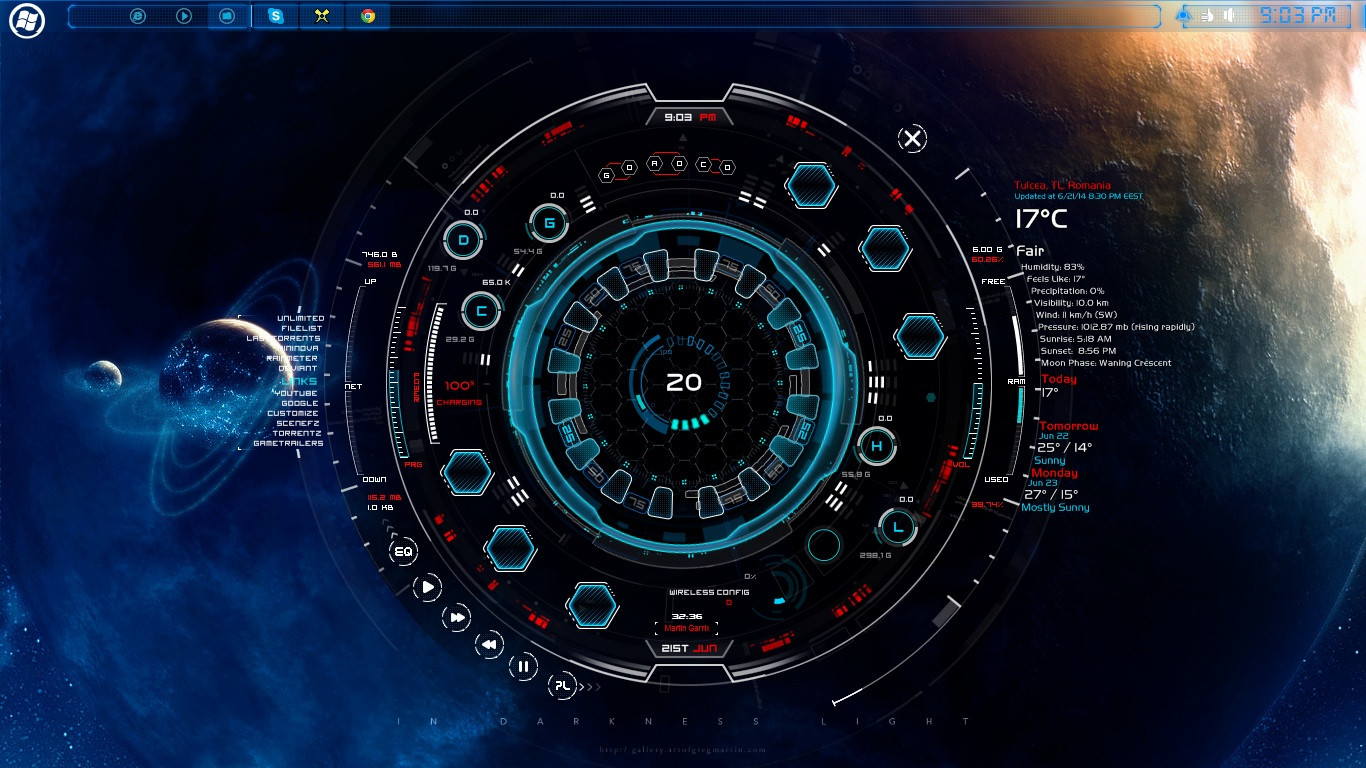
Hi all ... TECH-B is OUT ))
))BEFORE YOU DOWNLOAD PLEASE READ THE DESCRIPTION
i wanna credit
Z-DESING for his Brushes ...
JSMorley for his support in RAIMNETER FORUM
Squirrel-slayer color setter
and others wich ive analized their skins code
TECH-B includes
1 to 8 CPU
6 Drives
6 Buttons (animated) + 3 buttons for aplication
added BAttery
added Wireless
added colorsetter burnwell88.deviantart.com/art/… thx
added shortcuts with mouse over colorchangeing
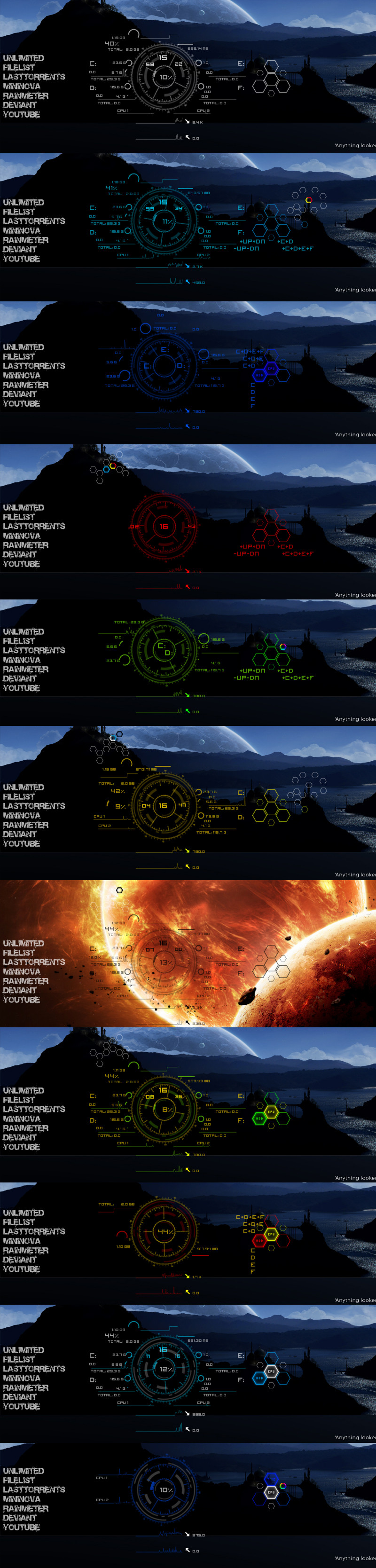
and around 18Backgrounds
added VClouds weather a little modified
and made TECH-B skin for XION PLAYER wich is availabe to download from HERE : burnwell88.deviantart.com/art/…
FOR FONTS IMPORTANT !!!!!!!!
go to Documents\rainmeter\skins\tech-b\@resources you have there SOME FONTS ... copy them in C:\WINDOWS\FONTS and restart RAINMETER
THE TUTORIAL OFF THE SKIN is here on youtube link : youtu.be/KmZ8Np1qO4w
i hope you enjoy it
if you enconter bug or something let me know comments bellow PS: ... my imagination sometimes goes WILD ... so espect more art from me ... currently trying to study Cinema4D animation and they really know how to give you a headache
 ... i will keep you posted
JUST EDITED THE COLOR CFG added a more simple COMMAND watch YOUTUBE MOVIE
Personal mesage :
------------------------------------------------------------------------------------------------------------------------------------------
Allso ive need some help from you guys .....aparrentlly i wanna upgrade my Hardware .. my monitor MAX resolution is 1366x768 so in the future im planing to make a 3 Monitor RAINMETER SKIN
allso on HD MONITOR ... my dream .... allso im posting this because i hade few guys who wanted to donate me in the first place to make tech-a bigger and i told them to wait for the next skin ... dont get me rong ALL MY WORK IS FREE and it will be but i need for those who wanted and will want to appreciate my work ... you can donate me here :www.paypal.com/cgi-bin/webscr?…
Thank you
Related content
















Comments: 97

👍: 0 ⏩: 0

👍: 0 ⏩: 0

👍: 0 ⏩: 0

👍: 0 ⏩: 0

👍: 0 ⏩: 0

👍: 0 ⏩: 0

👍: 0 ⏩: 0

👍: 0 ⏩: 1
👍: 0 ⏩: 1

👍: 0 ⏩: 1
👍: 0 ⏩: 0

👍: 0 ⏩: 1
👍: 0 ⏩: 0

👍: 0 ⏩: 0

👍: 0 ⏩: 0

👍: 2 ⏩: 1
👍: 0 ⏩: 0


Well... This one looks broken now: It is not centered on FullHD monitor, also I cannot move whole thing on another display, it falls apart in process.
👍: 0 ⏩: 0

You have the supreme stuff I LOVE.
I've always loved this style of tech. LOVE it. I want to make my website with a tech feel but i wanted it to be animated and interactive.
I was wondering if you think this style of ambient and ambient tech hop matches the soft sophisticated HYTEK look you have here?
soundcloud.com/aaron-terselle/…
soundcloud.com/aaron-terselle/…
👍: 0 ⏩: 0


I have downloaded the Xion player zip file but I can't seem to install it . Is there something I am missing? The zip files are all text files.
👍: 0 ⏩: 0
I LOVE it! This is my go to theme for my pc. Best one yet!!!
👍: 0 ⏩: 0


update WEATHER .....
burnwell88.deviantart.com/art/…
just replace the ini file
👍: 0 ⏩: 0

The Weather monitor stopped working. Could you please update?
👍: 0 ⏩: 1
yea i know since last week ,,,, im trying to figure out what happend
👍: 0 ⏩: 1
I think the URL that weather.com uses is different. I downloaded a new Rainmeter weather skin and it works fine... Maybe see about updating that URL or whatever it is that changed.
👍: 0 ⏩: 0


Hello. Would you be able to help me out? I've found that it isn't centered. I'm running a 1920x1080 resolution. Please help?
👍: 0 ⏩: 1
You can drag the main skin by left clicking any place in the skin. You also have to change the x & y coordinates for each hex button in the edit notes. You need to do this for all parts of the hex. I think there are 3 parts each. You will need to do this for both colors unless you only want to use one color option. I hpoe this helps. Good luck.
👍: 0 ⏩: 0


My apologies,
but when i download the file and open it i get the below error window popup.
Invalid settings file in: C:\(path where downloaded to)\tech_b_by_burnwell88-d7nclsq.rmskin
I know it must be me, but I can't seem to figure out why I can't get this rainmeter theme. Nice improvements btw.
👍: 0 ⏩: 0

Oh ya i understood ,guys watch the video first it is a gadget not a skin skin is Xion by him download it too
👍: 0 ⏩: 0
Hmm i am new to these and how i get this DESKTOP BACKGROUND PLSS
👍: 0 ⏩: 0

Hi! I know this sounds stupid, and It's prob'ly just hidden in the description somewhere, but can you give me the link to that wallpaper?
👍: 0 ⏩: 1
watch the video first it is a gadget not a skin, skin is Xion by him download it too
👍: 0 ⏩: 0


Aw Come on! I installed this just because I wanted some of those rings and it changed completly everything in my desktop! Now I have to start from scratch :c
👍: 0 ⏩: 0

BUG: Drive 6 defaults to drive 5 in naming. Found that the last line in the .ini file for drive 6 goes:
command1=!Execute [!WriteKeyValue Variables Drive5 "$UserInput$" "#@#variables .inc"][!Refresh *] where it should say:
command1=!Execute [!WriteKeyValue Variables Drive6 "$UserInput$" "#@#variables .inc"][!Refresh *] instead.
Just an FYI
👍: 0 ⏩: 0

Thanks a lot! Loved Tech A and now switched to this one.
But I have one question. How can I adjust the meters for the net speed? They're not showing much
activity with my current speeds.
Cheers mate!
👍: 0 ⏩: 0

talonridder.deviantart.com/art… here is link to an update to my skin!
your tech -B is looking the Bee's
catch you later!!
Mav!
👍: 0 ⏩: 0

i downloaded tech b but it sas it cant be instaled on windows XP

👍: 0 ⏩: 0

your TECH-B is awesome!!
and btw.... where's the button to switch "game mode" and "desktop mode"? just like your earlier TECH-A
👍: 0 ⏩: 1
| Next =>