HOME | DD
 caeszer — Splint::Final::
by-nc-nd
caeszer — Splint::Final::
by-nc-nd
Published: 2010-01-24 15:50:43 +0000 UTC; Views: 227651; Favourites: 306; Downloads: 83626
Redirect to original
Description
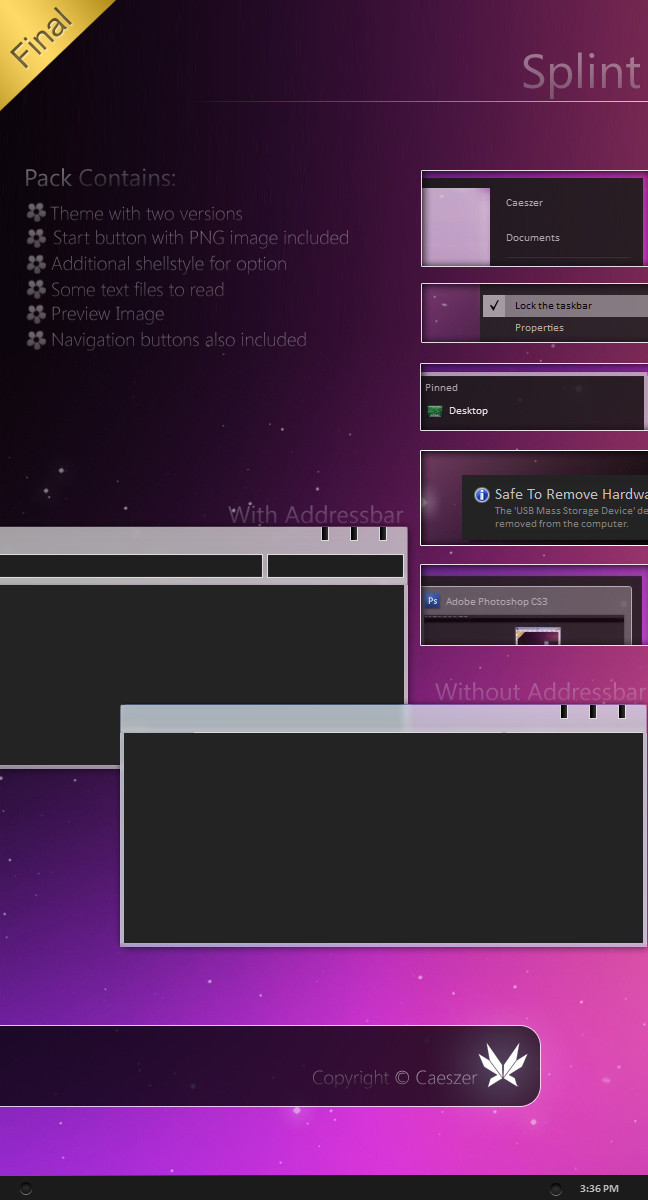
Newest Updates:*Rightclick menu conflict solved
*Startmenu conflict solved
*TasbandUI Extended changed
*Theme with addressbar & non-addressbar
*Tooltip background changed
*TrayNotifyLayout & Monthcal footer changed
*Buttonface changed
*Fixed taskbar, 22px to 24px(no more double taskbar)
*Menu font colour fixed
*Window border transparent
*Startmenu changed
*Startbutton changed
*Taskbar changed
*ExplorerFrame updated
*Wallpaper updated
*Full 32bit & 64bit support
Notes:I had change major parts here, actually, this is how this skin should be done from the beginning. I put its concept clearly with a new wallpaper.
Introduction:-

Minimal concept with simple modification. Aero default themes edited simply & clearly with using simple resources in certain parts. I've change 50% of many important parts with a new resources made by my own. Anyway, I took about 3 days to finish this.
_______________________
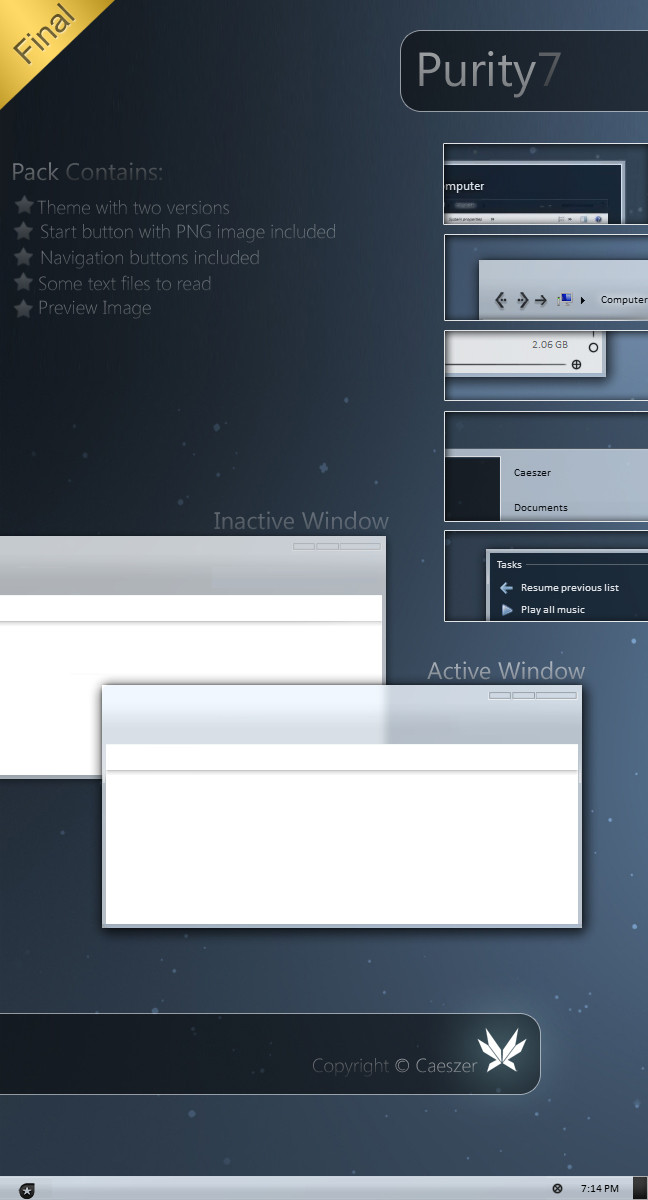
Pack Contains:-
*Themes: Splint theme
*System Files: Explorer/Shell32.dll/OobeFldr.dll/explorerframe.dll
*Notes: Installations Guide/Copyright Note
*Preview Image
________________________
Installations Guide:-
To apply the theme,
1. Copy all the items in the folder 'Themes' to c:Windows\Resources\Themes
2. Then, right-click on the desktop & choose "Personalize"
3. Choose the 'Splint' theme in the 'Installed Themes' section.
32bit:-
For the explorer, just copy it into the folder windows & the others just copy them into the system32 folder.
Then,restart your computer.
64bit:-
For the explorer, just copy it into the folder windows. The explorerframe just copy it to sysWOW64 & the others just copy them into the system32 folder.
Then,restart your computer.
Notes:You're advised to make a backup of your available\original components before replace them with the components provided in the pack.
________________________
System Requirement:-
*This theme now available for 32bit & 64bit.
*Makesure you've installed a good graphic card to enable transparent part to be seen
_______________________
Notes:-
Now this theme working in both Windows 7 32-bit & 64-bit
_______________________
Another Links:-
Author's Website:[link ]
Author's Gallery:[link ]
Watch Author:[link ]
_______________________
copyright ©caeszer~2010
Related content








Comments: 138


como mierda se baja esto!!!!!!!!!!!!!!!!!!!!!! alguien conteste, son pelotudos???
👍: 0 ⏩: 0


plz help... the theme doesn't change everything...
here's a screenshot [link]
👍: 0 ⏩: 0


good work, but the organise button is hid by default. thanks.
👍: 0 ⏩: 0


i download this theme but this is in rar file format,please guide me how to install this theme.
👍: 0 ⏩: 1

Well, I think this could be helpful: [link]
👍: 0 ⏩: 0
i got tis theme but it is in rar file format,i want to instal this but how? plz help me......
👍: 0 ⏩: 0


Great work ! But is it possible to change the font color to white ??? because I can´t read anything on the dark backround......I mean the Foldernames and stuff...
I tried to change that via rightclick and Themeedit but it doesn´t work....
Another problem is : When I change to "Detail view" the folderbackround turns YELLOW !
Any Idea how to solve this ?
👍: 0 ⏩: 0

m8, make a single txt on how to install your theme. Mention uxtheme patcher as well. One readme that has 3 steps and afterwards instructions on copying files makes it confusing on what should one do first, and copying files is step ZERO (0) then 1,2,3. Also there is that other readme that mentions some previous steps that even haven't been mentioned anywhere. It is VERY confusing. I figured it out on my own but I needed to use system restore once since I f**ed up my windows7. 
PS. bring back transparent taskbar and remove that horrible outline around taskbar buttons or at least make it gray (AAAAAA grey, or if you prefer RGB ~ 190/190/190)
o/
👍: 0 ⏩: 0


having a little bit of a problem with the theme :/, the back and forward button seems to have not changed, plus the close, minimize, looks enlarge, is this a bug coz of my high resolution ? 1920x1080 is my resolution, is there any fix for this?
👍: 0 ⏩: 1


Just to throw in an idea:
If you tweaked this theme enough, you could have an amazing Windows Phone 7 (with the blocky Zune-like UI and overlapping text) theme for Windows 7.
👍: 0 ⏩: 0


Mostly great, but that window border is AWFUL. Other than that it's beautiful!
👍: 0 ⏩: 2

Awesome theme, only problem is I can't get the navigation buttons to change. Any ideas as to why?
👍: 0 ⏩: 2

Did you change your change your explorerframe.dll??I had include them in the pack.
👍: 0 ⏩: 1
Yup, still won't fix the Firefox bug and the menu bug that you see here: [link]
Thoughts, anyone?
👍: 0 ⏩: 1
Sorry the right-click menu is unresolvable bug, it can only be fixed if I change the menu colour to white. I can't do that because it'll not match with the others. But I still keep trying to fix it just now. For the other one bug does not happened to me, just see [this ]did you download the latest one?
👍: 0 ⏩: 1
It was because of the explorerframe.dll in C:\Windows\SysWOW64, when I replace that with the original it works. However, I get the old navigation buttons back when I do that. Maybe it has something to do with me using 64bit win7?
👍: 0 ⏩: 1
I see..just as you reported, it might be from the explorerframe.dll. Its function to replace your navigation button. How about you send a copy of your original explorerframe.dll to me, maybe after modified yours it'll be worked on your pc.
👍: 0 ⏩: 1
Don't worry man, I just switched to Purity, your other theme, and I'm loving it. 
👍: 0 ⏩: 1
Nevermind, I got that fixed. Two remaining problems though;
[link]
1. The navigational pane when saving and opening files through Firefox is gone.
2. There's still the little gap at the end of the context menus.
👍: 0 ⏩: 0

Sorry for that, I've already noticed that damn bug, please redownload the pack. It has been updated.
👍: 0 ⏩: 1

very original and minimal, minimal is the way to go

👍: 0 ⏩: 1

I don't arrive to instal the theme
A generous persone have the uxtheme patcher please?

👍: 0 ⏩: 1
| Next =>