HOME | DD
 caeszer — Purity7::Final::
by-nc-nd
caeszer — Purity7::Final::
by-nc-nd
Published: 2010-02-06 20:06:59 +0000 UTC; Views: 496682; Favourites: 428; Downloads: 187696
Redirect to original
Description
Newest Updates:*TaskbandUI changed
*Jumplist changed
*Progress bar changed
*Taskband text colour changed
*Startmenu text hover changed
Introduction:-

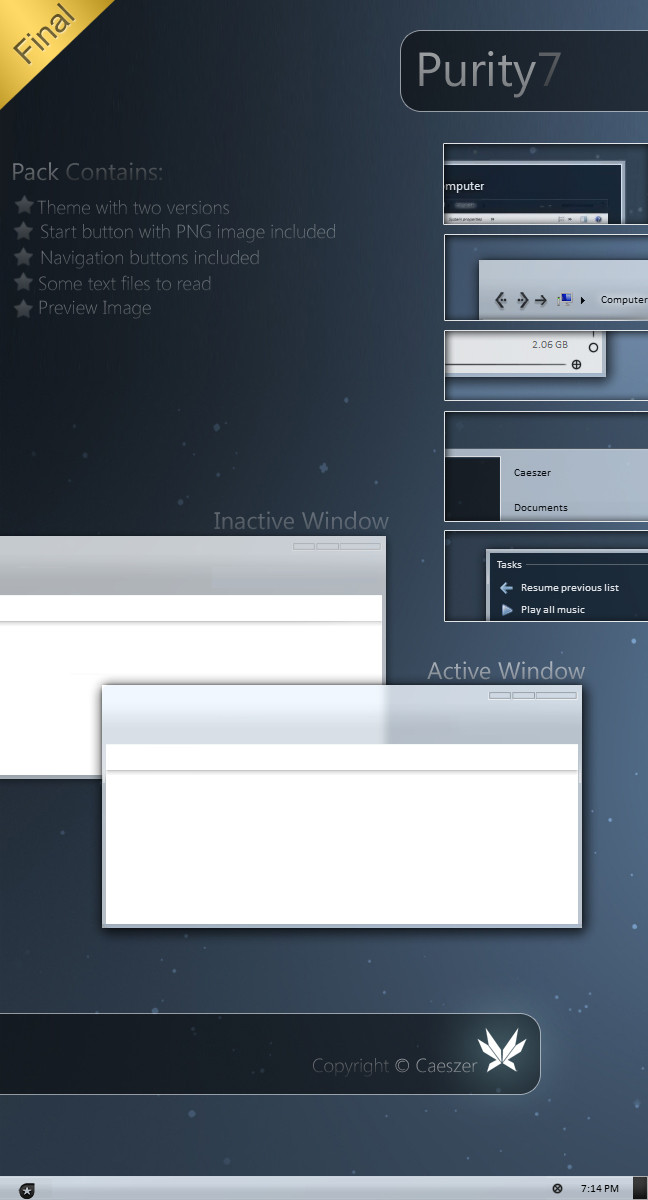
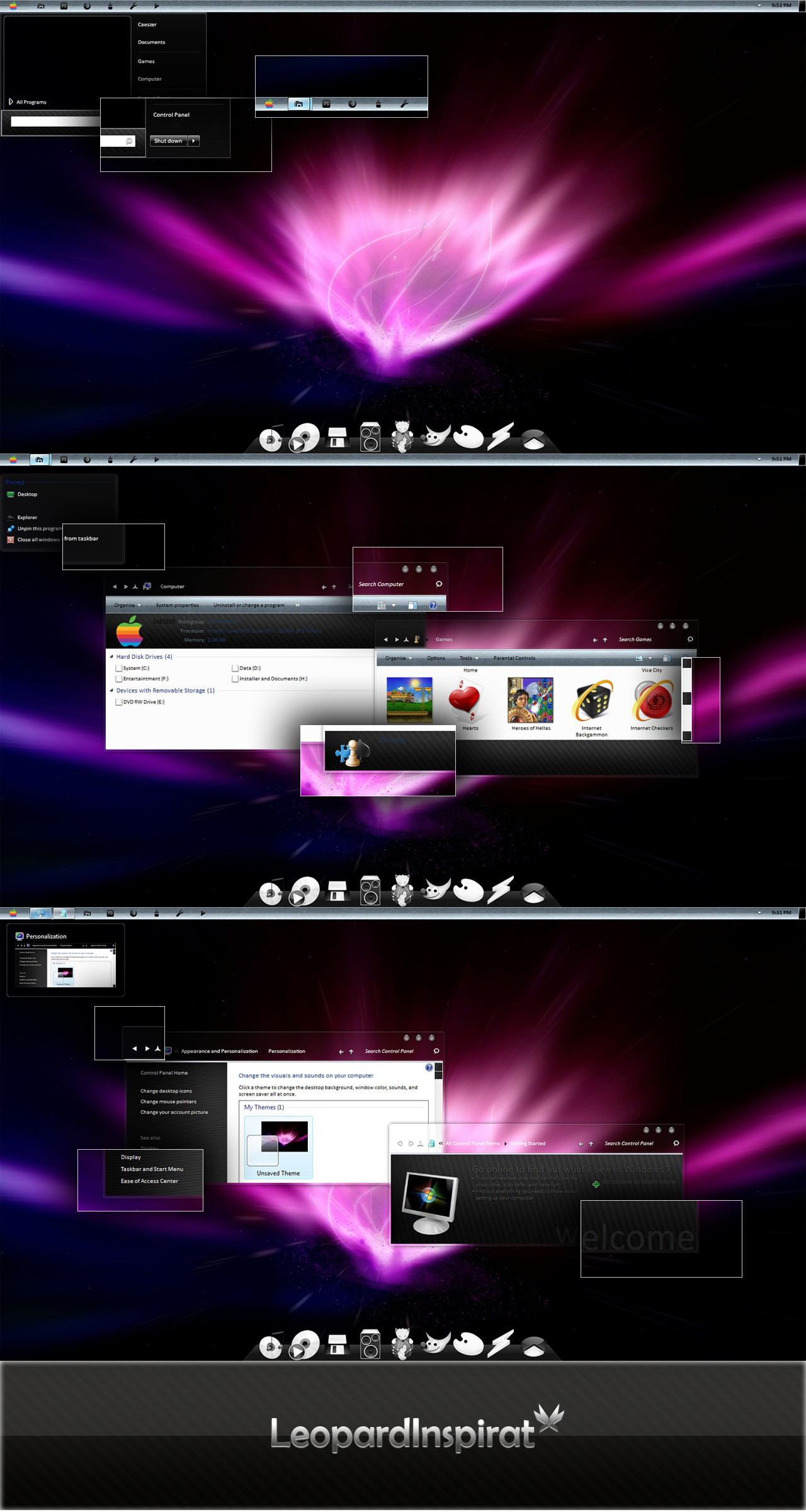
After messing a lot of my time, finally i had finishing this theme completely. This theme was a half-minimal concept with white resources in many parts, did it as clean as possible. This skin was taking the longest period to finish among my other skin because I need to check many parts that I haven't touch yet before. After much satisfied about what I've done, I'm gonna share it here.
_______________________
Pack Contains:-
*Themes: Purity 7 theme
*System Files: Explorer/ExplorerFrame.dll(32bit & 64bit)
*Notes: Installations Guide/Copyright Note
*Preview Image
________________________
Installations Guide:-
To apply the theme,
1. Copy all the items in the folder 'Theme' to c:Windows\Resources\Themes
2. Then, right-click on the desktop & choose 'Personalize'
3. Choose the 'Purity 7' theme in the 'Installed Themes' section.
32bit:
Right-click, take ownership for the original system files.For the explorer, just copy it into the folder windows & the others just copy them into the system32 folder.
Then,restart your computer.
64bit:
Right-click, take ownership for the original system files.For the explorer, just copy it into the folder windows. The others just copy them into the system32 folder.
Then,restart your computer.
Notes:You're advised to make a backup of your available\original components before replace them with the components provided in the pack.
________________________
System Requirement:-
*Now, this theme available for both Windows 7 64-bit\32-bit.
*Makesure you've installed a good graphic card to enable transparent part to be seen
_______________________
Notes:-
Now this theme working fully in both Windows 7 32-bit & 64-bit, ENJOY!!
_______________________
Another Links:-
Author's Website:[link ]
Author's Gallery:[link ]
Watch Author:[link ]
_______________________
copyright ©caeszer~2010
Related content










Comments: 194


forro, aca mucho bla bla pero no se puede bajar una verga, todo chamuyo esto
👍: 0 ⏩: 0

my start menu and taskbar at the bottom don't change (i followed thehacker0007's tutorial and did exactly the same thing) it just changes the window's to "Windows Classic" idk what im doing wrong D:
👍: 0 ⏩: 1

U need to use universal theme patcher and patch all three system files in order to apply custom themes
👍: 0 ⏩: 0


hm if its not in the bottom 
👍: 0 ⏩: 0

The download link is bottom of the screenshots mate
~[link]
👍: 0 ⏩: 0

i just realize that the download link is on the right sidebar. -_-
👍: 0 ⏩: 1

hahaha me too! spent 5 minutes and 10 reloads I think :S
👍: 0 ⏩: 0


hi, installed the purity theme.. but its skin is not appled. its looks like windows xp classic mode.. does this theme need graphic card.. windows 7 aero theme is working fine on my system.. pls help me
👍: 0 ⏩: 0

how to reset the original theme of windows 7 64 bit..??
👍: 0 ⏩: 0

I've downloaded it, but I don't understand where do I have to right-click:
👍: 0 ⏩: 1
I mean: "32bit:
Right-click, take ownership for the original system files.For the explorer, just copy it into the folder windows & the others just copy them into the system32 folder.
Then,restart your computer."
Right-click...but where?

👍: 0 ⏩: 0

I can't seem to figure out how to replace explorer.exe, it says I need permission. (Yes, it is my computer - admin)
👍: 0 ⏩: 0

Downloaded and Loving it. <3
Though I use UxStyle instead of patching manually.
👍: 0 ⏩: 0

When I activate the theme, it displays the Backround, but reverts the UI to the old defualt theme, Help![link]
👍: 0 ⏩: 0


I have used earlier versions of this theme and liked them, so I know I will really enjoy this final version. Thanks for making such an awesome theme. I will be using this theme for a long time to come. Great Job, I look forward to seeing what other ones you come up with next.
👍: 0 ⏩: 0

Hey i can't apply my older theme after installing Purity 7 theme.
Please help me
👍: 0 ⏩: 0


im confused... teach me how to change the start menu,... plss help
👍: 0 ⏩: 1

ExplorerFrame.dll needs to be in C:/Win/System32
New Explorer.exe goes to C:/Win You need to be Owner of this file to edit it. Go rightclick -> settings -> owner Select "User" Press Ok go back to to Priority's and set "User" as Full Write/Read.
Themes Files goes to C:/Win/Resources/Themes (copy all)
Make Backups from all like explorer.old.exe Just in case. Murpy Rule: If it goes wrong, then it goes badly wrong.
Sry for my englisch I'm from Austria
👍: 0 ⏩: 1
Nevermind EditEdit: You need a Program called UniversalWin7ThemePatcher to make it work. It patches some dll files. This worked for me
👍: 0 ⏩: 0


Thank you, this is quite amazing! Love the simplicity

👍: 0 ⏩: 0

it look nice but im scared about if it delete files or virus or i cant change back add me on skype so u can show me skype name : Fredriksson02
👍: 0 ⏩: 0

Hey all I got was a nice background and a white bottom bar? Am I missing something? In the picture there are icons in the center and a bar on top!
👍: 0 ⏩: 0


Really understated. I love it. It's refreshingly different.
👍: 0 ⏩: 0


Can someone PLEASE provide easier step-by-step instructions as to how to install this better?? I have tried a number of different things, and the start bar still looks wrong, the start button PNG is no where to be found in the zip file, and none of the windows are customized.
Thank you
👍: 0 ⏩: 0

Love the way the theme should look. The instructions are not that clear though and dont tell which files belong where
👍: 0 ⏩: 0

there is a download link in top, right side.
@caeszer: i used this theme for more then a year and i love it so hard! two days ago i switched by accident to standard win7 theme and now i can't bring the navigation buttons and the look of the explorer back.
like adammpkins i installed your explorer.exe and explorerframe.dll again, but it doesn't work. any suggestions?
is this maybe a problem because of sp1 for win7 ? i'm on 64bit.
👍: 0 ⏩: 1

I stumbled into the same issue and solved it using Universal Theme Patcher. Install it, patch the files it asks for and then install the theme, that's it.
👍: 0 ⏩: 1

Thank you so much. This solved my problem.
👍: 0 ⏩: 0


Im not sure what I'm doing wrong. I've successfully replaced all the files that the instructions told me to. I'm still seeing what looks like windows classic with modified fonts and menu select colors. Any pointers caeszer?
👍: 0 ⏩: 1
I have the exact same issue. Have you ever figured this out?
👍: 0 ⏩: 0

Any way to add an update that changes the hover on the "All Programs Menu" from the lame original light blue to dark grey or the clear as with the rest of the theme? The original is ugly and doesn't go with your great theme.
👍: 0 ⏩: 0

Actually, parts of Windows Explorer work. Whenever I try to pull up a window, it hangs up. Otherwise, the start menu, task bar, popup menus, and icons still work. To my knowledge, it seems to be only the windows.
👍: 0 ⏩: 0
I really want to use it, but once I replaced the files, Windows Explorer won't work anymore. Help!
👍: 0 ⏩: 0

| Next =>