HOME | DD
 Chevinster — Knight Rider Scanner Light 1.0 2013SL
Published: 2013-01-29 10:03:29 +0000 UTC; Views: 30803; Favourites: 34; Downloads: 6195
Redirect to original
Description
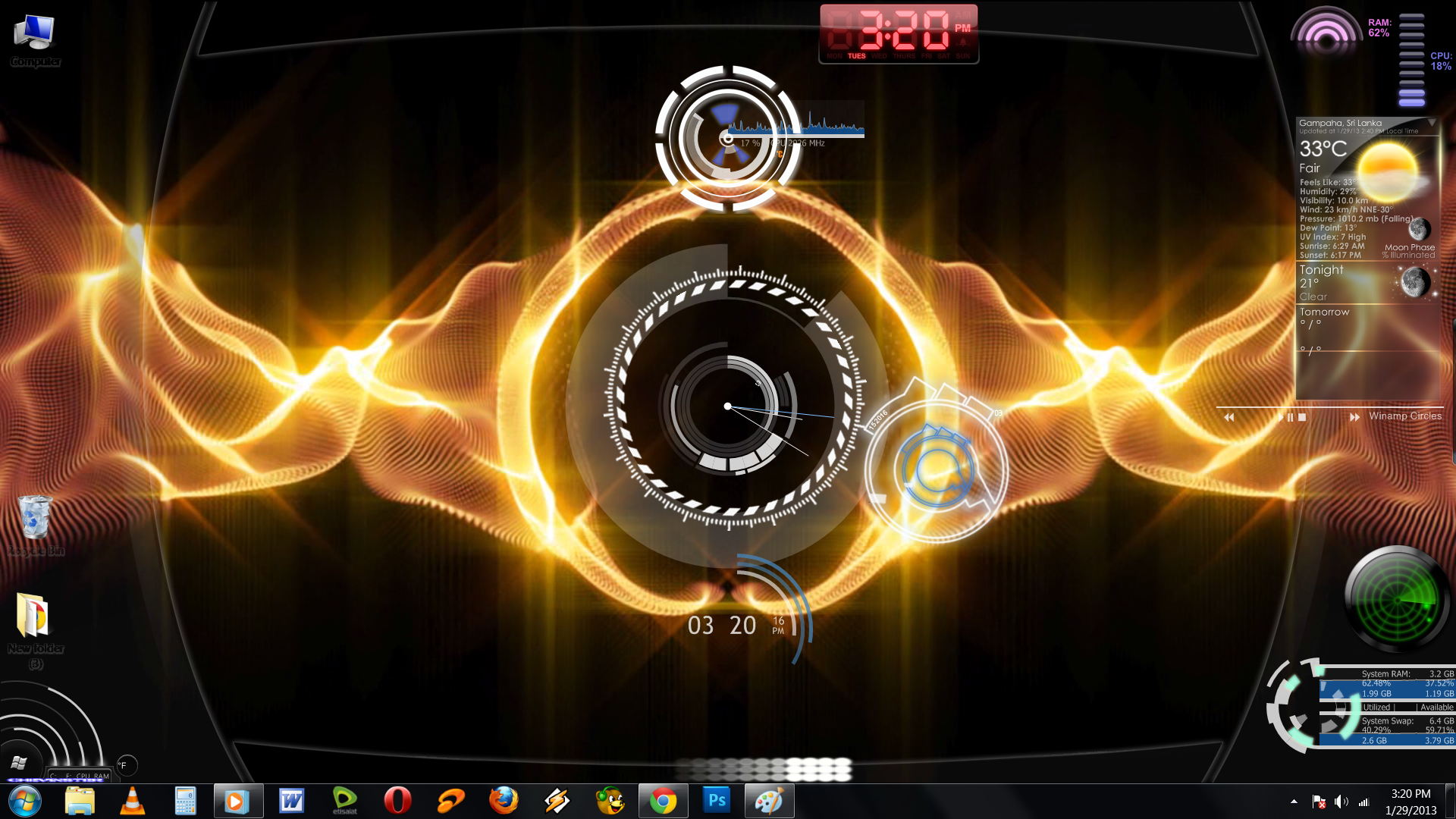
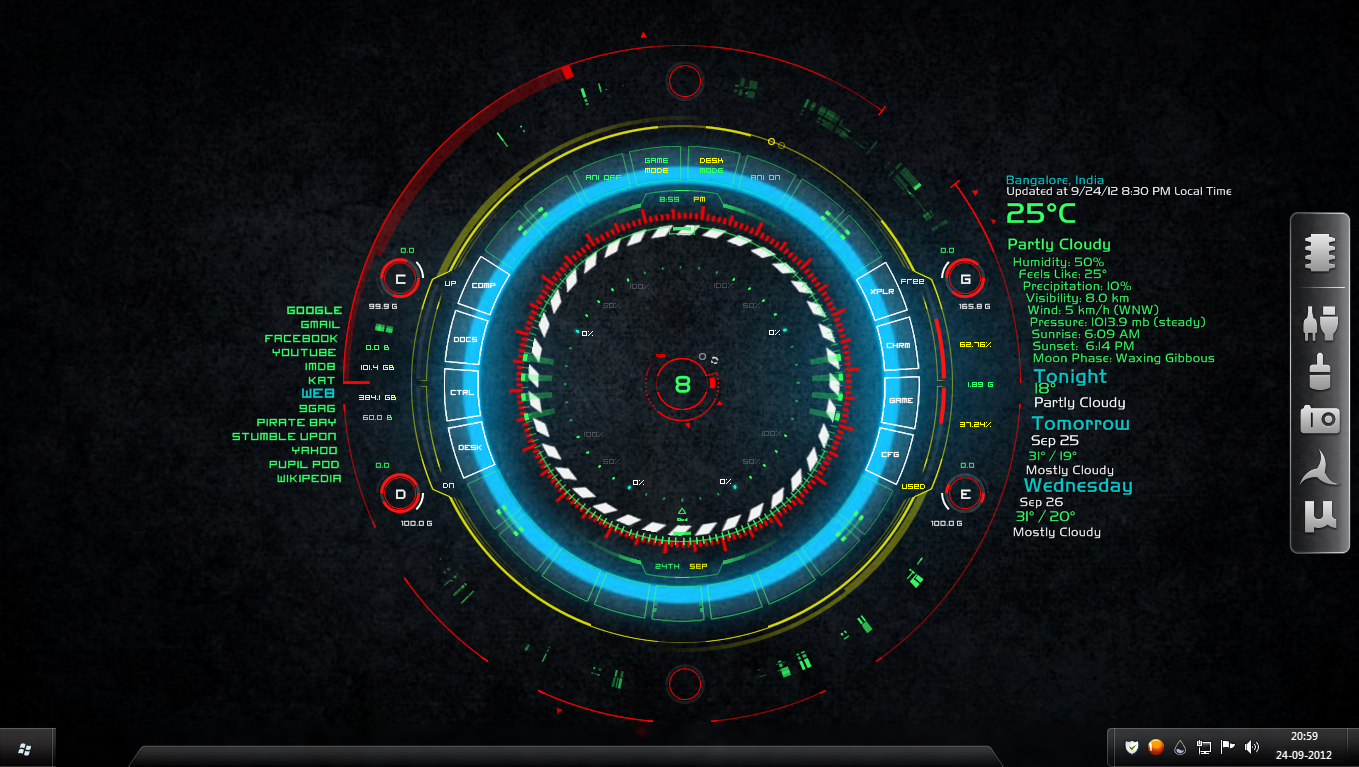
Knight Rider Scanner Light_1.0 is a new step for the rainmeter. you can add a scanner light like in Night-Rider car to your desktop.You can change the position by dragging or through rainmeter. theme will work for rainmeter 2.4
Related content







Comments: 48

gotta make 240 frames this just looks choppy... love the concept though.
i got plenty of cpu power to spare.
👍: 0 ⏩: 0

I'm working on next version of Knight Rider Scanner Light, It'll come with Knight Rider Scanner background music & red & blue colors
👍: 0 ⏩: 0

awesome can you give give me the link of the dreamscene yellow
👍: 0 ⏩: 1
I downloaded it sometime back but i don't have the link now brows in youtube & google u should get lucky
👍: 0 ⏩: 0


I'm sorry friend
hope u have the latest rainmeter.
go to rainmeter app and try to unload & loading the skin also try adjusting the coordination of the skin trough rainmeter app
👍: 0 ⏩: 0


It's not a wallpaper it's a dreamscene skin (like an animated wallpaper).
I can't remember where exactly I've got it
try this link
[link]
👍: 0 ⏩: 0

At least five of the skins shown in your screenshot are not your work. Unless you are prepared to give credit to the original authors, I think it would be best to limit your screenshot to your own work and that included in the download. It's a bit confusing if your screenshot is a mixture of stuff that is and stuff that isn't included in the download.
I for one wouldn't bother to download this because I already have at least four of the skins shown in your screenshot and don't really know what new skins I might get
👍: 0 ⏩: 1
If i can spent time to make NR light skin & publish it for free
not bothering to download & try it is ur problem
Thanks for the comments

👍: 0 ⏩: 0
I think you should give credit to the original authors of the various skins you've bundled together under your name.
👍: 0 ⏩: 0
If someone want to change the speed of the scanner just try changing the "Update=70" ( in .ini file, change the value 70 to till u get the speed u like 
I'm working on second version of this skin & it'll come in a small file than this & with NR scanner music.
👍: 0 ⏩: 0

Hey, when i try to install it, i get an error "this skin package is not valid". am i doing it wrong? I download and save it, then open containing folder, drag it to rainmeter folder and open it so it installs/extracts itself right?
👍: 0 ⏩: 1
I've made the skin on rainmeter 2.4 version so u have to use the same or above.
just duble click on the rmskin & tt'll ask u to install it click on "Install" button that's it
Good luck
👍: 0 ⏩: 1
Oops, i wasn't updated lol. Thanks
👍: 0 ⏩: 0


click on the download file icon(ur right hand side)
👍: 0 ⏩: 0

I am now linking to this from my journal, cause as I said, we have Knight Rider fans on here.... Can you change the color of the scanner to Kitt's familiar red? I'm sure you must be able to since all things Rainmeter are configurable...
👍: 0 ⏩: 1
actually I can but it's not a very easy process i have to make 180 images. so I'll work on that in my next version.
hope u r happy about the speed.
👍: 0 ⏩: 0

im kinda new to rainmeter. what am i supposed to do after this skin installs? cuz i cant see much of a difference
👍: 0 ⏩: 1
install the latest rainmeter first (2.4)
I've only added what I've design to the rainmeter so u should see a Knight Rider type Scanner Light on your monitor
👍: 0 ⏩: 1
i already have 2.4. what i am asking about is that i installed this skin, but nothing is happening
👍: 0 ⏩: 1
hmm..
open the rainmeter management software find the Knight Rider Scanner Light (.ini) file, select it & try unloading/loading it.
or maybe u cant see it because of ur wallpaper color(if white) try a dark wallpaper.
if that's also not working try to position it through rainmeter management software
👍: 0 ⏩: 1
tried it all. got nothing except for some white thing going back and forth at the top of my screen and your username in the top left
👍: 0 ⏩: 1
Drag it to the position u want
hmm that's what night rider scanner light looks like.
I'm sorry if i disappoint u
👍: 0 ⏩: 1
its okay, after a while, i just decided "screw it" and uninstalled Rainmeter because this is the third sign that it simply refuses to work with my computer
👍: 0 ⏩: 0

Nice concept, but the look itself could still use work.
👍: 0 ⏩: 1
ya i admit it, hope someone can improve it or advice me how to
👍: 0 ⏩: 1
I'd personally recommend making it a smooth fade in terms of the trail (but you abandon the knight rider look as a result), and making it move slower and more smooth across the screen. i.e. use a Rainmeter CalcMeasure with #SCREENAREAWIDTH# as part of the formula for calculating its movements across the screen, instead making a fat gif.
If you would like an example of a similar CalcMeasure I can send you a note or you can ask on the Rainmeter forums.
👍: 0 ⏩: 1
looks like u have a good idea about the rainmeter, but my knowledge is around 10% about the formula.
I wanted to show what was in my mind & it's some thing new(i'm happy about it )
hope someone with a good knowledge about the scripting can develop this further
👍: 0 ⏩: 1
Yeah I could give it a shot once I get v3.0 of my RM powered Start Menu replacement released.
👍: 0 ⏩: 1

Cool digital clock effect...
As for the knight rider effect, I know at least one fan of the show on here so maybe there is a DA group for this...
👍: 0 ⏩: 1
digital clock is a yahoo widget.
Thanks
👍: 0 ⏩: 0

Taskbar is just windows 7
Just play with windows 7 themes & transparency
👍: 0 ⏩: 0

very nice skin bro , well done
maybe in the next ver. throw in some options for
changing speed , colour etc
excellent work though

👍: 0 ⏩: 1
Thanks for the reply.
I'm not a expert in rainmeter, so someone who's good in this can advice me about changing the speed without renaming images
👍: 0 ⏩: 0
Please let me know what you guys think so i can improve the next version
👍: 0 ⏩: 0