HOME | DD
 Fi3uR — Light 1.0
by-nc-sa
Fi3uR — Light 1.0
by-nc-sa
Published: 2014-05-04 19:45:02 +0000 UTC; Views: 65296; Favourites: 154; Downloads: 8710
Redirect to original
Description
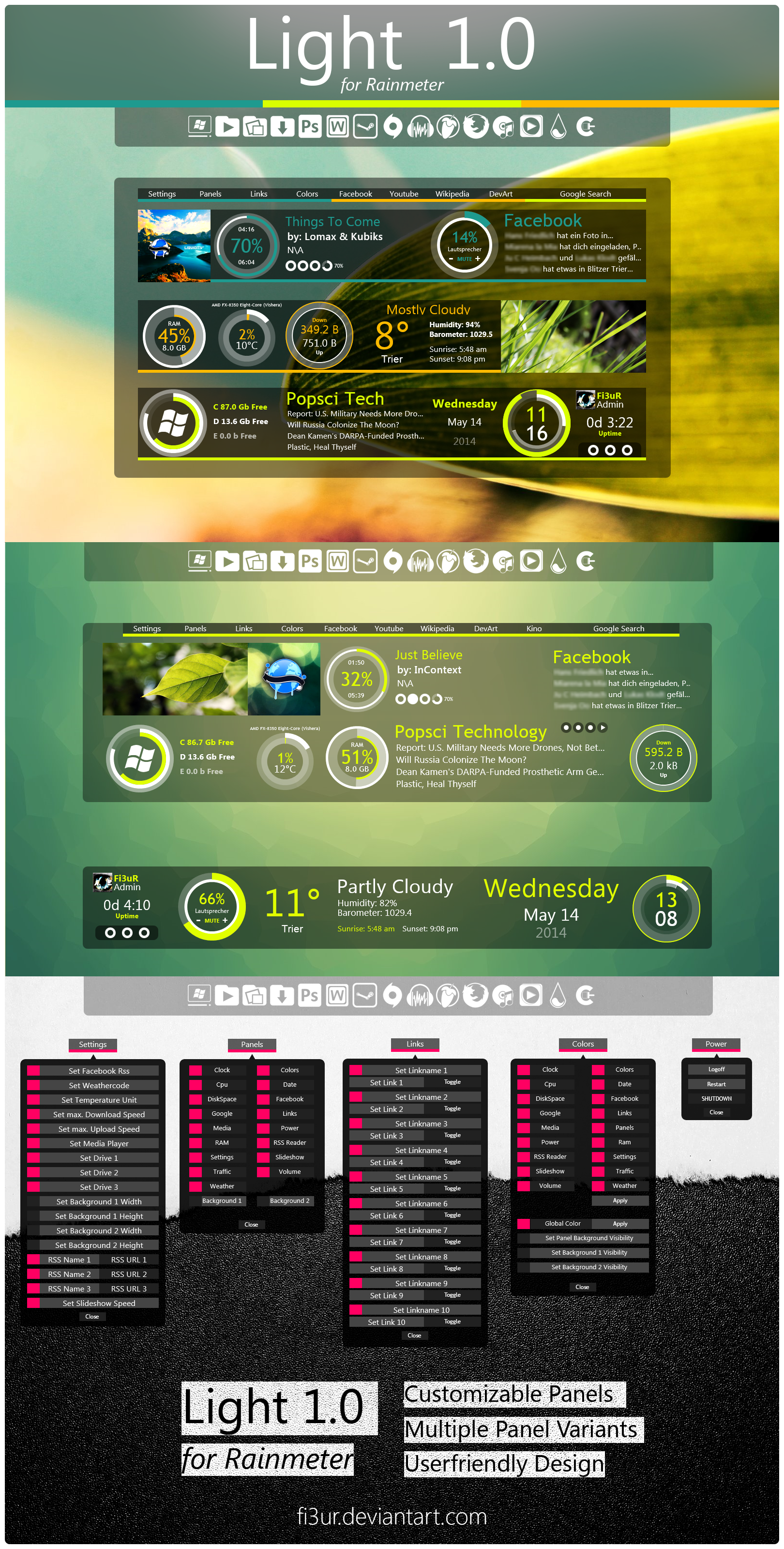
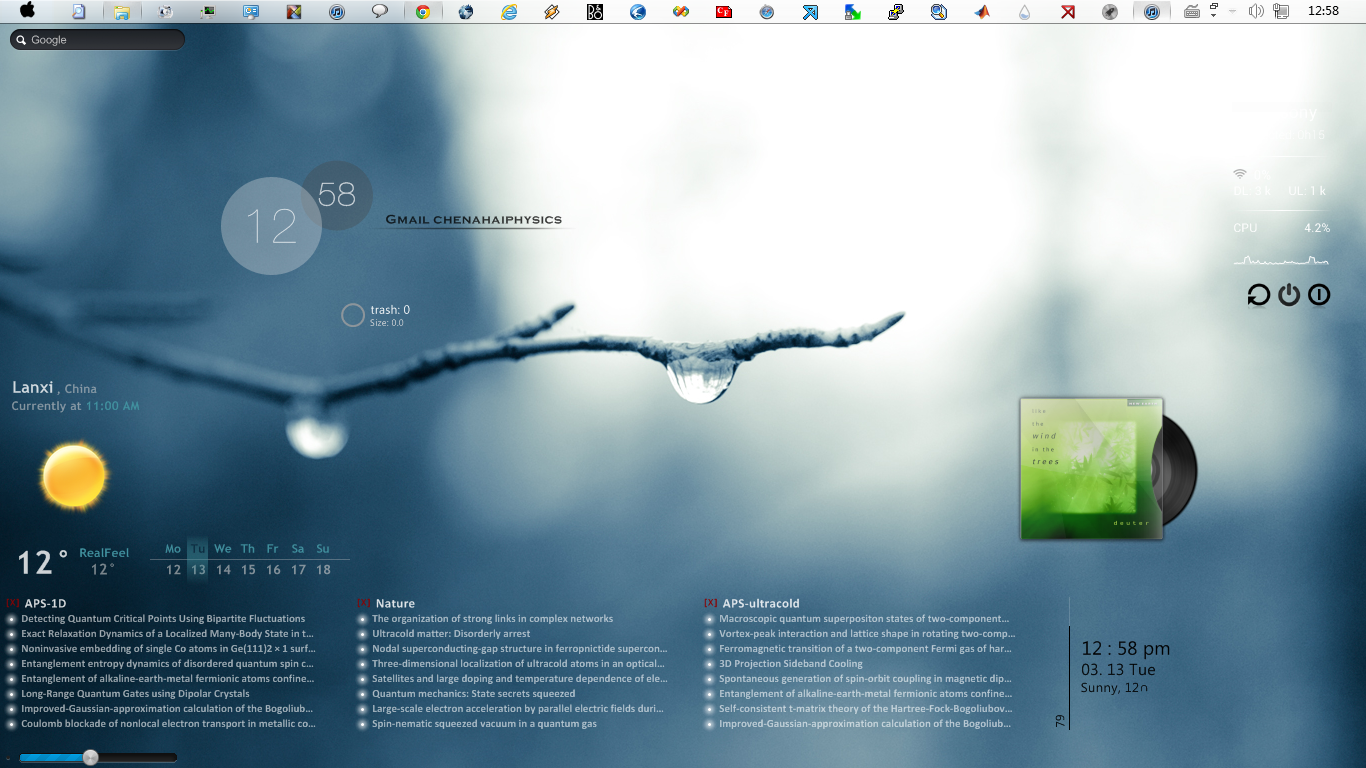
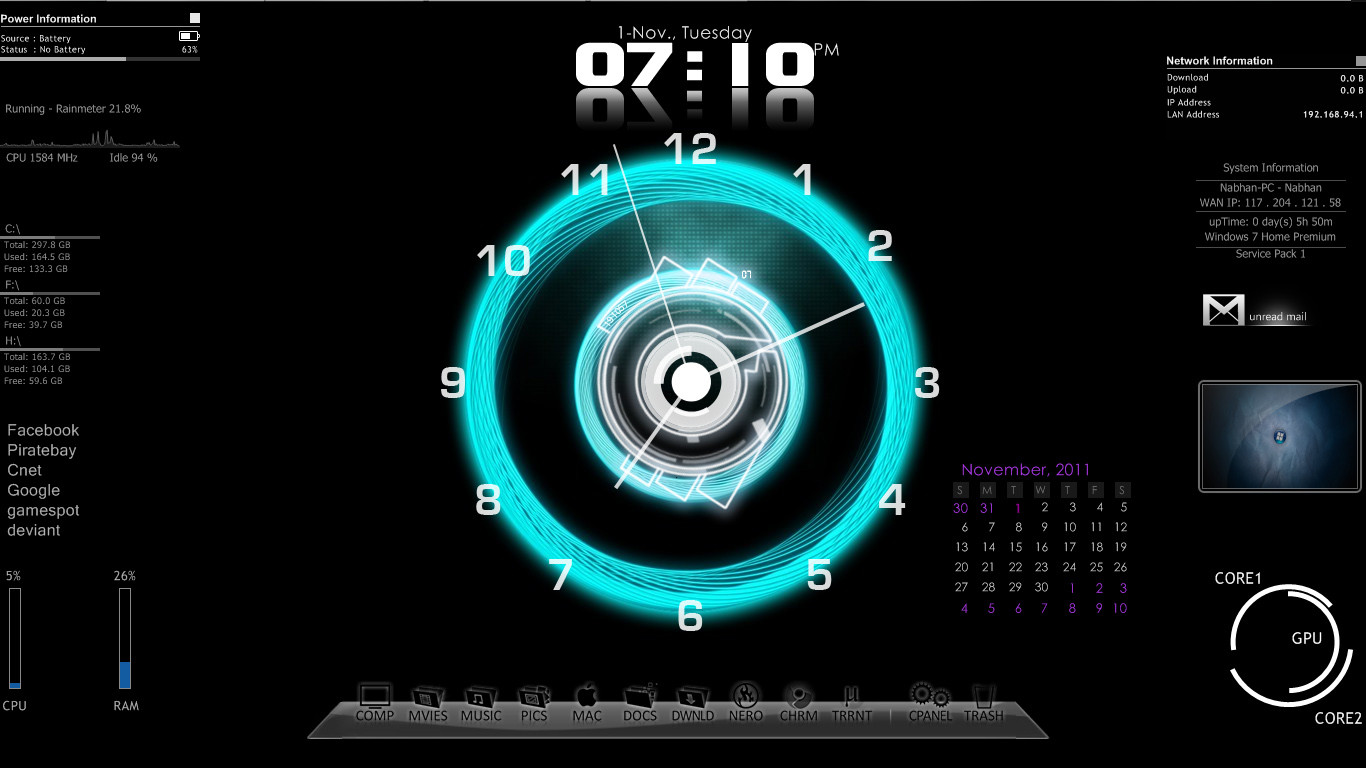
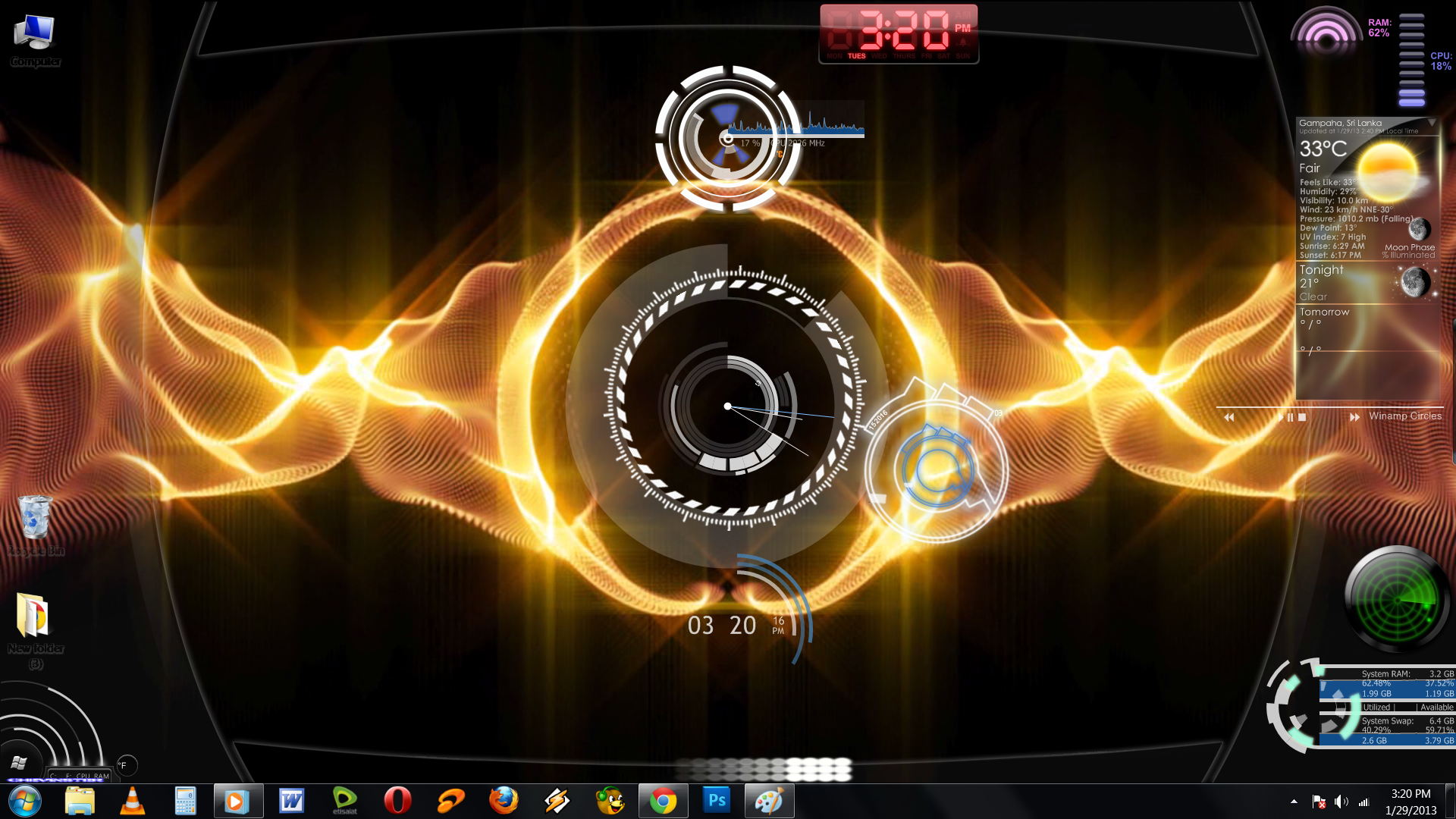
This is Light for Rainmeter (my first Rainmeterskin ever )
)________________________________________________
-Background
-Clock
-Colors
-Cpu (needs Coretemp to work properly)
-Date
-Diskspace
-Links
-Media
-Panels
-Power
-Ram
-RSS Reader
-Settings
-Slideshow
-Traffic
-Volume
-Weather
________________________________________________
Light Dock Icons: fi3ur.deviantart.com/art/Light…
Wallpaper1: fi3ur.deviantart.com/art/The-L…
Wallpaper2: mushcube.deviantart.com/art/Sp… by:
Coretemp: www.alcpu.com/CoreTemp/
________________________________________________
Related content







Comments: 53

Hi-vis Traffic network meter still useful, without background, high readability factor while being compact.
people should know the circle gauges can individually exist by themselves without the strip background.
and edit the max traffic so the outer ring fills up as a meter based on your actual bandwidth max.
The rest probably just needs an update to use the more efficient process monitor from the newer rainmeter releases.
👍: 0 ⏩: 0

It is a pity that in the settings there is no possibility to change another language.
👍: 0 ⏩: 0

Hello, few days now the weather not working.
I check the weather code and also tried different codes. Nothing happens.
Any idea ?
👍: 0 ⏩: 1

mine too i dont know what it is yet :/
👍: 0 ⏩: 1
Probably the weather API. Try to updated or use a existing one.
You should keep it alive, it is a very good skin!
👍: 0 ⏩: 1
yes i noticed that it seems that yahoo is changing its links.. when i get time these days i'll sort it out and update
👍: 0 ⏩: 1
Good luck with exams! We are waiting for the update
👍: 0 ⏩: 1


Man, thx a lot for this masterpiece! Best skin for Rainmeter I've seen so far. So clean, with flexible and convienient configuration. Great example of how should a Rainmeter skin be developed.
If I may propose a feature:
- Automatic switching between RSS feeds in customizable time intervals
👍: 0 ⏩: 0

Wow so great and I am so happy that I fell over rainmeter and then this on the same day
👍: 0 ⏩: 1
there is a settings tab where you can adjust everything
👍: 0 ⏩: 1
Yeah I seen the tab, but I do not know what to put in the weather tab to change it as if I put Odense, it just do not show anything except for the degree sign
👍: 0 ⏩: 1
you have to google your weather location code should be easy to find
for the hdd tool you would need to delete certain parts in its config file
👍: 0 ⏩: 1
Found out now, thanks for posting it
👍: 0 ⏩: 0

Das sieht echt heftig geil aus!
Bin durch Zufall nochmal auf deine ganzen Arbeiten und Fotografien gestoßen..
Sicher, dass du nicht doch noch ein Designstudium anfangen willst?
Steht außer Frage, dass du ganz locker das Zeug dazu hättest
👍: 0 ⏩: 1
Danke Martin 
Nein das bleibt mein Hobby, glaube das würde mir sonst schnell keinen Spaß mehr machen
👍: 0 ⏩: 0

Everything looks nice, but there 1 little problem here.
When it comes to the Facebook RSS feed, I am unable to view the texts with the unicode UHT-8 Character.
Is there a way we can config or fix this?
Screenshot : sta.sh/08t6c1tb9aw
👍: 0 ⏩: 1
try to use the arial font at the facebook rss reader.. it could work
👍: 0 ⏩: 0

This is easily the best Rainmeter skin I've seen. Gorgeous, functional and so delightfully easy to customize.
Thank you for creating this!
👍: 0 ⏩: 1

you are a genius! this skin is just fantastic!
i actually signed in to leave this comment.
👍: 0 ⏩: 1

Cheers mate. Added to my ever expanding collection. Soldier on...Peace.
👍: 0 ⏩: 0


absolutly amazing!!! rly, great interface, great ergonomy:
but...(^^), i just wonder how put my own "sideshow"? have i to go to the "ini.files" to modify the "path"???
please answer me! BOOOOOoooo...^^
👍: 0 ⏩: 1
klick on the slideshowwidget and all your questions will be awnsered
👍: 0 ⏩: 1
yes ! i do it, but unfortunaly it seem didn't work....
so i find it in skins ressources!^^
my pictures are for the most part in 1920X1080pix, so i go to your ini.files and modify manualy theratio (now in 16:9) i increase too the size in 400X255 and decrease the time between 2 pictures!
next step i ll change the location of the button coz they re still on their ancient location!^^
excuse me for my poor english , i m french!
you make a realllll great work, very clear, just a few options like "rotations" or "reverse" and u ll touch the "perfect".
youraddition of the color wheels is just a bright idea, very helpfull!
i hope you continue to release stuff at the same level of quality and even "over the top!
youre at the cutting edge! bye, thanks a loooot and stay safe!^^
👍: 0 ⏩: 0

Really nice skin! Well designed, with a bunch of features and simple menus! Thank you for your work
👍: 0 ⏩: 1

Its nice, but maybe some instructions on how to change settings for individual things for those who don't want to go ahead and install everything in the pack. One way to get around it, is to launch your installer and set up all the settings through that, then go back to your old Rainmeter desktop, and then install each item individually which now has had its settings changed.
Good job on this though, I like it - thank you!
👍: 0 ⏩: 2
you can toggle every panel in the panels section which should make it faster. also if you want to begin from your old desktop choise the rainmeter theme Backup and save it under some name.. i'm sorry but i dont think there is a way you can move them all at once
👍: 0 ⏩: 0
Also, is there a way to move the whole thing over, rather than panel by panel? Its off to the left of my screen and i would like it in the middle, yet when i try to move it, it only moves each individual thing, one bit at a time - gonna take ages =/
👍: 0 ⏩: 0
Hello, i type C for Celsius but the weather still be at Fahrenheit.
👍: 0 ⏩: 1
It is great by the way! Keep up the good work! Please tell me how can i fix the weather temperature and it could be my main rainmeter skin
👍: 0 ⏩: 1
try a small c it works on my dektop
👍: 0 ⏩: 1
It's works! Thanks a lot
Fix it if you can, because Fahrenheit is 'F' and Celsious is 'c'
👍: 0 ⏩: 1

Very nice! Lots of work went into this I can tell!! Great design & layout! Roundlines are tough to code and you did a good job!
👍: 0 ⏩: 1


Pretty good, will probably replace my Omnimo setup for my secondary monitor. The only thing I've come across that's buggy (so far) is the HDD space widget. I have it looking at my C, D, and E drives (OS, media, and games, two are ssd's and one is physical) and it reports wildly incorrect numbers on all of them.
👍: 0 ⏩: 1
fixed and updated should be bugfree for the moment
new widgets soon

👍: 0 ⏩: 0
| Next =>