HOME | DD
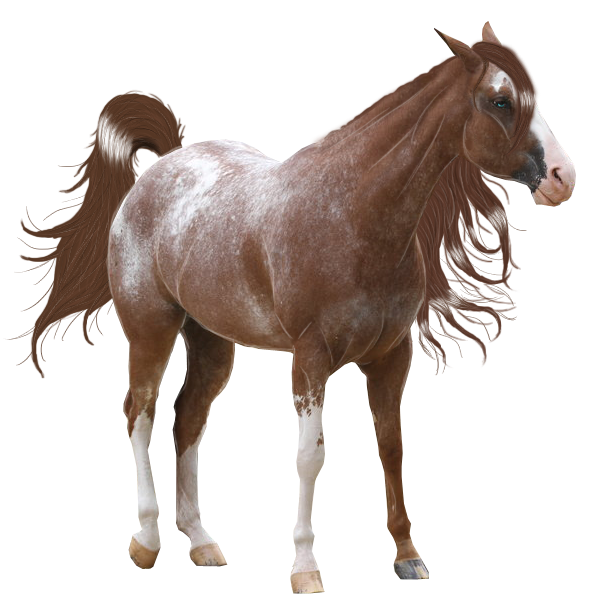
 FinnaJei — Color Change Tutorial

Published: 2009-12-16 03:31:29 +0000 UTC; Views: 1858; Favourites: 29; Downloads: 0
Redirect to original
Description
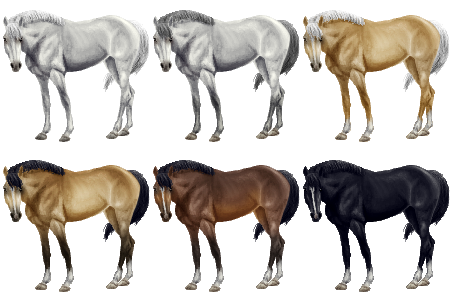
I'm going to share with you how I change horses colors.
I use CS3 so it may vary from version to version.
1. Cut out your horse. (simple enough)
2. Duplicate Layer
3. Hue/Saturation = Saturation -100
4. Image -> Adjustments -> Variations 5. Test different options until you get the "Bay" color you like.
(For this particular picture I think I used. More Green -> More yellow -> Lighter)
6. Use your Burn/Doge/Sponge Tool to Burn the points dark. Sponge the color out of them then lighten/burn them to your preferred color.
(If you're making a red dun, or another color with Colored Points instead of black don't sponge the color out just play with the burn doge until you get it how you want it.)
7. Do the same for the mane and Tail. Sponge the color out and Burn/Doge it until you like what you have.
I hope this helps someone even though it's not a full graphic tutorial ^^
Horse from: [link]
The original post for this tutorial, and images it's been used in can be found here: [link]
Related content








Comments: 5

I can't find the Image -> Adjustments -> Variations part....
👍: 0 ⏩: 1

Ahh, I'm not sure about GIMP. I don't know if it has an option like "Variations"

👍: 0 ⏩: 0
