HOME | DD
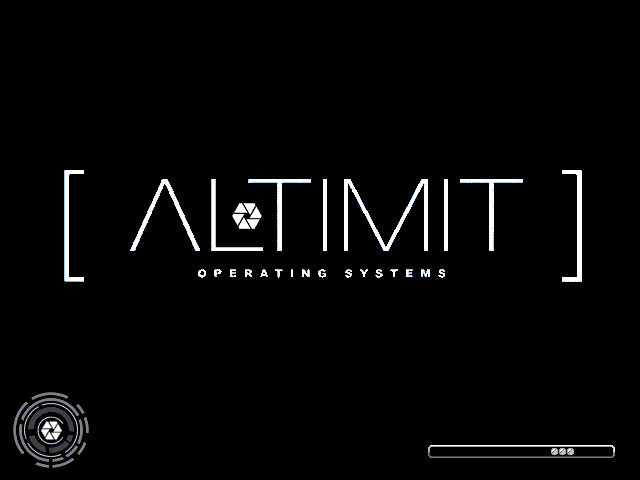
 genericwin — ALTIMIT OS BootScreen
Published: 2010-06-12 18:04:01 +0000 UTC; Views: 6560; Favourites: 7; Downloads: 548
Redirect to original
Description
This is what I'm using right now, in addition to ALTIMIT desktop wallpaper, screensaver and system sounds. I made by compiling some stuffs.
The logo thingy in the middle is from google. The bottom left logo thingy is a screenshot of [link] that I resized. The progress bar's frame I drew myself, whilst the bar/pip thingy was designed off [link] with the colours I had + lighting to make it look more metallic.

To use, first install StarDock's bootskin and just import.
Edit: Progress bar tray moved 3 pixels to the left for my 1280x800 resolution laptop. o.o
Error Note: For some of you, the progress bar might cut off. This is an error due to the 23x9 pixel pip-thing. To solve this, open the .ini and change the progress bar width by x-1 or x-2 pixels.
There you go._______________________
Disclaimer: ALTIMIT OS is not mine. o.o;;
Related content









Comments: 9

you have to change the zip file to .bootskin instead of .zip and then try importing it
👍: 0 ⏩: 0
You have to change the zip folder to .bootskin instead of .zip and then try importing it that way
👍: 0 ⏩: 0

So, how do you work this??? It isn't in bootskin format....
👍: 0 ⏩: 0

You're using an older version of Windows. Damn, they need to make Stardock bootskin compatible with Windows 7.
👍: 0 ⏩: 1

D: Sorry. I'm using win7 too now so I don't have this anymore.
👍: 0 ⏩: 0

I installed the Stardock, but when I tried to import it, nothing is found in the folder o3o
👍: 0 ⏩: 1
