HOME | DD
 Hadeki — Simple CSS Template
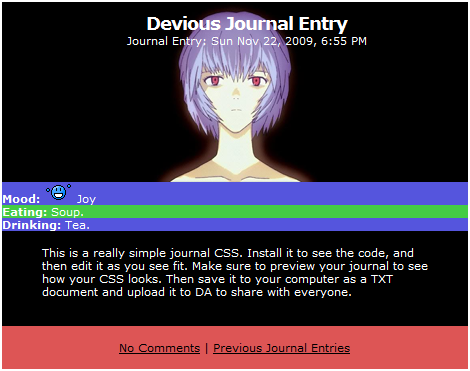
Published: 2009-11-23 03:13:29 +0000 UTC; Views: 2090; Favourites: 16; Downloads: 139
Redirect to original
Description
This is sort of a small thank you to those who have used my skin. Please install it and edit it.
I thought people could use this template to get a hang of the way Deviant Art sets up its CSS, and with a little bit of reseach people can use this small template to make their own skins. I hope this helps people.

[Journal Structure Reference ] by
[ABC of CSS ] by
Rei Ayanami © Gainax.
Related content


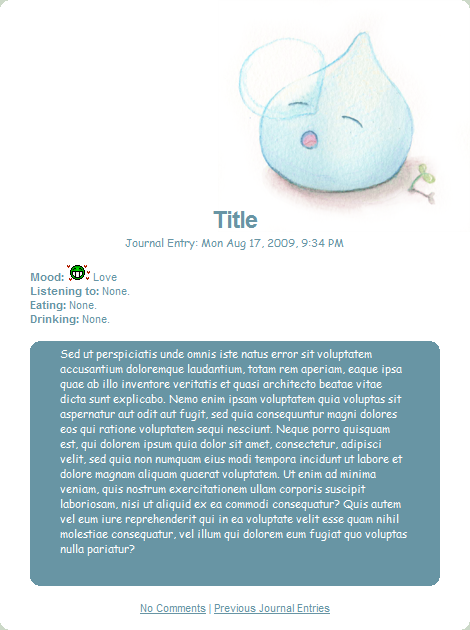


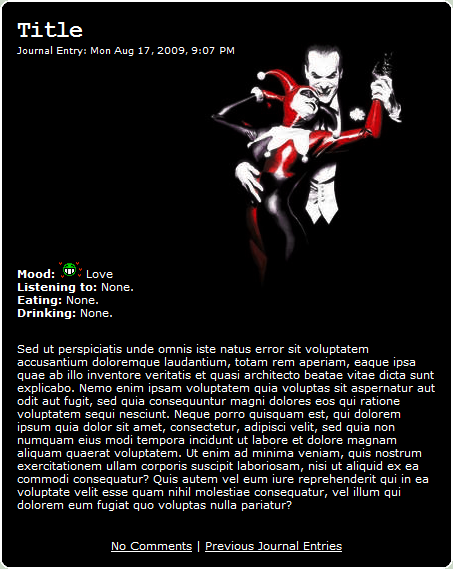
Comments: 42

Oh! Thank you for posting up something like this. I love to break code down and rearrange it. Its good that you provided the basic layout so I have an idea how CSS works 
👍: 0 ⏩: 1

Yeah, good luck! I'll tell you right now that CSS isn't as hard as it seems. Once you learn some of the general coding and all the classes and elements within Deviant Aert journals, it's easy.
👍: 0 ⏩: 0

thanks a WHOLE BUNCH for this. it really helped ^^
👍: 0 ⏩: 1
Oh, good. I'm glad.
I could try to help you with something if you need it.
👍: 0 ⏩: 1
sorry for the INSANELY late reply. @_@ i forgot to check my messages on this account. but i think i got that hang of it now. thanks
👍: 0 ⏩: 0

woah all the codes confuse me o.O *Scratches head*
👍: 0 ⏩: 1
Ha ha, well... I could help you with something if there's anything you'd like to know.
👍: 0 ⏩: 0

i am currently playing around with this, trying to do a Daft Punk design w/it 

👍: 0 ⏩: 1
Ha ha, thanks! And good luck. If you have any questions I might be able to help...
👍: 0 ⏩: 1
awesome, thanx 

👍: 0 ⏩: 1
The looks good so far.
And you know the code to put an image in .journaltop? You can do the same exact thing in .journaltext (the body of the journal). Also, .journalbottom is where the comment links are and you can put images there... Do you know how to align images to the right or left? Or how to make them repeat horizonally or vertically? That's a convenient thing to know, too.

👍: 0 ⏩: 1
i think i may have an idea of how to, but not 100% sure 

👍: 0 ⏩: 0

Ha ha, you're welcome.
Do you need any help with it? I'll help you if you want it (although I don't know a whole lot about CSS).
👍: 0 ⏩: 1

Thank you for the offer, I plan to use this simple template once I get things figured out. I have messed with CSS before, and understand most of the basics...but one thing is I'm not sure how to do is upload an image up into the top of the CSS. I tried uploading from Tinypic but I think I'm not getting the http code right
👍: 0 ⏩: 1
Hrm... did you do "background-image(TinyPic URL);"? Maybe it has to do with the fact that it's from TinyPic or something... I'm not sure. I'd definitely be willing to help you out and stuff, I just don't know how.

👍: 0 ⏩: 1
It's okay! 
👍: 0 ⏩: 0

Yeah. Just install it, and change all the CSS around.
👍: 0 ⏩: 1

I'm sorry I'm asking so many questions XD.Um,what's CSS
👍: 0 ⏩: 1
Ha ha. It's okay. CSS is the code for journal skins. Do you see it when you make a new journal and install a skin? It's in the "Options" tab or something.
👍: 0 ⏩: 1
Yeah.What do I do to edit the CCS?
👍: 0 ⏩: 1
Start making a new journal, select the journal skin you want to edit, and then click the "Options" tab.
There are sections like, "font-color: #000000;" and "border: 0px;" and stuff. Just change the "#000000" to something like "#ee1155" or something. If you go [here ] it'll help you understand what ".link" and ".journaltop" means. Just keep previewing your journal while editing the code, and maybe you'll discover something.
Sorry if I'm bad at explaining things...

👍: 0 ⏩: 1
So basically random numbers and letters?Okay ^^.You're not bad at explaining things (:>.
👍: 0 ⏩: 1
Ha ha, it's not really raaaaandom... It's, like, the first 2 numbers are in control the value of red, the second two are green, and the third pair of numbers is blue. So... RGB. FF is most, 00 is the least. And it's 0-9, then A-F. So, like... 888888 would be about a mid grey, were FFFFFF is white, and 000000 is black. Does that make sense? If you have Photoshop it'll tell you which code correlates to which color.
Or you could look at this:
[link]
👍: 0 ⏩: 1
You're welcome. And good luck... CSS was so confusing when I started out, and I still don't know everything...
👍: 0 ⏩: 1

Thank you! I'm going to use this and try to get my journal right!
I honestly have no idea what CSS is.
Thank you!
👍: 0 ⏩: 1
Ha ha. You're welcome.
If you ever need any help or anything, you could send me a note and I could try to see what I could do (I'm not that great at CSS either...).
👍: 0 ⏩: 1
It's nice not to be alone in that. Thanks again.
👍: 0 ⏩: 0


ooh, very nice!!
I may use this with one of my current header photos...
👍: 0 ⏩: 1
Yeah, feel free to do whatever you want with it. I know it's a little simple, but you could add lots of fancy stuff to it if you wanted.
👍: 0 ⏩: 1
i shall sometime!!!
i like the colours that are there right now, so i will probably just mess around with the header picture, and add mine 
👍: 0 ⏩: 1
Yeah, I just tried to use random basic colors, but they look really nice. I hope this was helpful for you.
👍: 0 ⏩: 1