HOME | DD
 KingRichardPT — CustomFirefox

#code #customization #editing #firefox #programming #skins #themes #windows10
Published: 2017-11-15 13:55:28 +0000 UTC; Views: 426; Favourites: 5; Downloads: 4
Redirect to original
Description
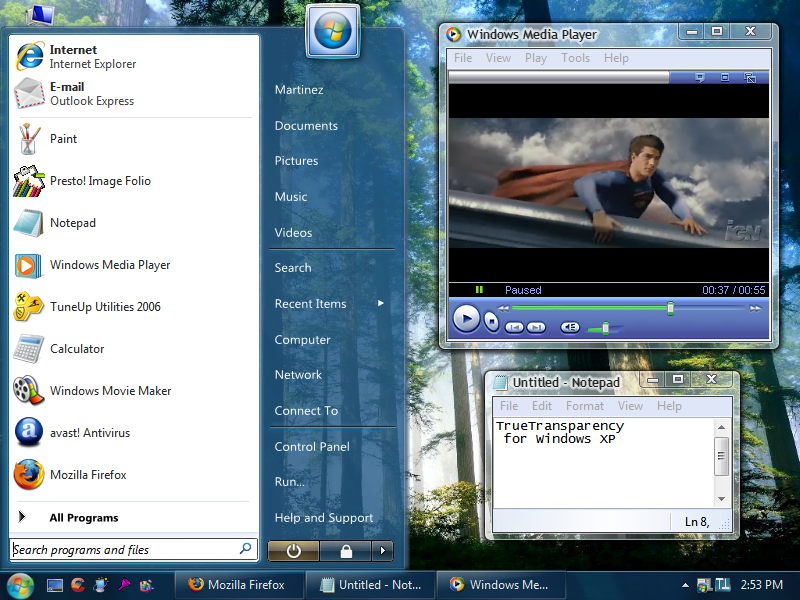
Customizing Firefox by using userChrome.css file.- Replaces default Firefox skin with Windows current theme.
- Adds transparency to Firefox different bars and icons.
- Removes default Firefox Minimize/Restore/Close buttons and uses the Windows current theme instead.
- By using this method, we avoid installing plug-ins that make the browser heavier and slower.
Instructions:
1. Navigate to C:\Users\«User»\AppData\Roaming\Mozilla\Firefox\Profiles\«Profile».default\
2. If not present already, create a folder named "Chrome" (without "")
3. Copy the userChrome.css file onto that folder
4. Restart Firefox
Note: If some weird behaviour happens to Firefox, just remove this file from that folder and it should turn back to the way it was.
This mod is oriented to Firefox Chromium, but most of the code should work with other versions.
This mod only affects the visual aspect of Firefox. Functionality is not touched.
The file can be edited at the user taste and is available here: kingrichardpt.deviantart.com/a…
Theme used on picture by sagorpirbd sagorpirbd.deviantart.com/
Related content








Comments: 7

When I still used Windows 10, I removed Windows 10 GUID from firefox.exe's manifest, see here It gets rid of that problem when hovering over caption buttons as well. In old versions of Firefox, this also restores the old height of URL and search bar. There is some code buried in Firefox that applies these customizations if it detects that it's running on Windows 10. Ideally, one would have to find the way to override them with userChrome.css.
👍: 0 ⏩: 1

Hello there. Yes i was aware of the modification on firefox.exe manifest.
I took other route and made all changes via userChrome.css where i edited the caption buttons size in length and height so they could match and fit the ones on the theme used. That was because i also wanted to change the appearance of buttons and tabs, so i thought it would be better to change all in the same place instead of mixing methods. The file has annotations of what each field does so anybody can change them at his own taste.
👍: 0 ⏩: 1
I agree that the manifest method is hacky, hopefully someone finds the way to get rid of those boxes when hovering over caption buttons using userChrome.css or similar method. These overrides they're putting in some software to get Windows 10 appearance even on non-Windows 10 systems are ridiculous.
👍: 0 ⏩: 1
You can edit the hovering boxes on userChrome.css. I left a note on the file indicating where you can change that. Will update the file with the improved shadows once i have access to the test computer i'm using for that.
I agree with you. Is sad that one needs to hack the interface of programs and systems to have them "pretty". When i used linux years ago it was so easy to change the apearence, location and size of almost everything...
👍: 0 ⏩: 0

Cool!
BTW, you didn't reply to my comment on: Win7 Theme
Take Care!
WIN7TBAR


👍: 0 ⏩: 1
Hi, was so immersed in the changes i've been doing to the system that didn't saw it yet, will give it a try soon.
👍: 0 ⏩: 1
Okay!
Enjoy and Take Care!
WIN7TBAR
👍: 0 ⏩: 0