HOME | DD
 kittycatstudio — SAI Tips Tutorial

Published: 2011-07-31 20:22:16 +0000 UTC; Views: 12151; Favourites: 143; Downloads: 179
Redirect to original
Description
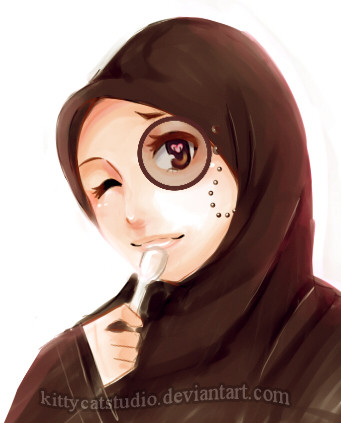
My first "intended for" tutorial..although still considered as walkthrough rather than tutorialAs mention in the tutorial,my tools are quite different compare to default because people in dA too awesome and made special brush for SAI. Big clap to ~Iris-hime
you can download her brush here [link]
If you dont want to download, copic marker also can be simulate by using water tool or marker, but you need to adjust the setting to get the effect that you want.

This tutorial will be submitted as entry to tutorial contest by
Finished work:[link]
Btw im really sorry for my bad handwriting,grammar,english,drawing..all of it!
I hope this will help people..somehow..
Related content







Comments: 51

Haha its ok. This been years ago post and been meaning to share on tips for Sai function rather than the drawing itself. Anyway thanks for the critiques!
👍: 0 ⏩: 1

AAAA man I am so sorry. I was probably in a bad mood tbh when I posted that. I personally hate being critiqued so I don't like doing it to others. So sorry haha.
👍: 0 ⏩: 0

doesn't salam mean thank you in tagalog? BTW great tutorial.
👍: 0 ⏩: 1
im not sure wat it is in tagalog.but in arab it means "peace".haha,and thanks!
and yes,im sorry for super duper ultra late reply//cries at dark corner
👍: 0 ⏩: 0

wait, "Salam"??? this is the way we say "hi"! Anyways, nice tutorial!
👍: 0 ⏩: 1
oohh really?? salam means "peace"

and im sorry for ultra late reply.orz
👍: 0 ⏩: 0

Alsalam alaikum
Congrats for winning the first place
You've been featured in our groups main page !!

👍: 0 ⏩: 1
Waalaikummussalam..
Thank you dear

👍: 0 ⏩: 1

awww..thank you so much ;v;
👍: 0 ⏩: 1

i want an original sai program but i never did found it~ T___T
👍: 0 ⏩: 1
kat mesia xtau mana ada jual..so..dlod jela..huu
👍: 0 ⏩: 1
aiiii~~~ >w< same la kite.
sai fan made pun~ fan made la~ janji bole kaler-kaler hahahahaha

👍: 0 ⏩: 1

xtaula ada lg ke x pas isu sopaK tu..XD taip paint tool sai mediafire kat gugel pastu amik 1st link oh my,SOPA is attacking me
👍: 0 ⏩: 1
ahah! ade! ni jenih portable ek? terus guna tanpa installation?
👍: 0 ⏩: 1

I love ur handwriting! Seriously..
👍: 0 ⏩: 1
your taste is so weird
anyway thankiiesss
👍: 0 ⏩: 1
coz..there is nothing fancy with my handwriting

👍: 0 ⏩: 0

hehe,but sometimes i do character first..no.no..actually i randomly start whichever i like 
👍: 0 ⏩: 0

Nice tutorial and good luck in the contest. I recently bought Sai and during my trial version and after I bought it I had no pen tool and ink pen. I searched online a lot and I copy pasted the notepad of the ink pen and pen tool to the folder called toolsnrm in Sai's folder.
Now, I have the tools, but they dont work. Do you know why this is or what I can do to solve this problem. Heres a link to how the brushes work on sai for me.
[link]
Thank you
👍: 0 ⏩: 1
First of all,thank you for reading my tutorial
and regarding your problem..its weird since by default pen tool and ink pen should be in there.
Since i never add tool,but replace it all instead,i have no idea how the installation works.But...i have read a nice tutorial regarding this issue [link] Maybe you could ask her
If you dont want any hassle,my suggest is just replace all the brushes with the link given in my description because all those tool are awesome(includes some nice texture).Good Luck!
👍: 0 ⏩: 1
Thank you, I will definitely read the link you sent me and try it out.
👍: 0 ⏩: 1
Your welcome,good luck and i hope you managed to sort things out
👍: 0 ⏩: 1
Oh, may I ask one more question. Maybe I downloaded Sai from a wrong place so I ended up missing tools? Where exactly did you download it from? I downloaded it from [link] where it says Paint tool sai full installation.
👍: 0 ⏩: 1

hey i'm a little stuck, how do you fill the base colour without losing your lines, i can't figure it out :S
👍: 0 ⏩: 1
by losing the lines do you mean the base color bleed over the line or the base color erase your line?
👍: 0 ⏩: 1
i used the bucket tool and it erased the lines each time? :S they came back with the undo button of course

👍: 0 ⏩: 1
do you fill in color in the same layer as line layer? you need to do it in separate layers

👍: 0 ⏩: 1
i tried that as well and on the separate layer it still went over?
👍: 0 ⏩: 1
i see..you can try either these:
1)make sure your line layer is on TOP
2)If your line is neat(no hole for color to bleed into other area) and you want to use bucket to fill in, at bucket setting select 'canvas' when you want to fill in certain area
3)if your line is in .jpg please make sure to change the line layer to multiply.then at bucket setting select 'color difference' and 'canvas'.
👍: 0 ⏩: 1


Thanks dear,hope its helping
👍: 0 ⏩: 0

I wonder, how did you get yourself to draw all proportions and perspective right? I mean, for me, it's a heavy thinking process to achieve such a thing, I wonder how to approach this problem, to draw characters in any pose, perspective in the correct proportions etc. Have any tipps for that?
👍: 0 ⏩: 1
As for me i dont think my drawing achieve 'perfect' proportion n perspective yet..im still in learning process
But we can learn from real photo and see how perspective looks like
eg:for this picture i use a sky photo as reference to draw the cloud and add a little bit imagination for the tree(hence it looks quite wrong rite?)
same goes for characters,we can use photo as reference,there are lots of stock pictures in dA meant for pose reference,or you can also learn from this useful website [link]
But if you not using any reference,that is the function of flip! so we can check either the character has balance face/eyes/hair or not
hope im making sense here
👍: 0 ⏩: 1
thanks a lot, this page is actually awesome, really appreciate it, although a heads up would have been nice(about the content, but I guess it's what an artist has to go through until a certain degree). I try to(maybe because I'm too lazy or feel like that it's faking)draw completely from mind, but maybe that is the wrong approach.
thanks again, really appreciate the help.
👍: 0 ⏩: 1
haha,your welcome
we learn from reference first and when we get to know how human anatomy works then we can use completely our mind to draw that's why people do skeleton sketch to get anatomy right
👍: 0 ⏩: 0