HOME | DD
 LithTech — ltConfig remastered
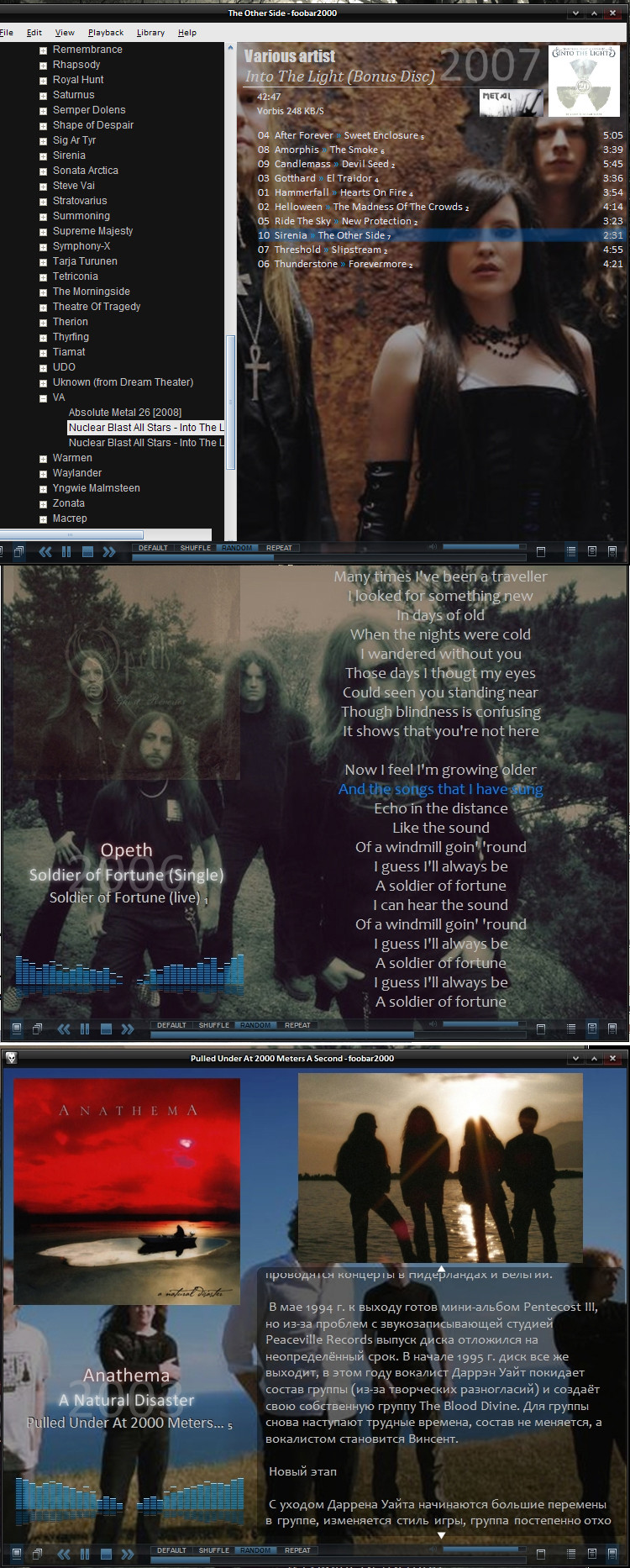
Published: 2009-09-27 09:24:14 +0000 UTC; Views: 5685; Favourites: 5; Downloads: 368
Redirect to original
Description
Is is a remastered version of ltConfig ([link] )Whats new:
- some changes in playlist (support for genre images, thanks to Znidarsic [link] )
- some other cosmetic changes
How to install:
- This is a foobar2000 config, so you are need foobar2000 music player [link] All needed components included in archive
- Extract downloaded archive into C:\Program Files\foobar2000 (or to the other install path of foobar2000)
- Run player, choose Columns UI by the main interface, go to File -> Preferences -> Display -> Columns UI -> Main -> FCL importing and exporting -> Import
Choose the "ltConfigR.fcl" (located in foobar2000 path) in "Import from" dialog
Thanks for using my config!
Related content








Comments: 5

I thought it would be too busy, but it is awesome. Thanks for the hard work!
👍: 0 ⏩: 0

Thanks for sharing! is very nice! I'm using rigth now

👍: 0 ⏩: 1

Thanks for comment. For all questions ask to me
👍: 0 ⏩: 0
Forgot 1 thing 
Config support autodownload artist images and album images. To enable this, you must do:
1. Press Ctrl+P (Preferences)
2. Go to Tools->Biography Sever -> Lastfm, the artist tab
3. Paste code into Text cache and into Image cache paths
$replace(%path%,%directoryname%\%filename_ext%,)%artist%_bv
4. Go to album path tab
5. Paste code into image cache path
$replace(%path%,%filename_ext%,)front_bv
👍: 0 ⏩: 0


